


 46
46
Stock Text Templates: Customize Your Pre-Op Templates and Operative Notes
Artisan produces a number of patient care documents including preop/postop orders and operative notes for egg retrieval. Each of these documents may be customized using the Stock Text tools.
Navigation

Go to the Gear icon. Select EMR Settings and Select Stock Text Templates.

Here, you will have the opportunity to edit the:
1. Preop/Postop Orders
2. ER Op Note
Preop/Post Op Orders Template
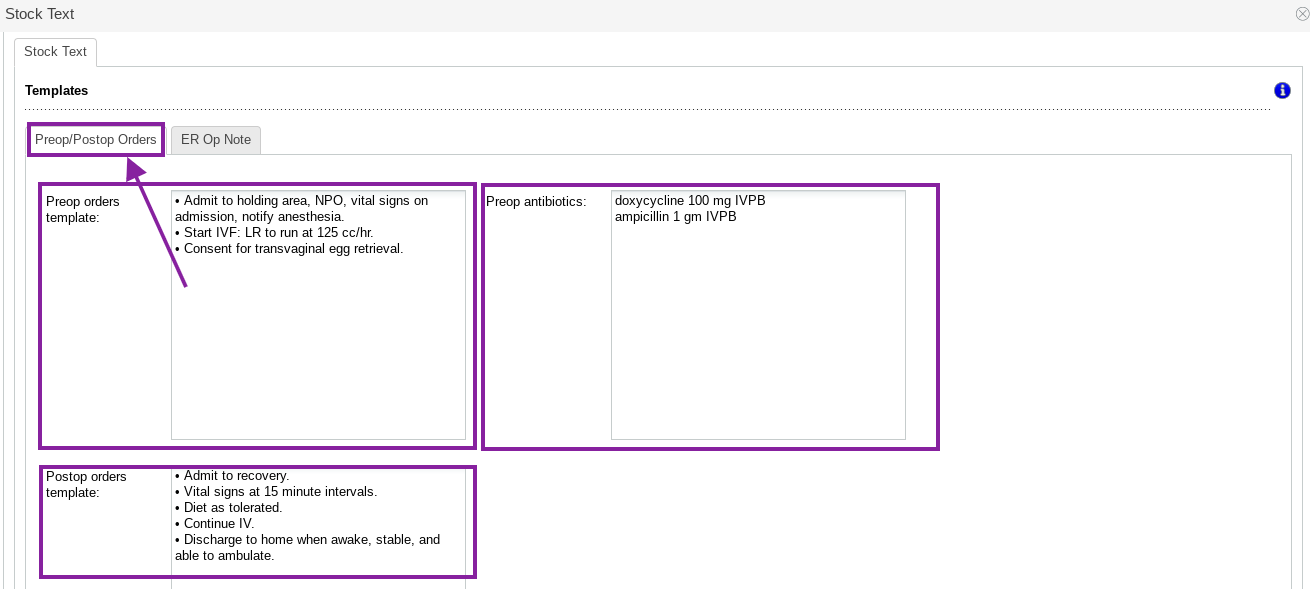
Enter templates for Preop orders, Preop antibiotics and Postop orders for an egg retrieval by clicking in the fields above. These fields will auto-save any changes made.
This text may be freely edited on each individual patient record from the patient's cycle.
Edit the ER Op Note Template
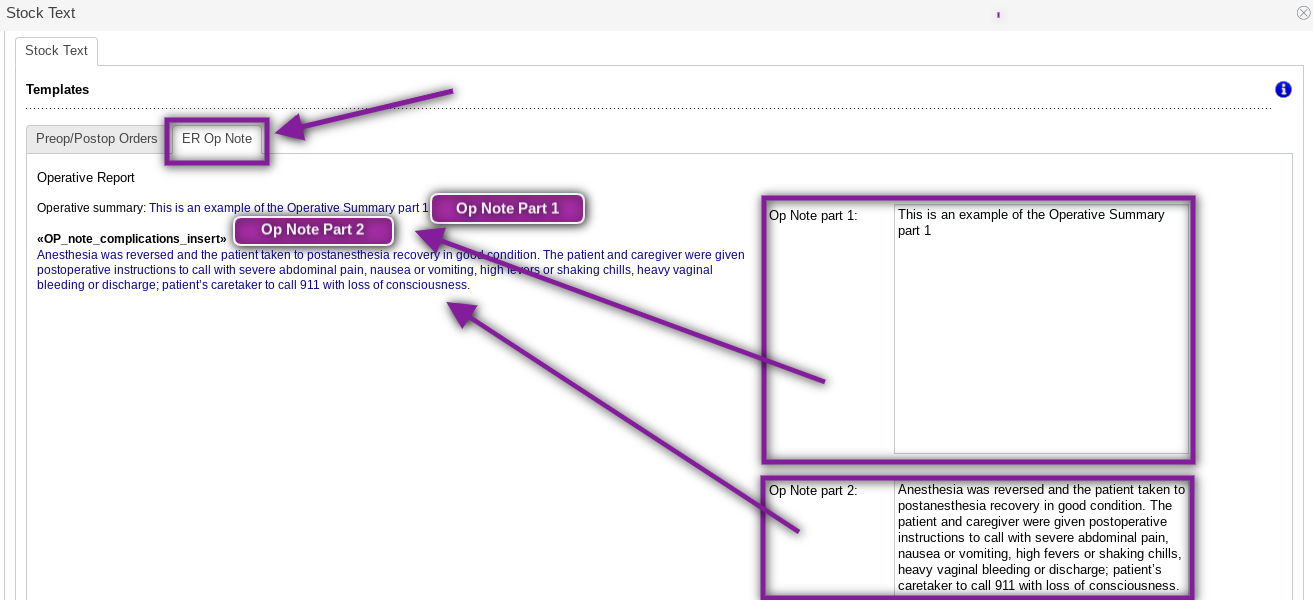
Click on the ER Op Note tab in Stock Text Templates. Use the fields on the right to enter/edit text for part one and part two of the egg retrieval op note. These fields will auto-save any changes made.

