


 117
117
An embryo transfer is documented in Lab Notes using the graphical user interface within a cycle.
Use the Embryo Transfer tab to add additional information such as SART embryo grading.
Document ET in Lab Notes
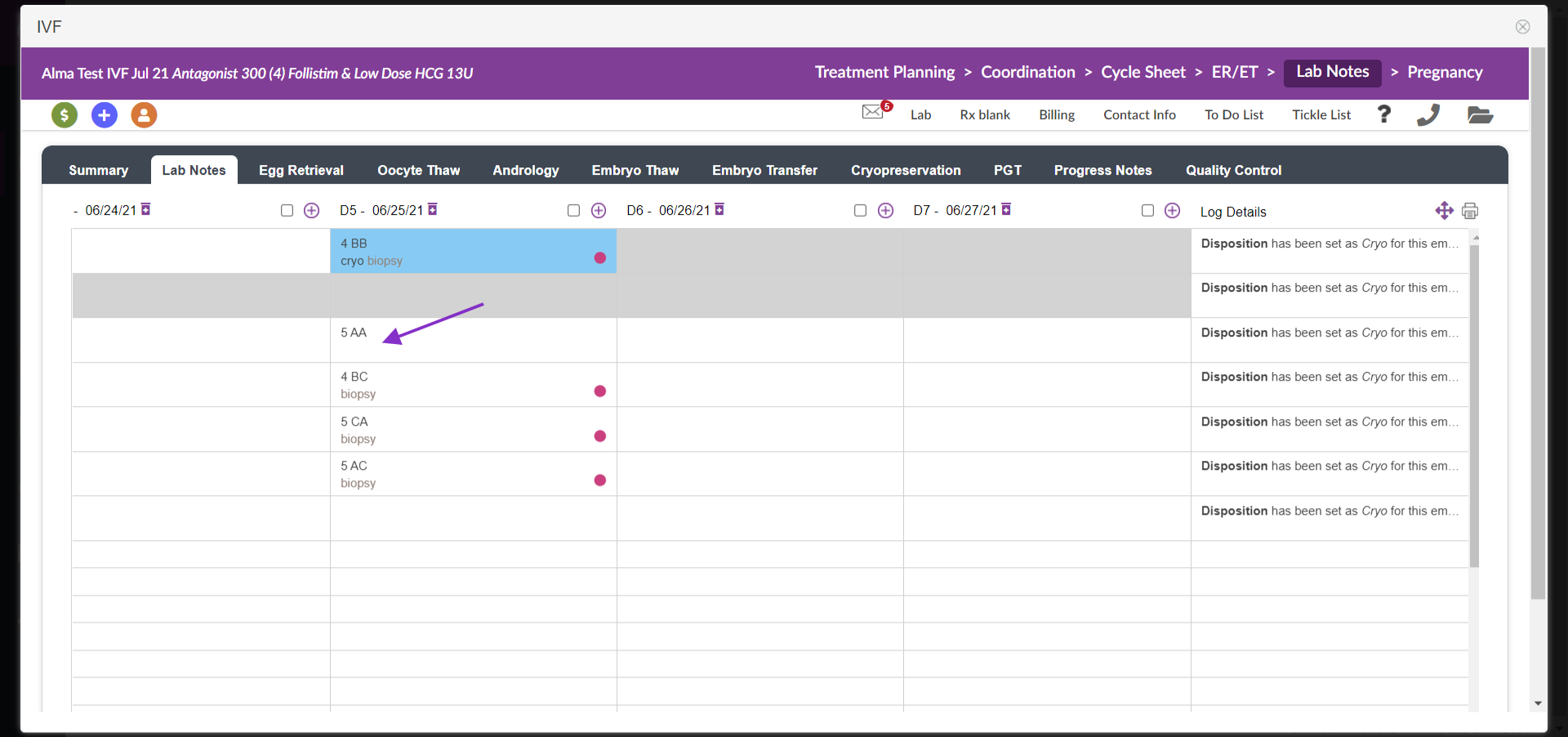
Select the embryo you wish to transfer in the Lab Notes section.
You are able to make the selection utilizing either bulk grading or individual grading.
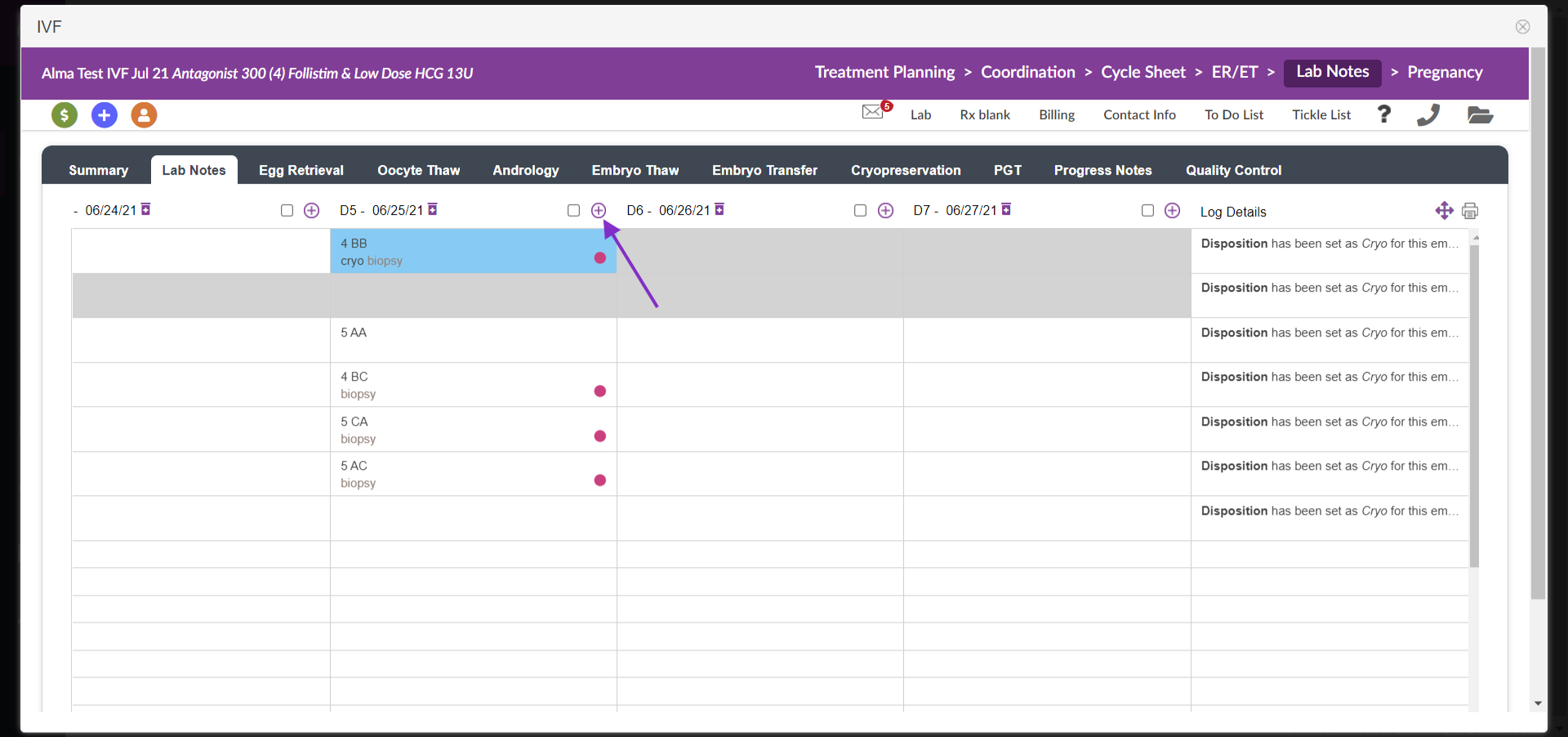
For bulk grading, select the purple (x) to enter the selection
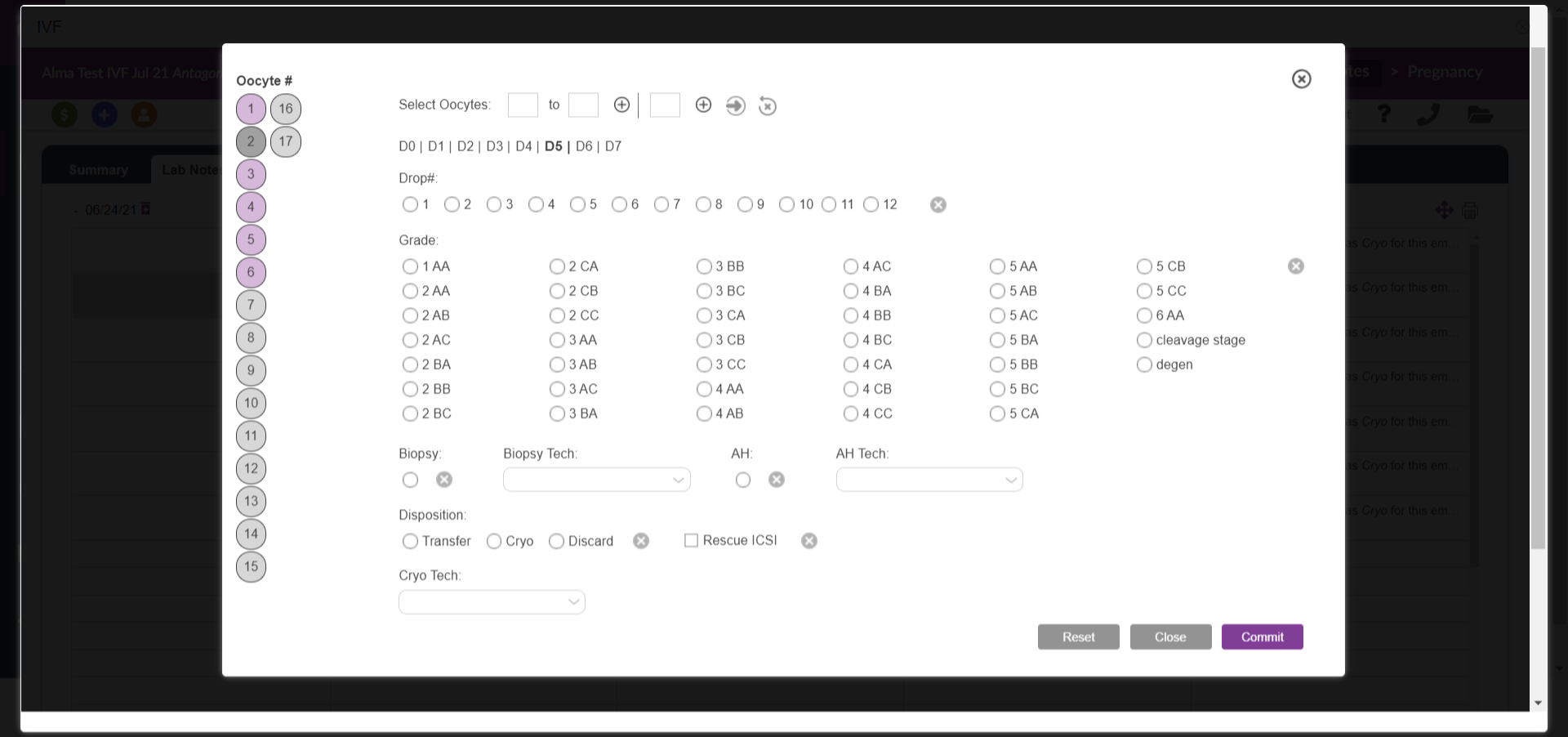
For bulk, grading make all the necessary selections and select commit. Use the reset button to reset all sections made during bulk grading including, drop number, grade, biopsy, and disposition. All selections except cryo can be reset.
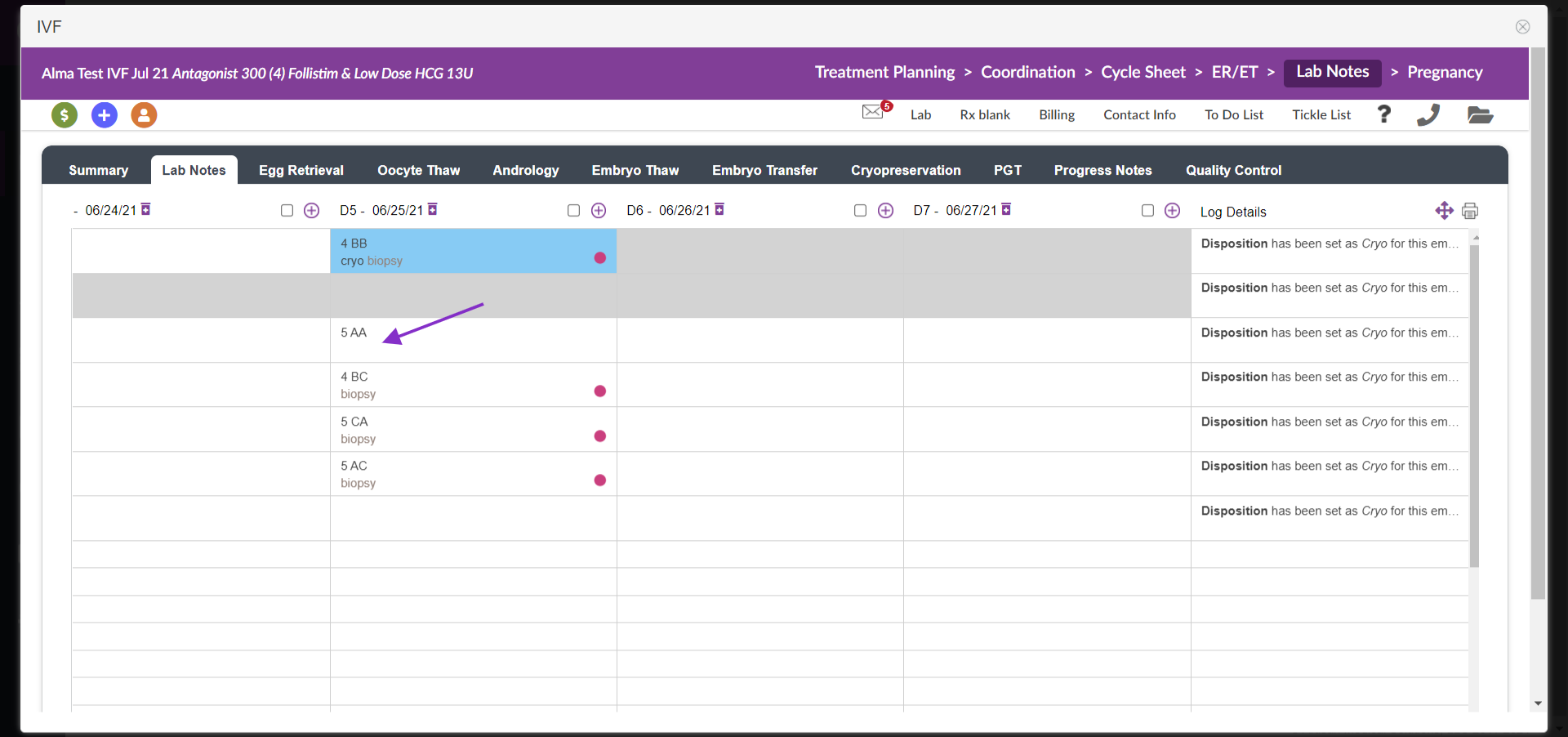
For individual grading, click on the cell that contains the embryo. This opens the Popup Menu which allows you to make the required selections.
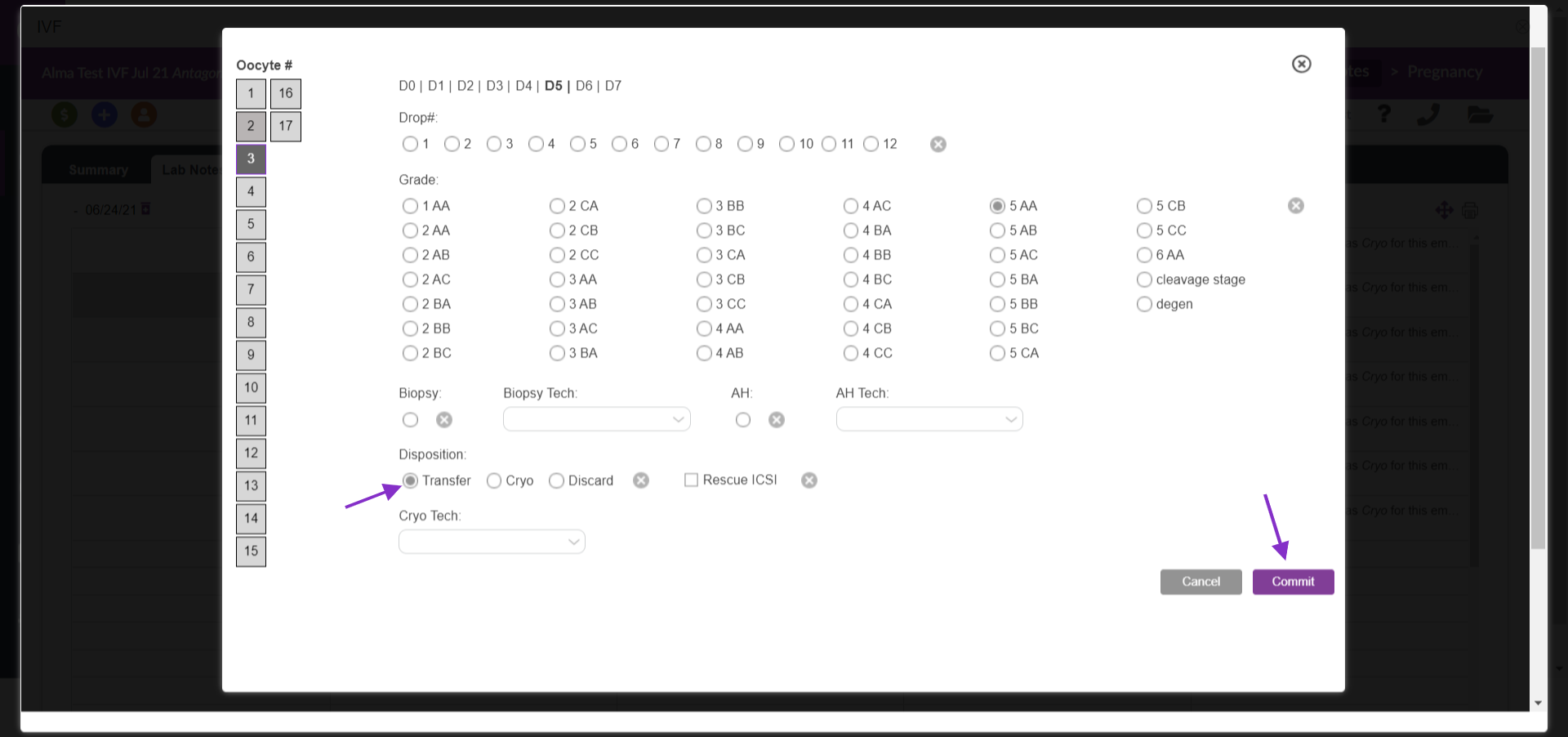
Make the required selections:
1. Transfer, from the Disposition options
2. Click Commit to save and display the updated status of the embryo in Lab Notes:
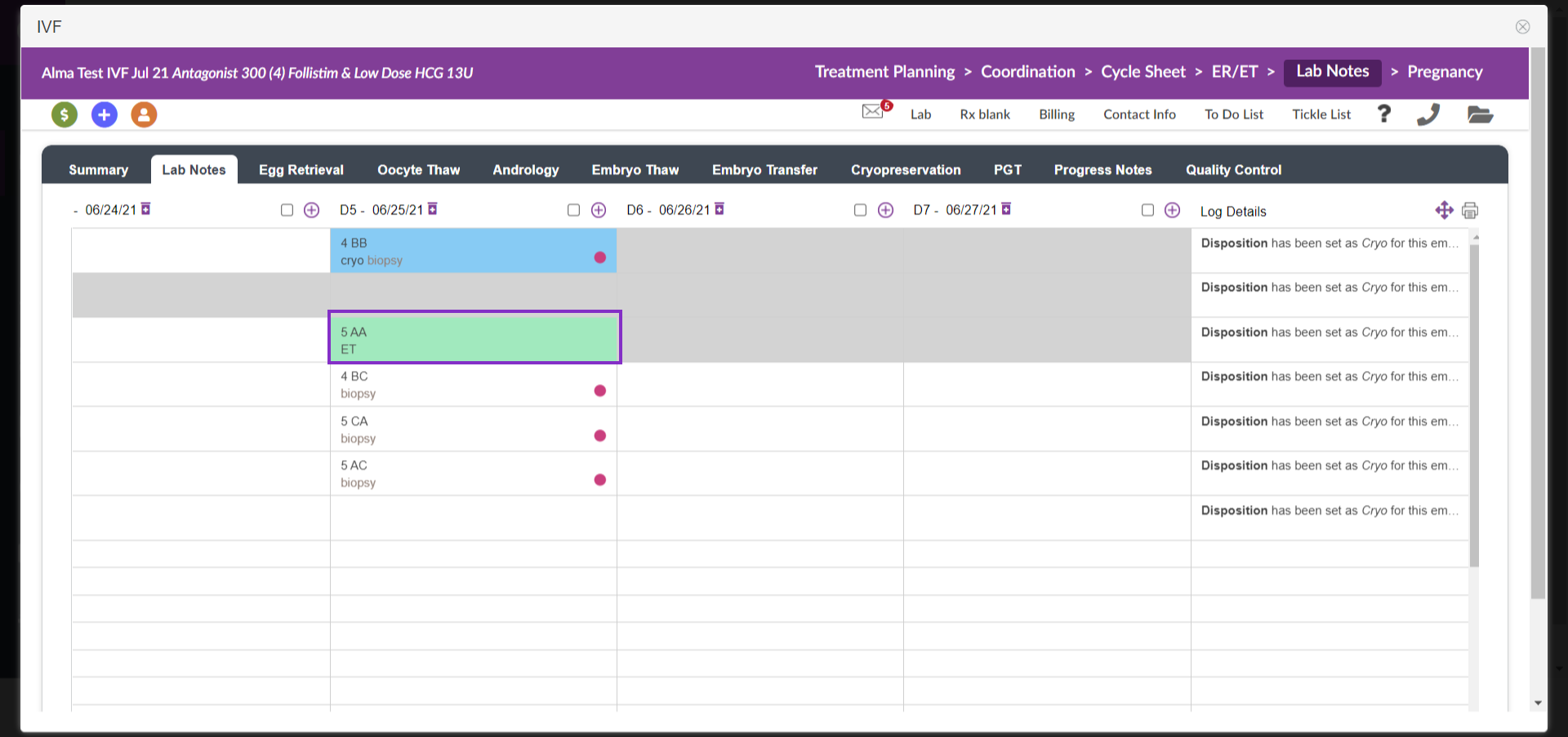
The information in Lab Notes is now updated to show the status of the embryo "5AA, ET
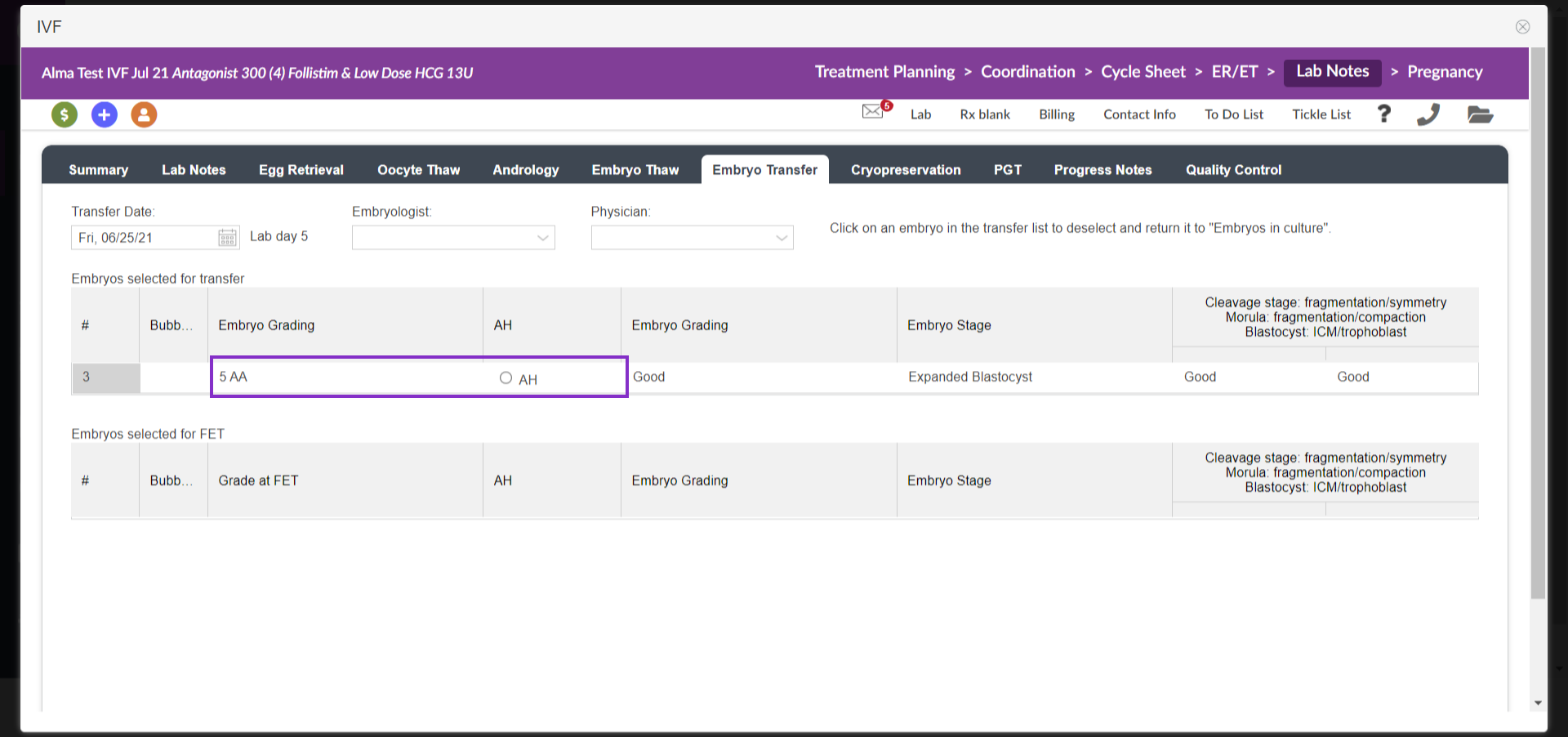
The embryo grade entered into Lab Notes as well as an assisted hatching (AH) will be indicated in the Embryo Transfer tab
Complete Documentation in the Embryo Transfer Tab
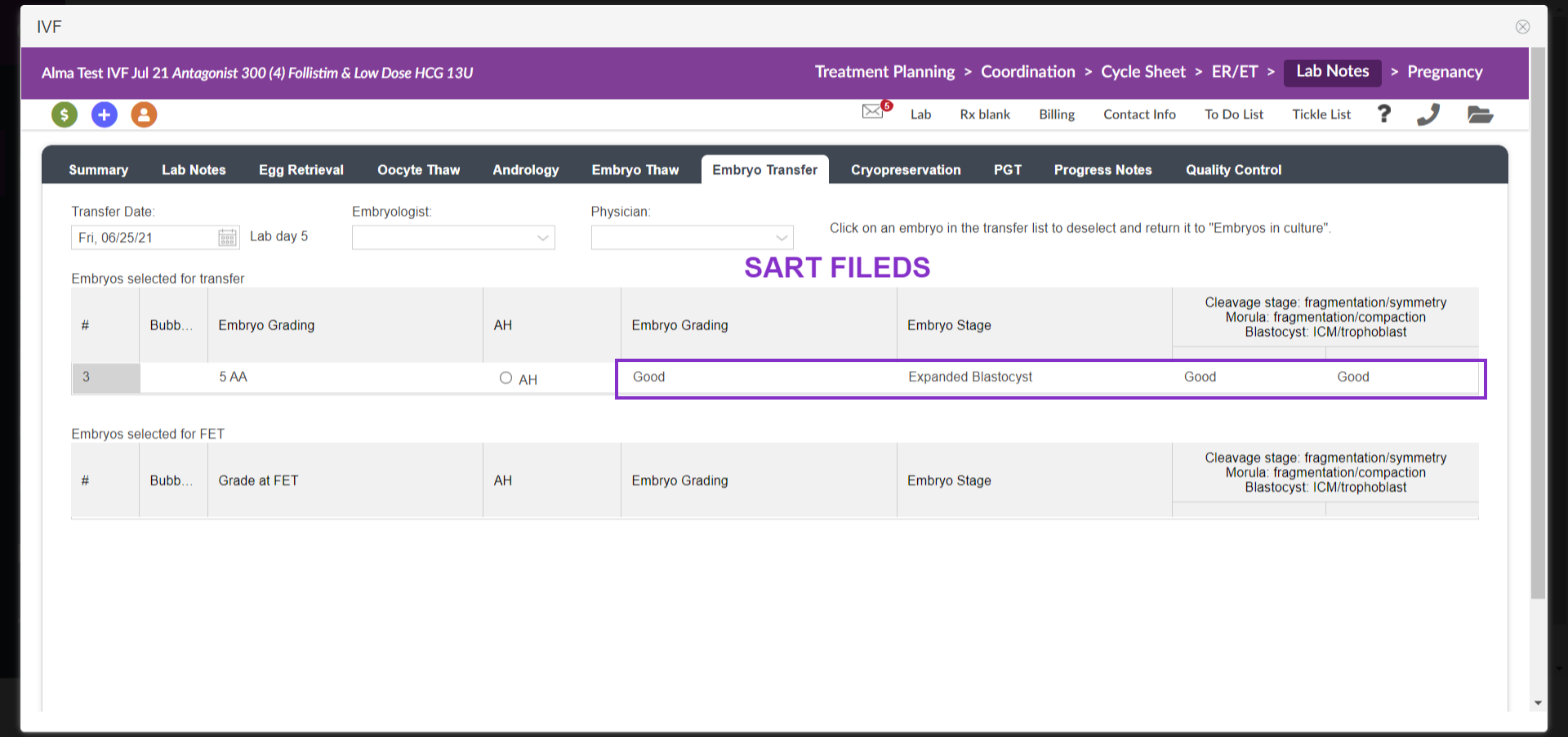
The embryos selected for transfer will appear in this tab and are shown in the Embryo Transfer tab. In the Embryo Transfer tab, both the fresh transfer and FET will appear on this tab. For fresh transfer it will display at the top "embryo selected for transfer" and when selecting an embryo for FET it will display under the "Embryo selected for FET".
For US-based SART reporting clinics, you may enter the Embryo Grading/Stage and description in the fields outlined in gray. Use the respective drop- downs from each stage to provide the data for your SART upload. The SART drop-downs include Embryo Grading with the drop-down, Embryo Stage and Cleavage Stage
All notes associated with the transfer itself will be completed by the provider within the cycle in the ER/ET Tab
*All manuals are compliant with HIPAA regulations. No patient information has been released. All screenshots above were taken from a test clinic with fake patient information.

