


 132
132
Documenting cryopreservation is a two-step process. The process enables all of the information from Lab Notes to be seamlessly imported to the cryopreservation log for the practice. The first step is selecting the oocytes/embryos from Lab Notes for cryopreservation. The second is creating locations (straw or vial numbers) in the system of the cryopreservation record for the samples.
Selecting an Oocyte/Embryo for Cryopreservation from Lab Notes
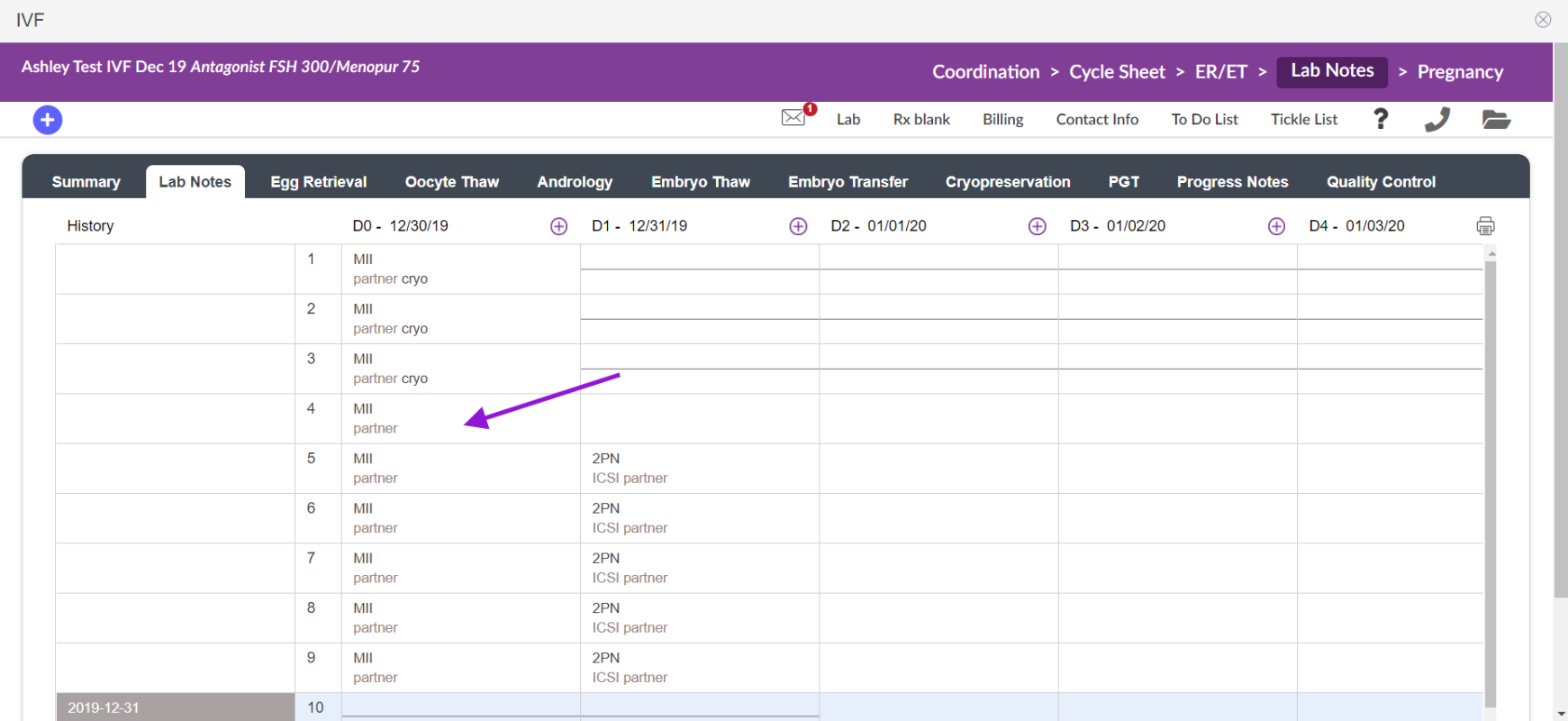
Selecting embryos/oocytes for cryopreservation may be accomplished through either bulk or individual grading. To cryo individually click on the cell that contains the oocyte that you wish to freeze to make your disposition.

In this example, we are freezing an oocyte prior to insemination, so we select the Cryo button under both Insemination and Disposition. Click the Commit button to save.
When selecting an embryo for cryopreservation, only select Cryo under Disposition, not Insemination.
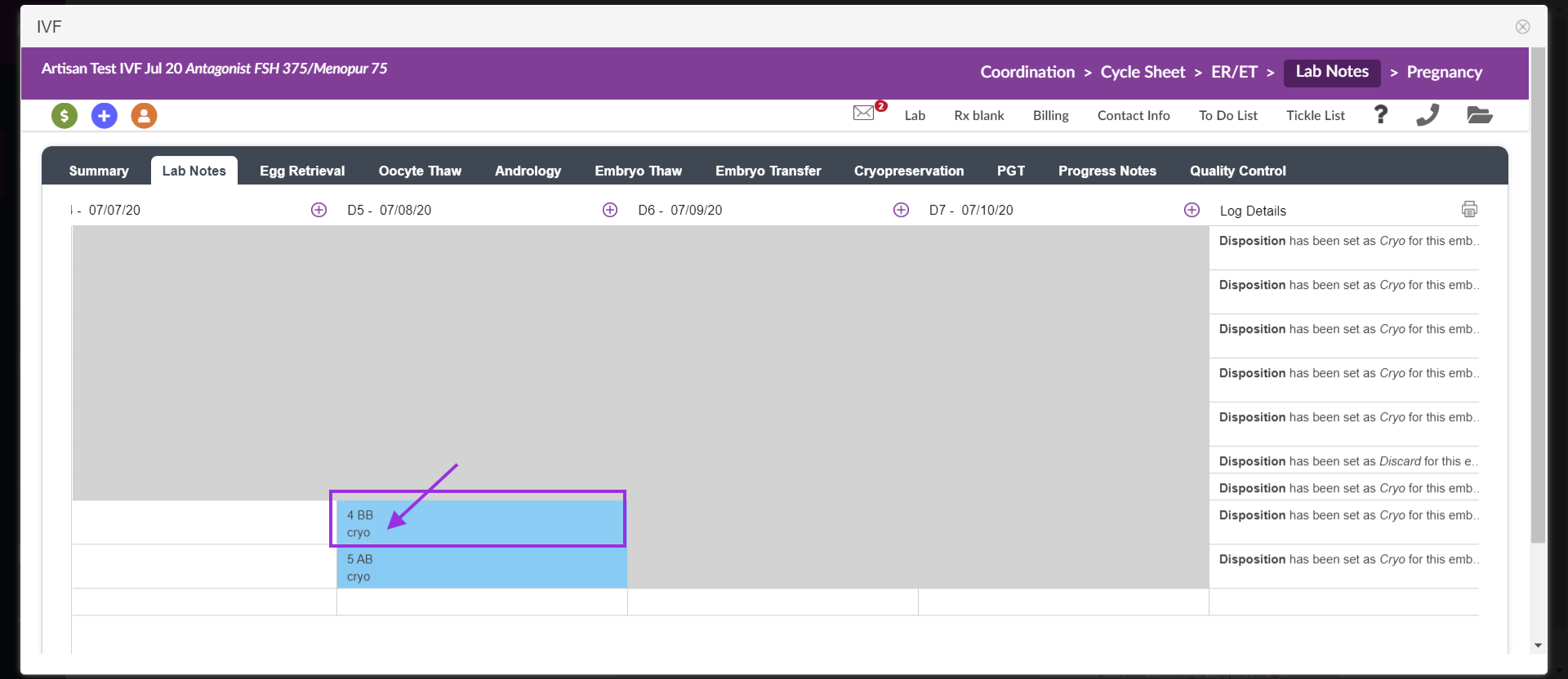
The selected cell now displays the cryo disposition.
Use the Cryopreservation tab to Record Cryo Straw/Vial Number & Tank Location
Once you have selected oocytes/embryos for cryopreservation, go to the Cryopreservation tab.
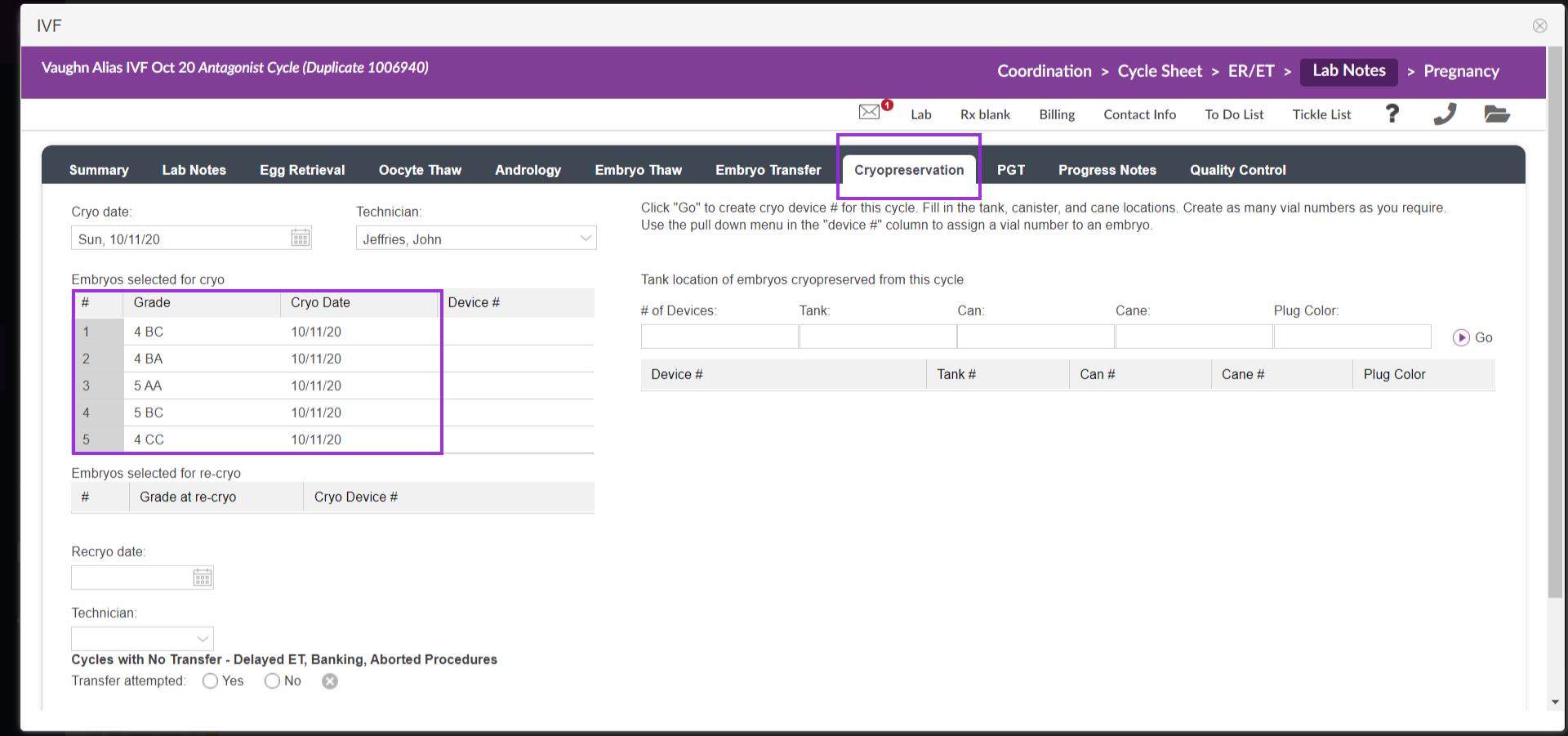
First, from the Cryopreservation tab use the pulldown to select Technician and enter the Cryo date. Oocytes/embryos designated for cryo are displayed in the listed on the left side under Embryos selected for cryo.
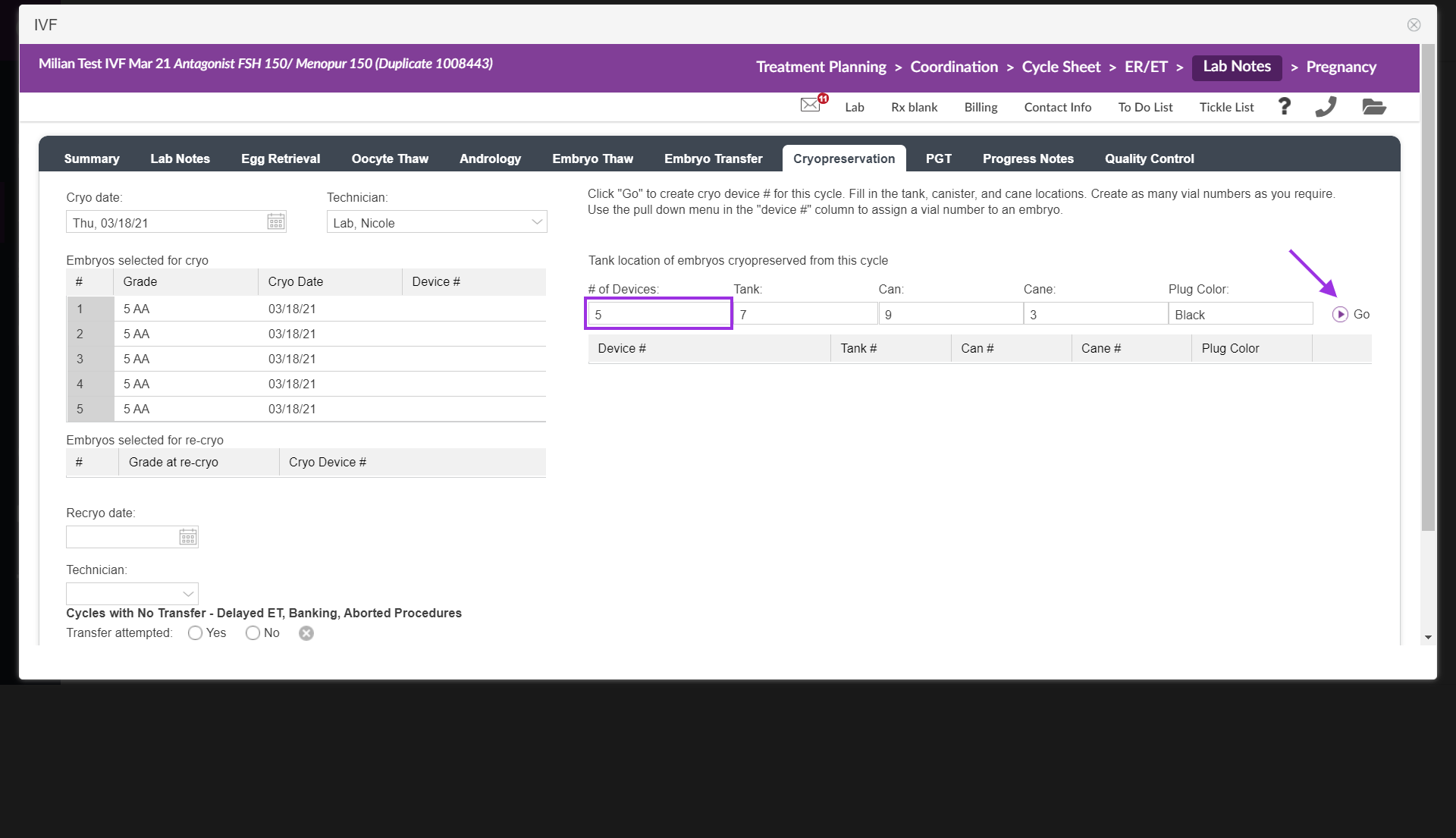
Click inside the cell # of devices and enter how many straws are needed. Then complete the information that would be the same by filling in Tank #, Cane # Canister # (Can #), and Plug Color. Select the purple 'Go' play button. This will drop down the number of straws with the pre-entered information. You will be able to edit or update as you wish.
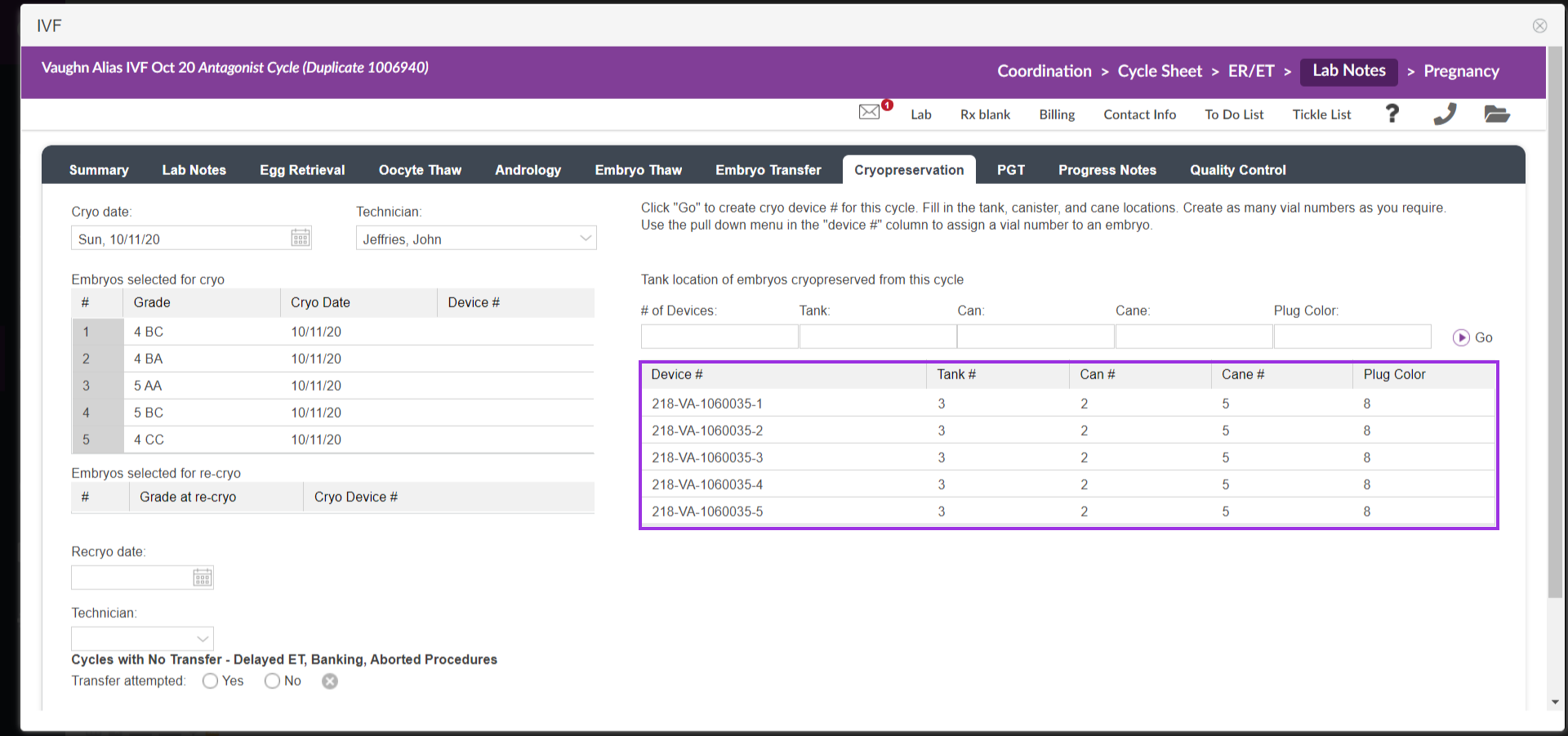
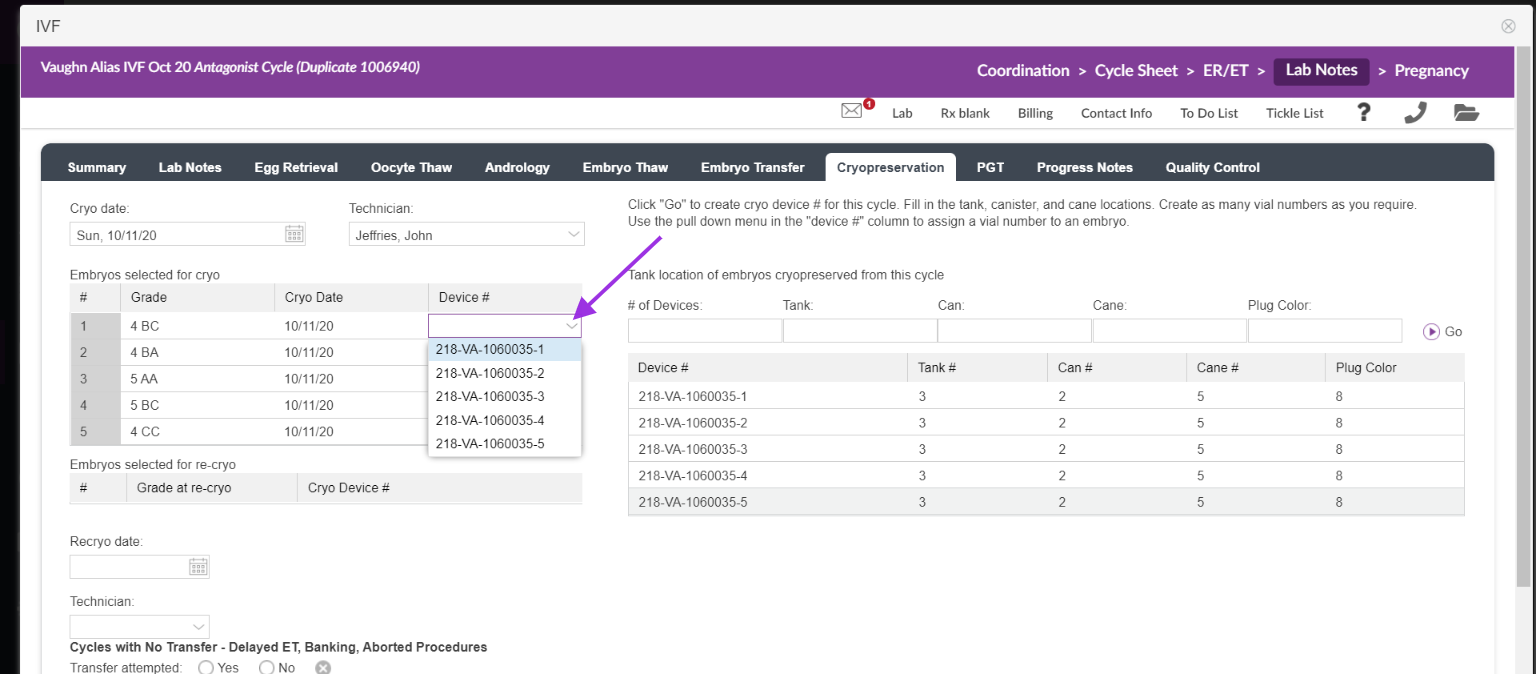
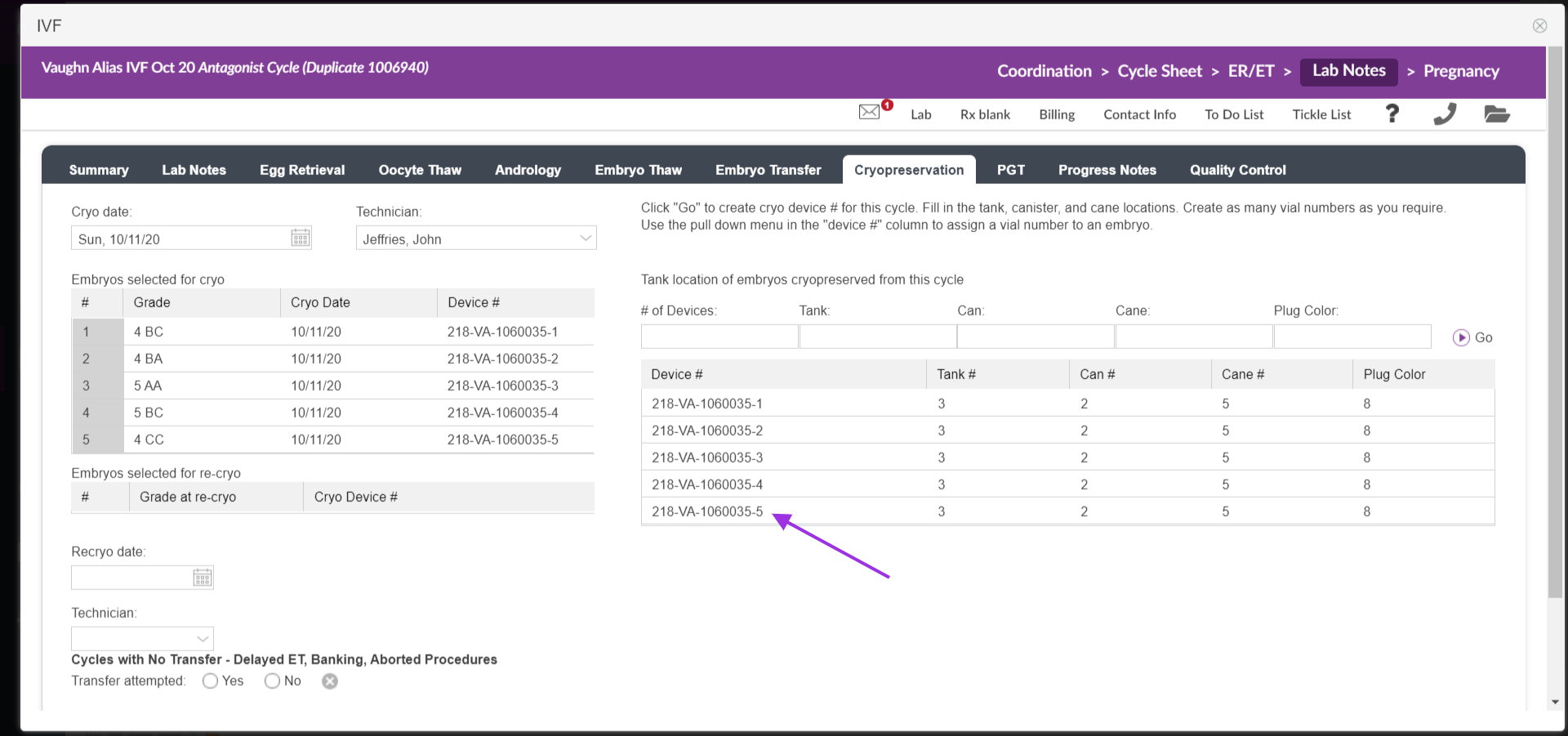
Use the pull-down menu for Vial # in the Embryos Selected for Cryo portal to assign a Straw/Vial number to each sample. If freezing individually, assign one straw/vial # to each. If freezing together, assign the straw/vial # to the appropriate multiple samples.
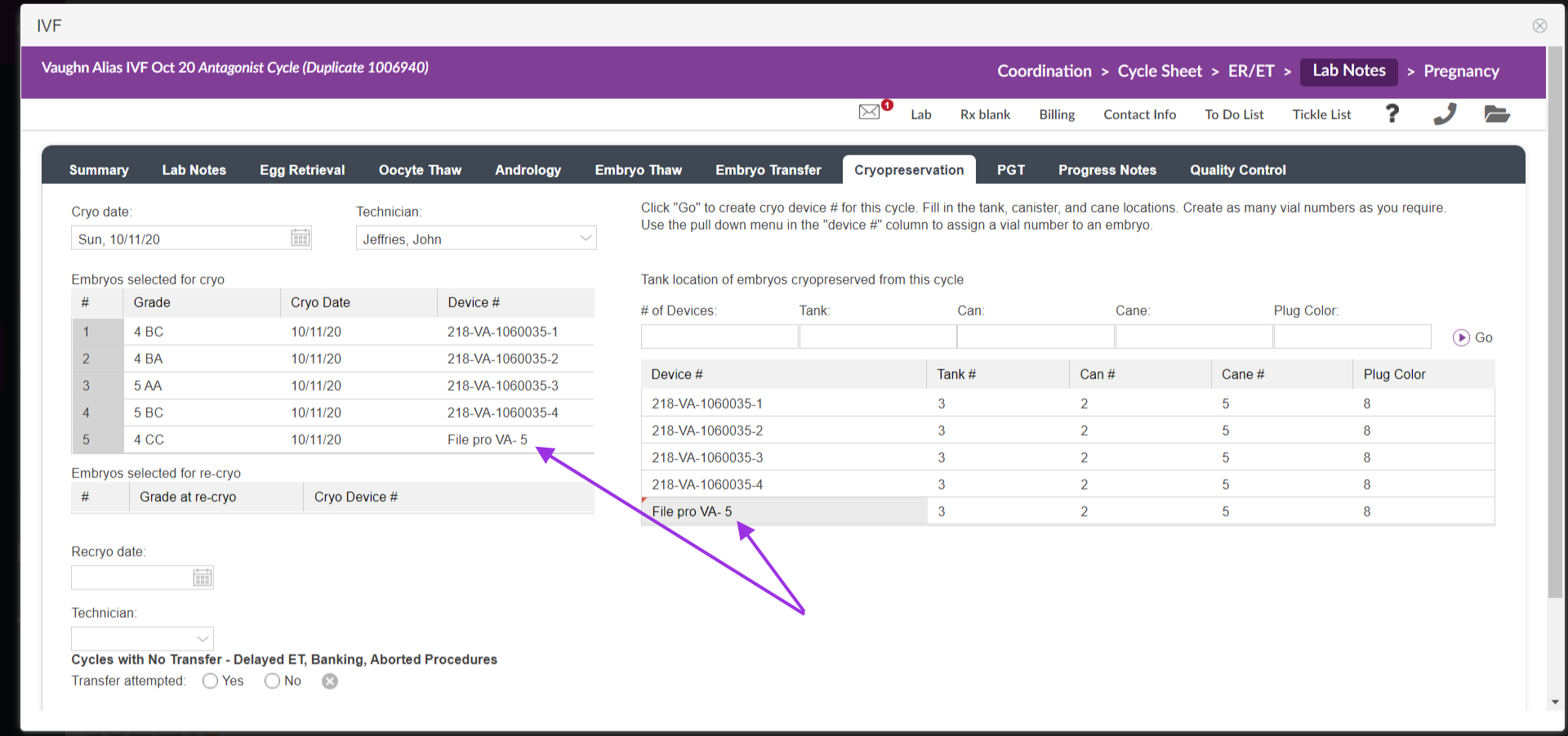
To customize the vial #, click inside the cell and free text the new information.
All of this information now resides in the Cryologs/Specimen Log. You are also able to recryo embryos and oocytes from this page by selecting the recryo date and technician.
**All manuals are compliant with HIPAA regulations. No patient information has been released. All screenshots above were taken from a test clinic with fake patient information.

