


 97
97
Every action performed in Lab Notes is recorded in the Audit Log, located in the Progress Notes Tab. This may be viewed and printed at any time.
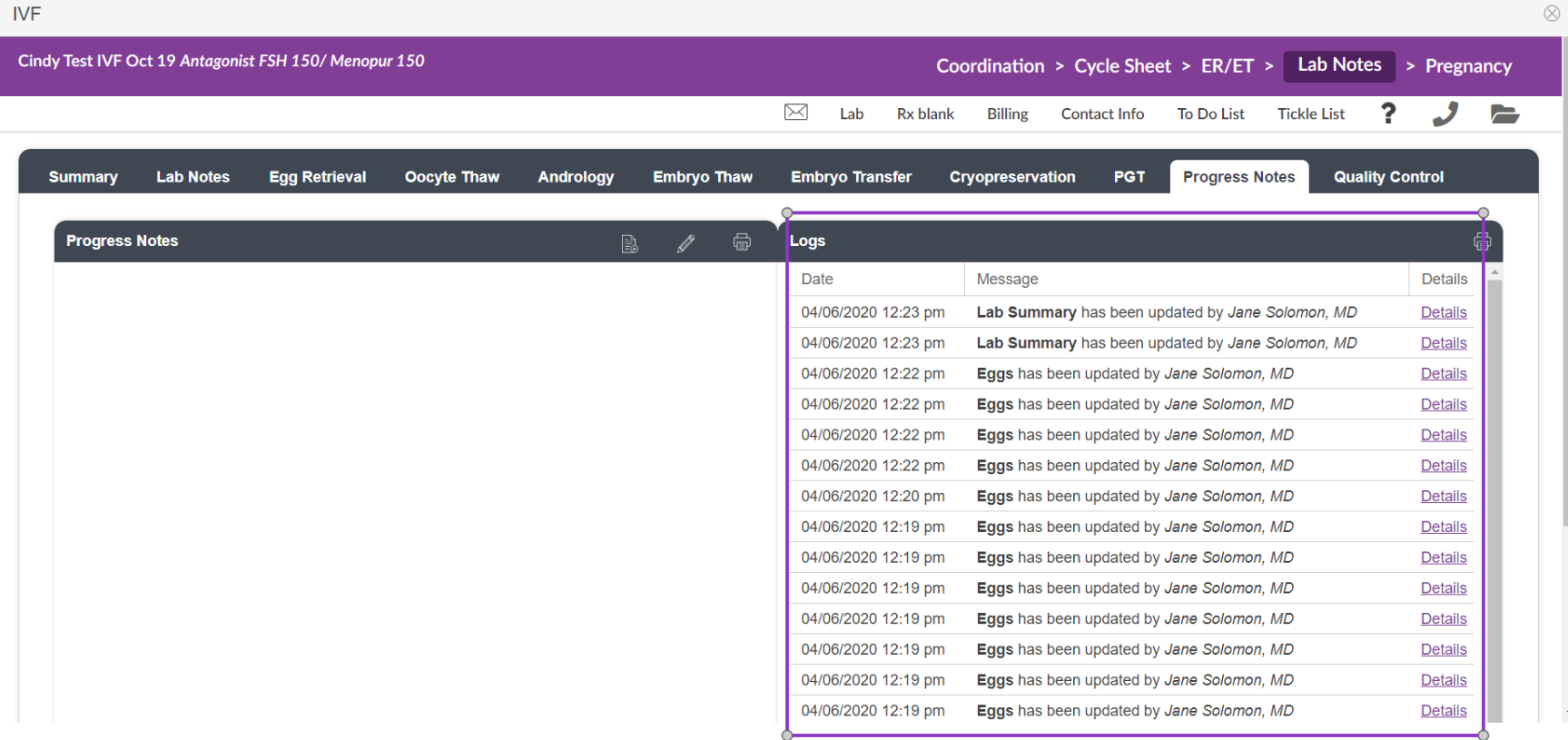
In Lab Notes select the Progress Notes tab, the Logs ( to the right) lists all actions and interactions inside of this cycle within Lab Notes. This log becomes a footprint recording time/date/user stamped all actions within the cycle. To see the specific details, click the Details button.

A full breakdown of what fields were changed/edited is listed when you select Details.
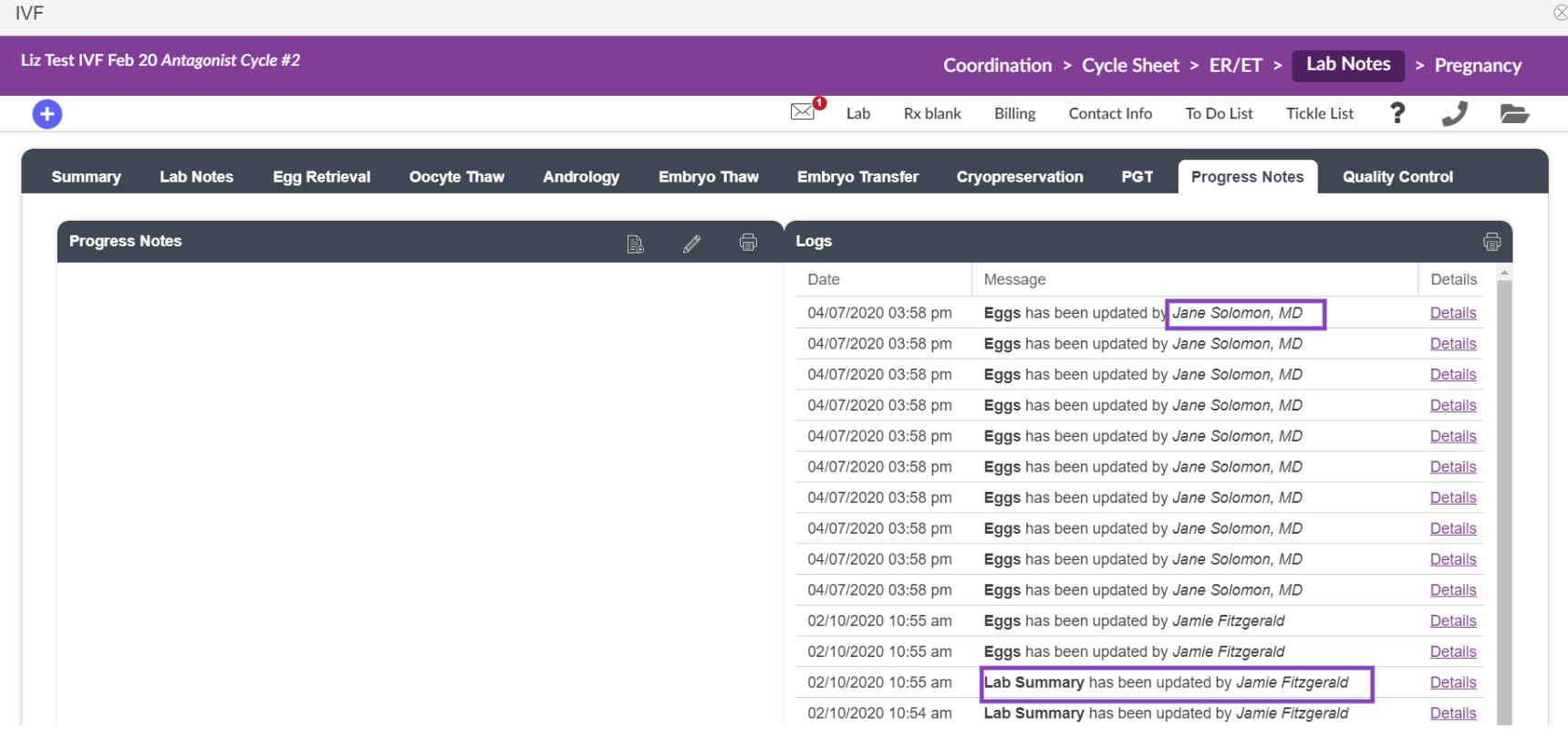
Details provide you with information on what has been changed. This Log also provides you with the information of who changed what information.
Printing the Lab Log for a Cycle
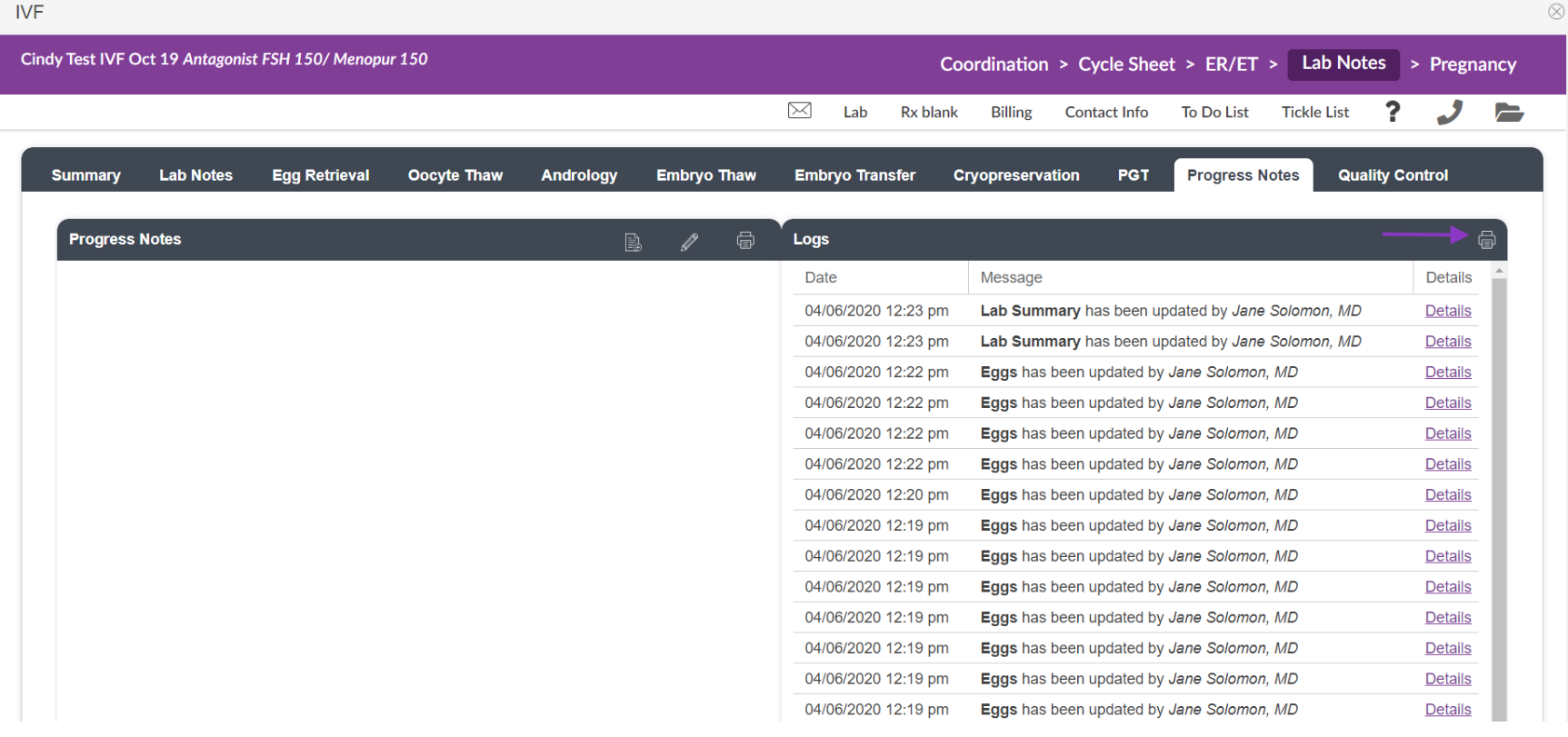
To print the log for a given cycle, click the printer icon.

On the print preview screen, again click the Print button.
**All manuals are compliant with HIPAA regulations. No patient information has been released. All screenshots above were taken from a test clinic with fake patient information.

