


 121
121
Artisan allows for the capture of all billing charges from D0-D7 within the treatment cycle. The IVF billing feature will allow for easy use of selecting what procedures were performed. This information will be transmitted to the accounting section for the billing team to view the daily selections that were made while the patient's samples are in the lab.
Navigation
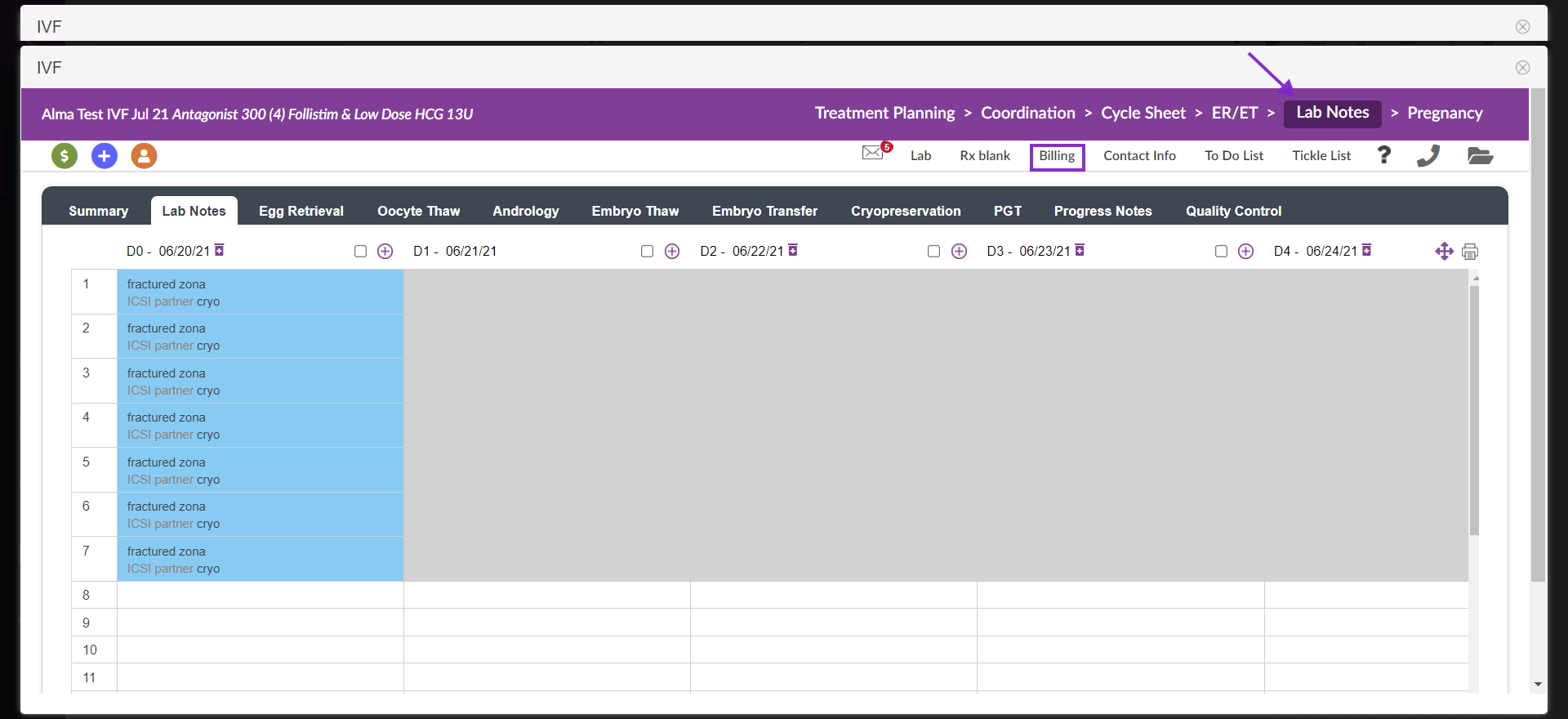
From within the patient's cycle select on the purple Lab Notes tab and then select the Billing icon.
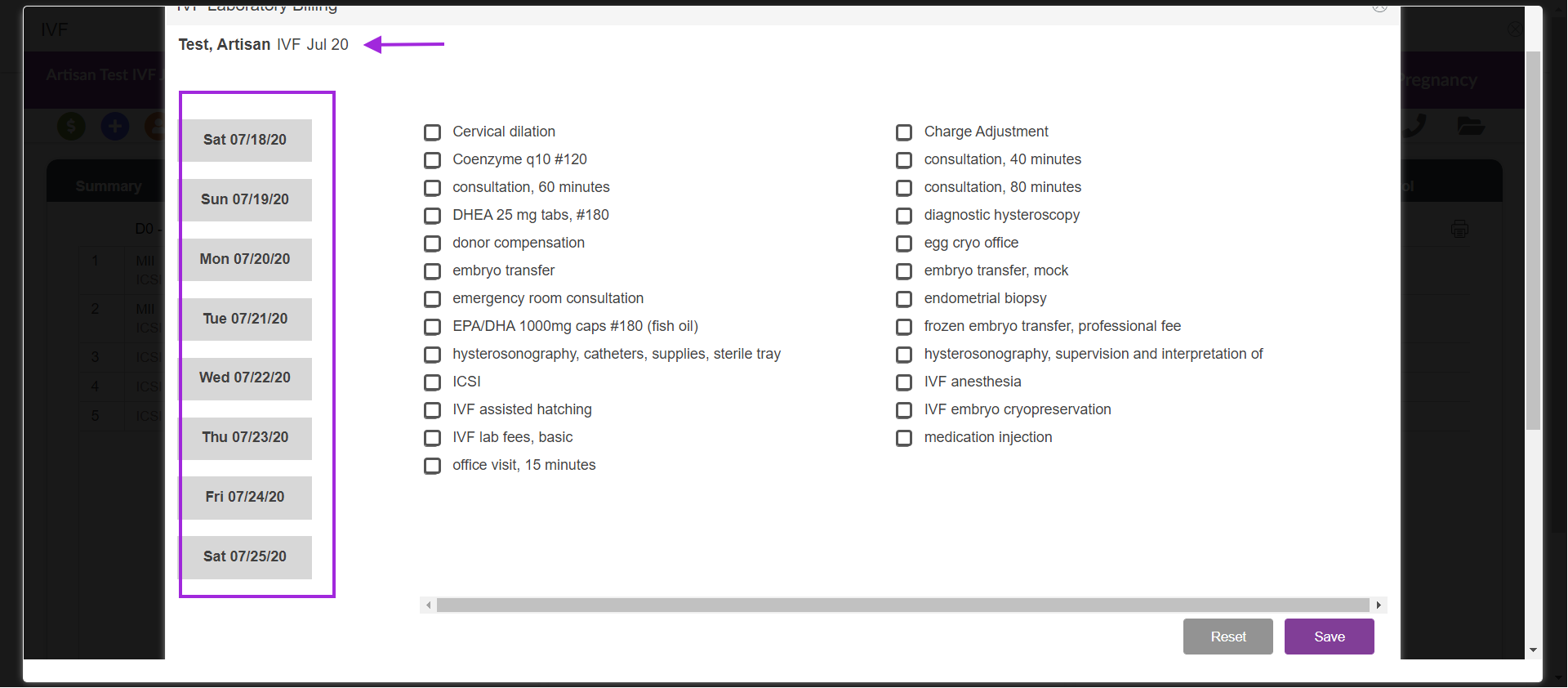
The IVF laboratory billing screen will appear. The dates along the left will indicate the lab dates with the laboratory options listed in the center of the page.
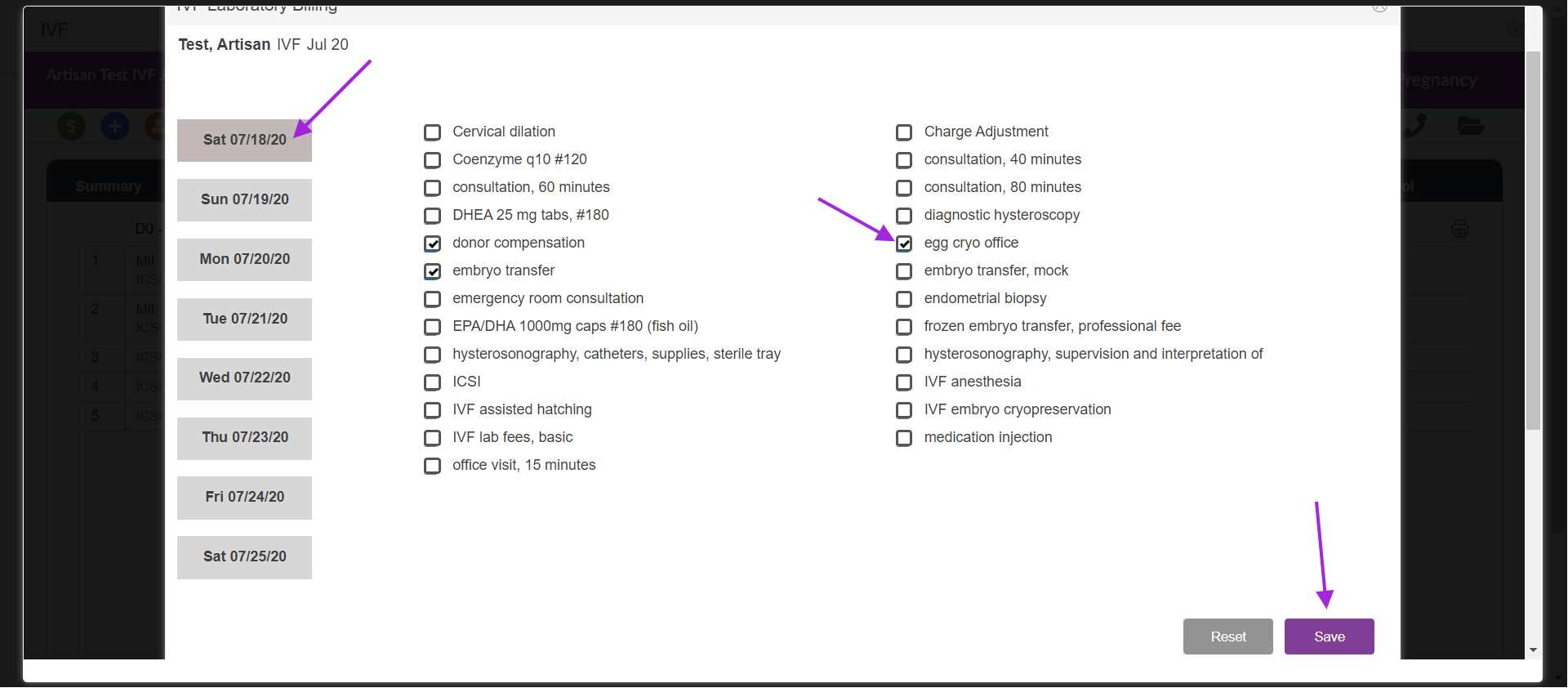
To enter billing information for this patient's cycle. Select the date tile (the selected date will be indicated by a darker grey). Select the checkboxes that are appropriate and Click Save to save your selections.
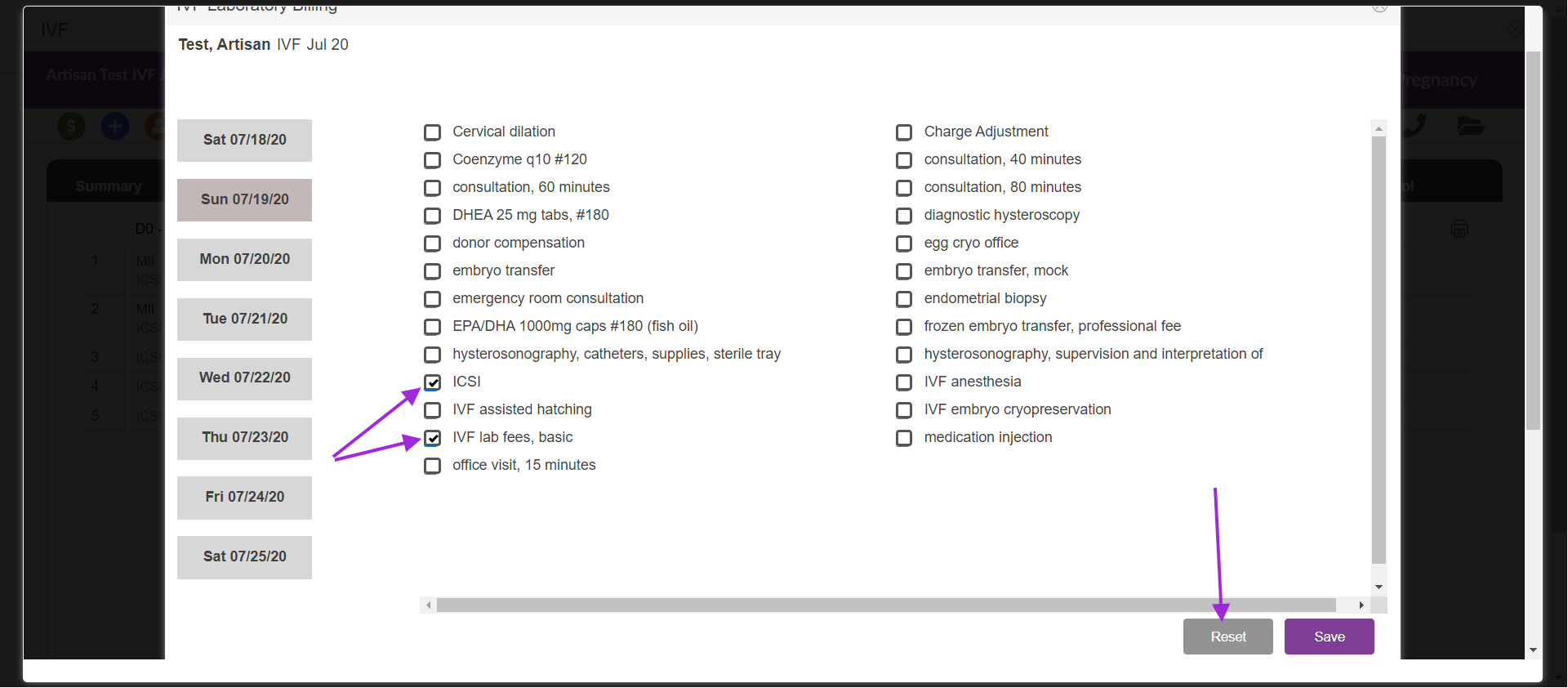
To reset the billing options on this page prior to saving select the reset tab for that day the system will reset the checkboxes. Once all updated selections are made select save to commit lab billing details.
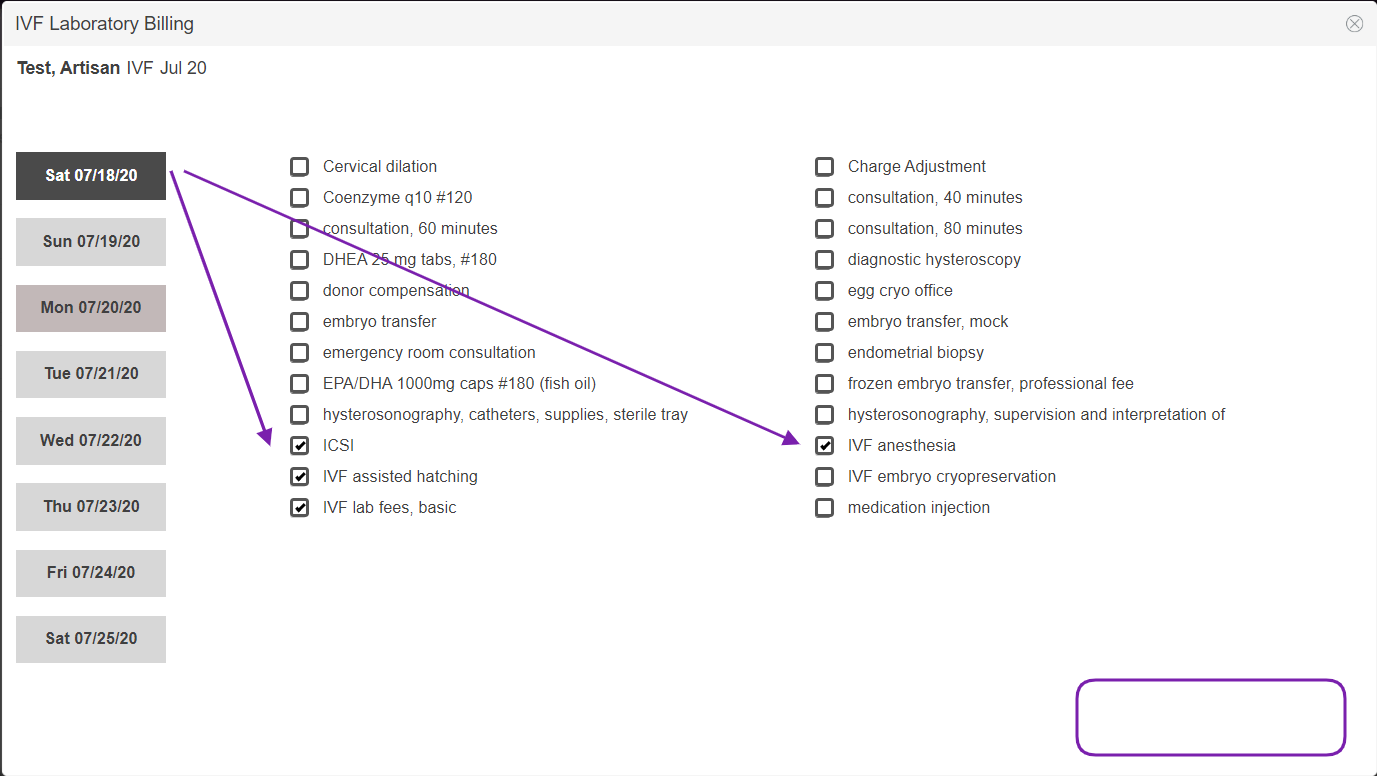
Once the services are saved, they are transmitted to the accounting section for the billing team. The system will also gray-out the dates on the left that have already been saved and will remove the Reset and Save button. The services selected will stay checked in case you need to double-check what was already sent to accounting.
Click on the next date's tile to select those services rendered.
**All manuals are compliant with HIPAA regulations. No patient information has been released. All screenshots above were taken from a test clinic with fake patient information.

