


 106
106
Egg Thaw cycles are used to thaw oocytes in a cycle that can be used for a transfer or to cryopreserve embryos for a future FET.
Navigation
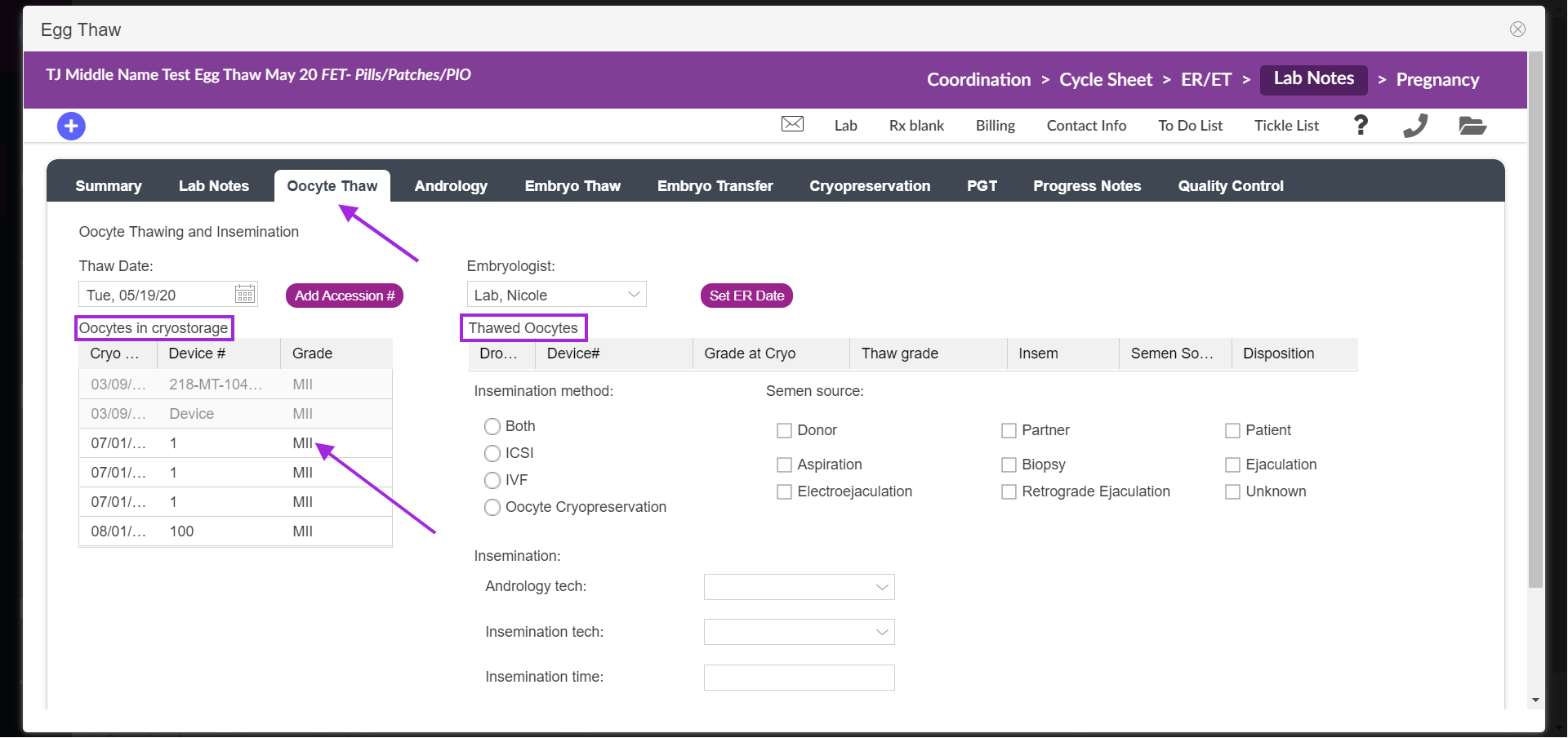
From Lab Notes select on the oocyte thaw tab, enter in the thaw date, and under the oocytes in cryopreservation click on the egg(s) that you wish to thaw.
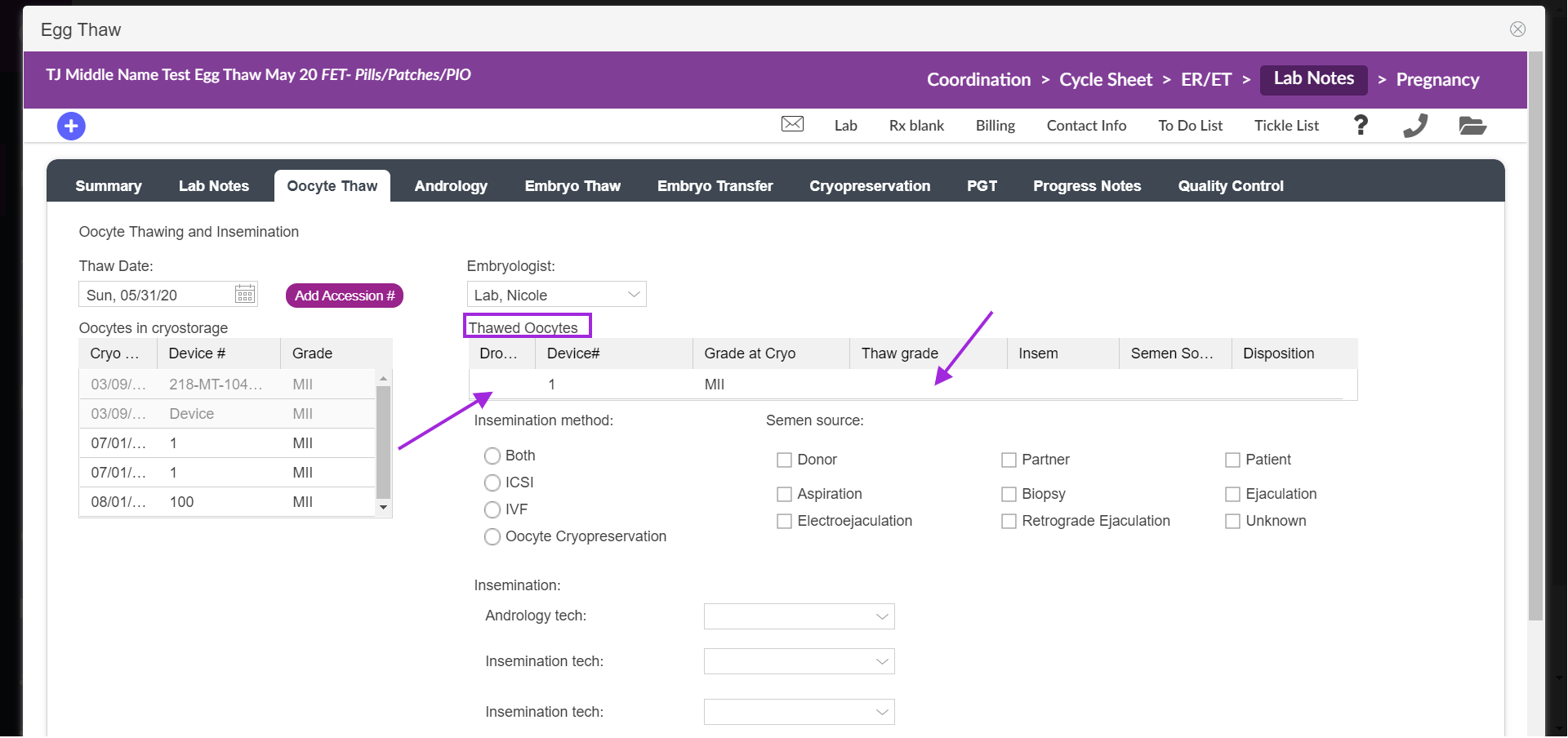
The egg will then move under the thawed oocytes.
(Note: if you wish to "reverse" the process and return the thawed oocyte to the Oocytes in Cryostorage portal, simply click the Vial number).
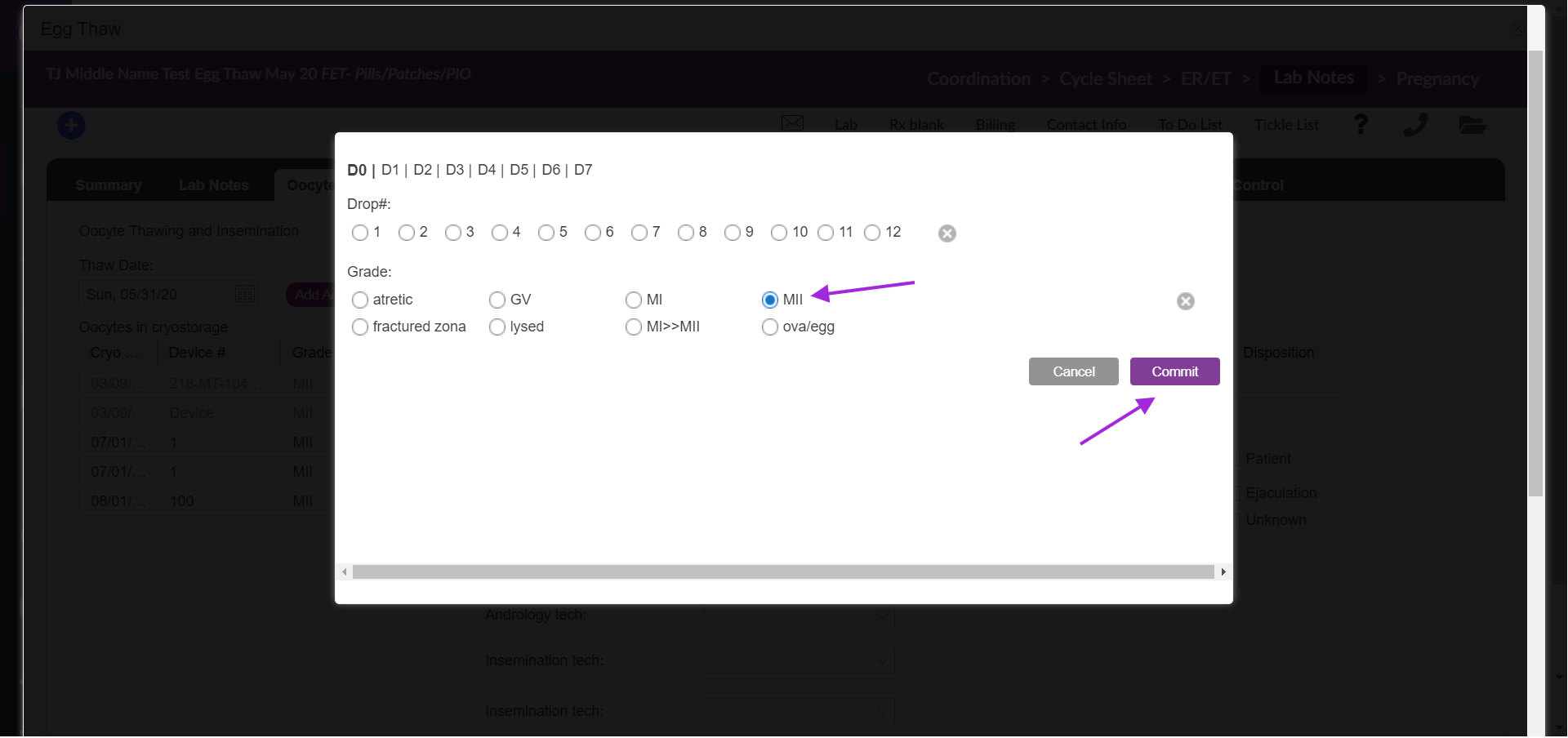
Next, click inside the empty cell and assign a thaw grade. A pop-up window will display with grading options. Make the required selection and commit your work to save your selection.
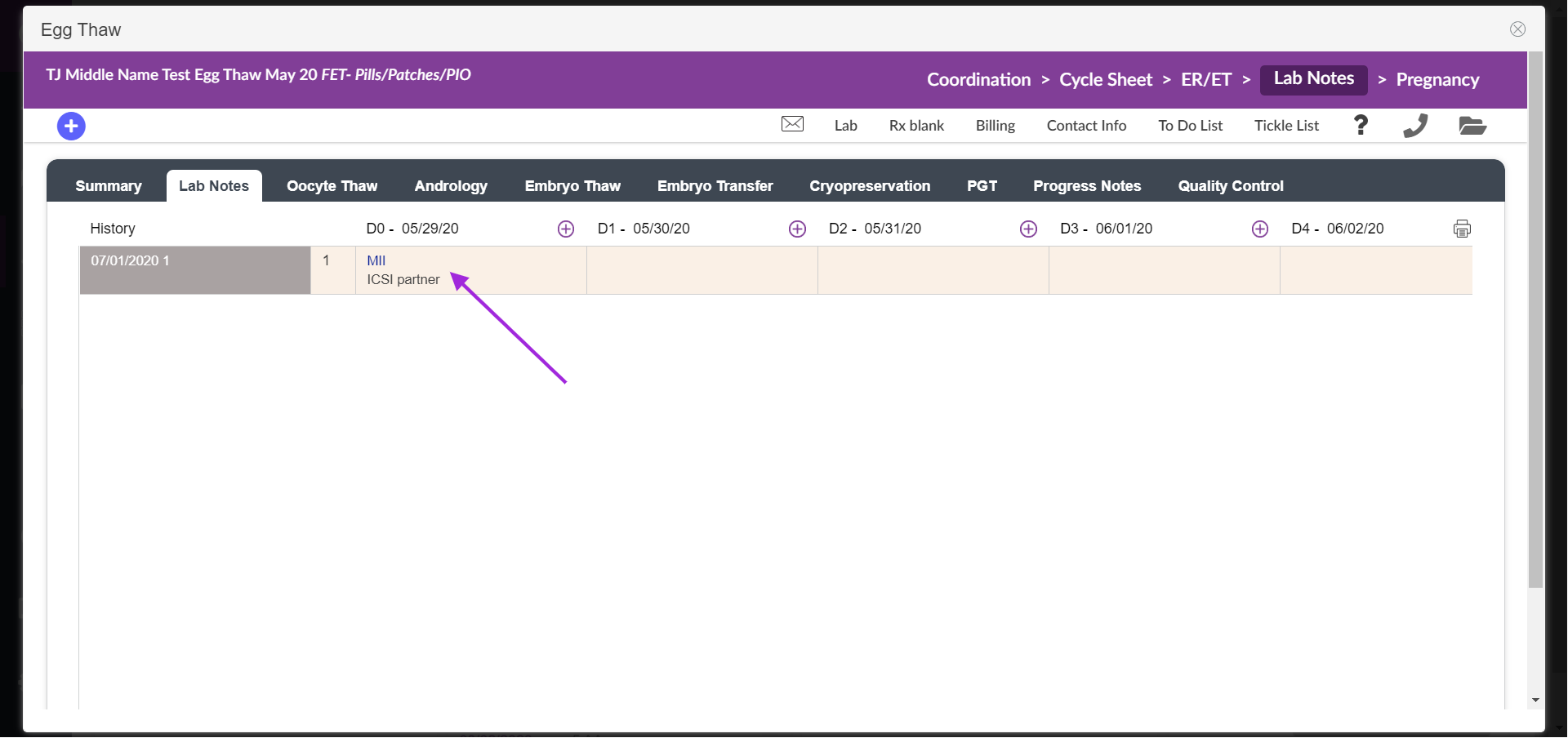
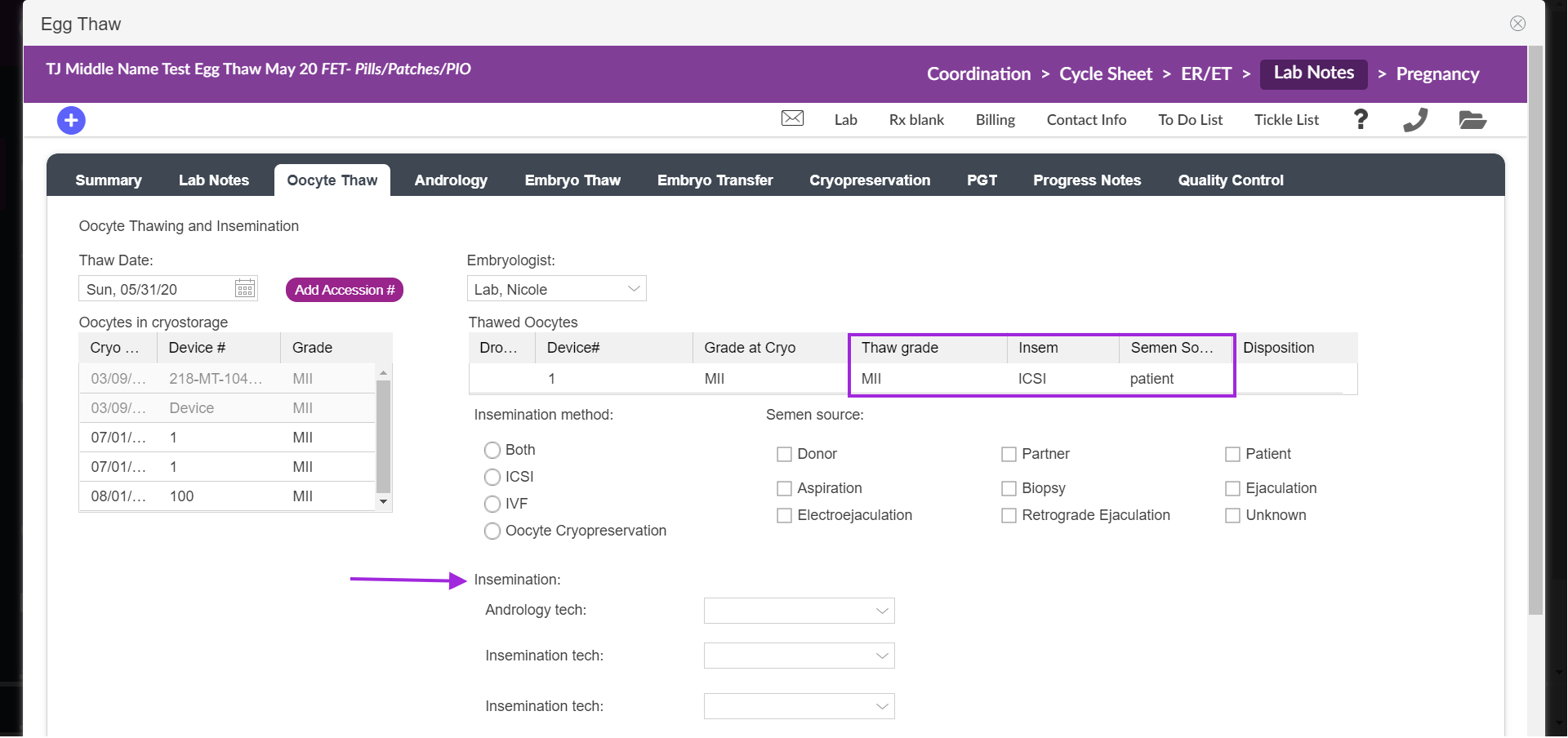
To enter insemination, semen source and disposition make these selections from the lab notes tab then the other entries will display on the oocyte thaw tab. Select from the drop-down to fill out the insemination details.
The egg will now live in Lab Notes for you to monitor its journey while in the lab.
Oocyte Thaw with fresh transfer
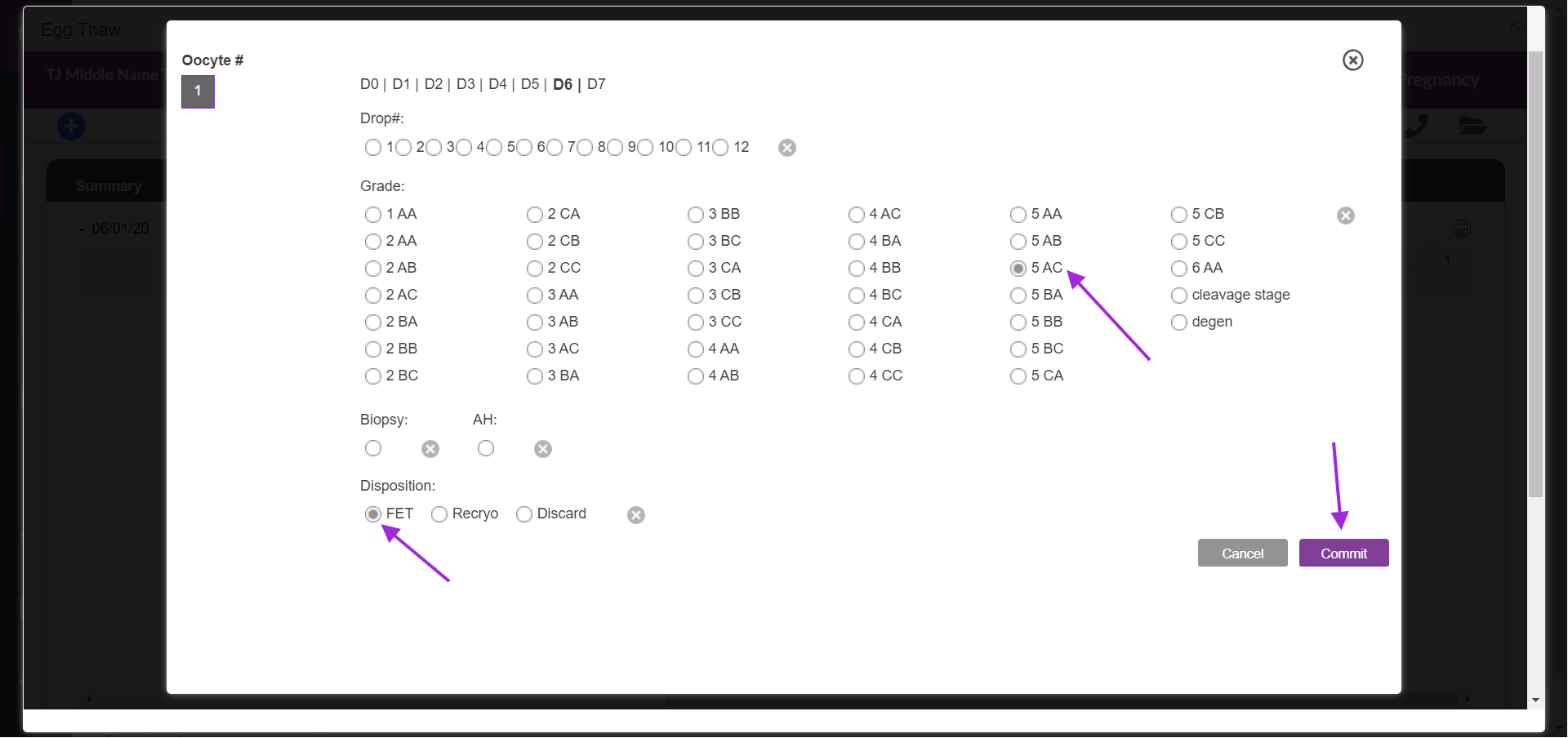
When you are ready to transfer the embryo, after grading select the disposition FET to indicate this is a frozen Embryo transfer.
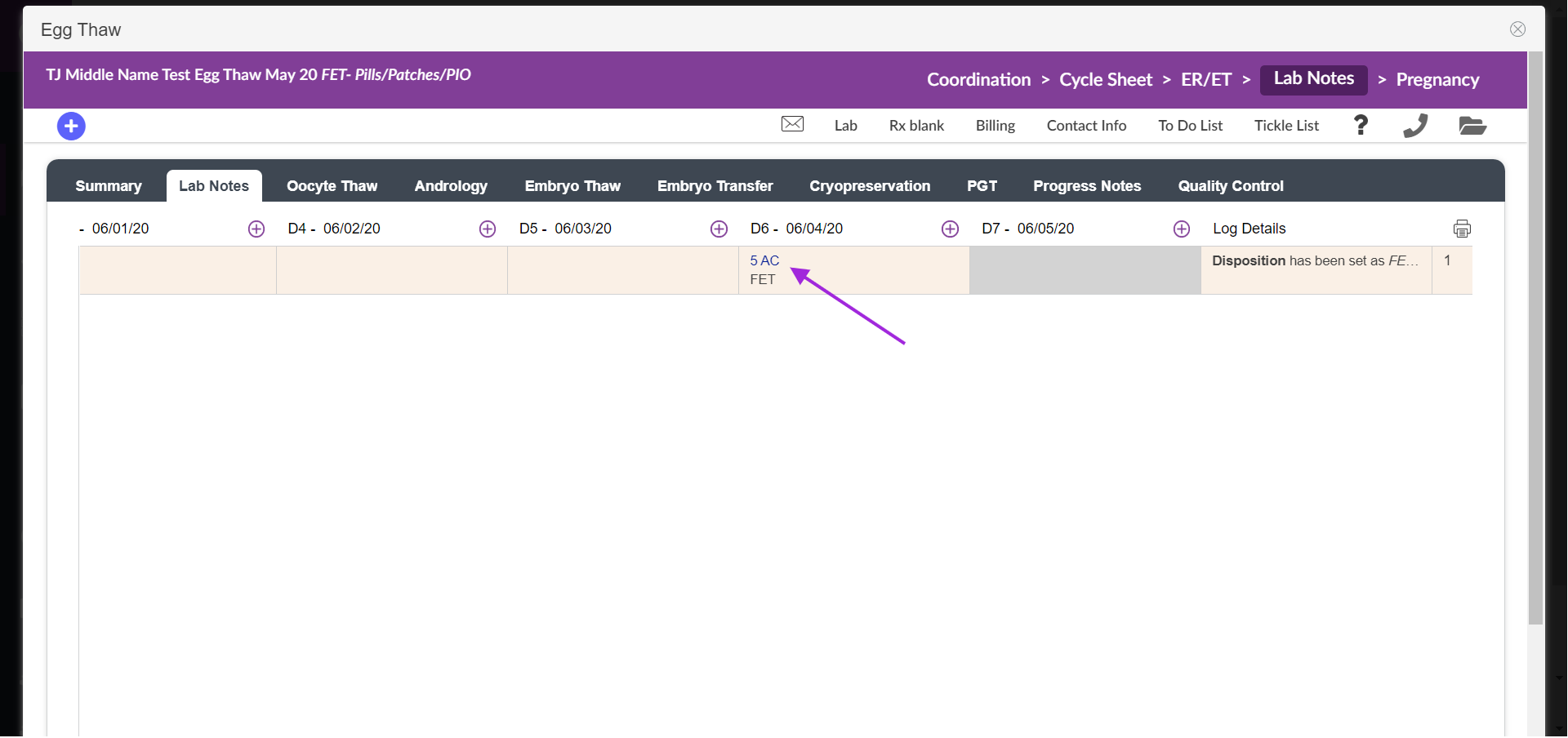
From Lab Notes, the embryo will display with FET under the day you selected for transfer.
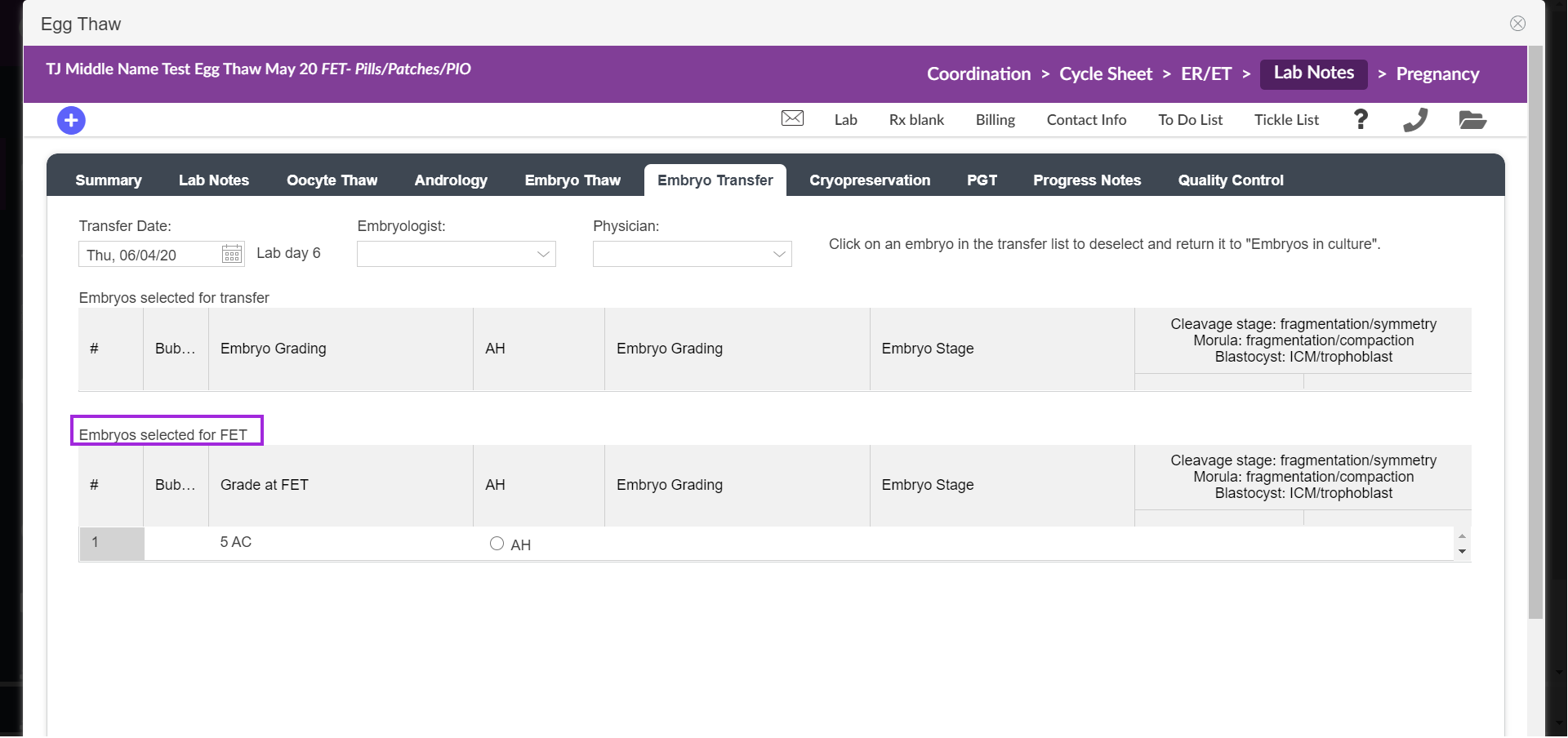
The embryo will display in the Embryo Transfer tab under the embryo selected for FET.
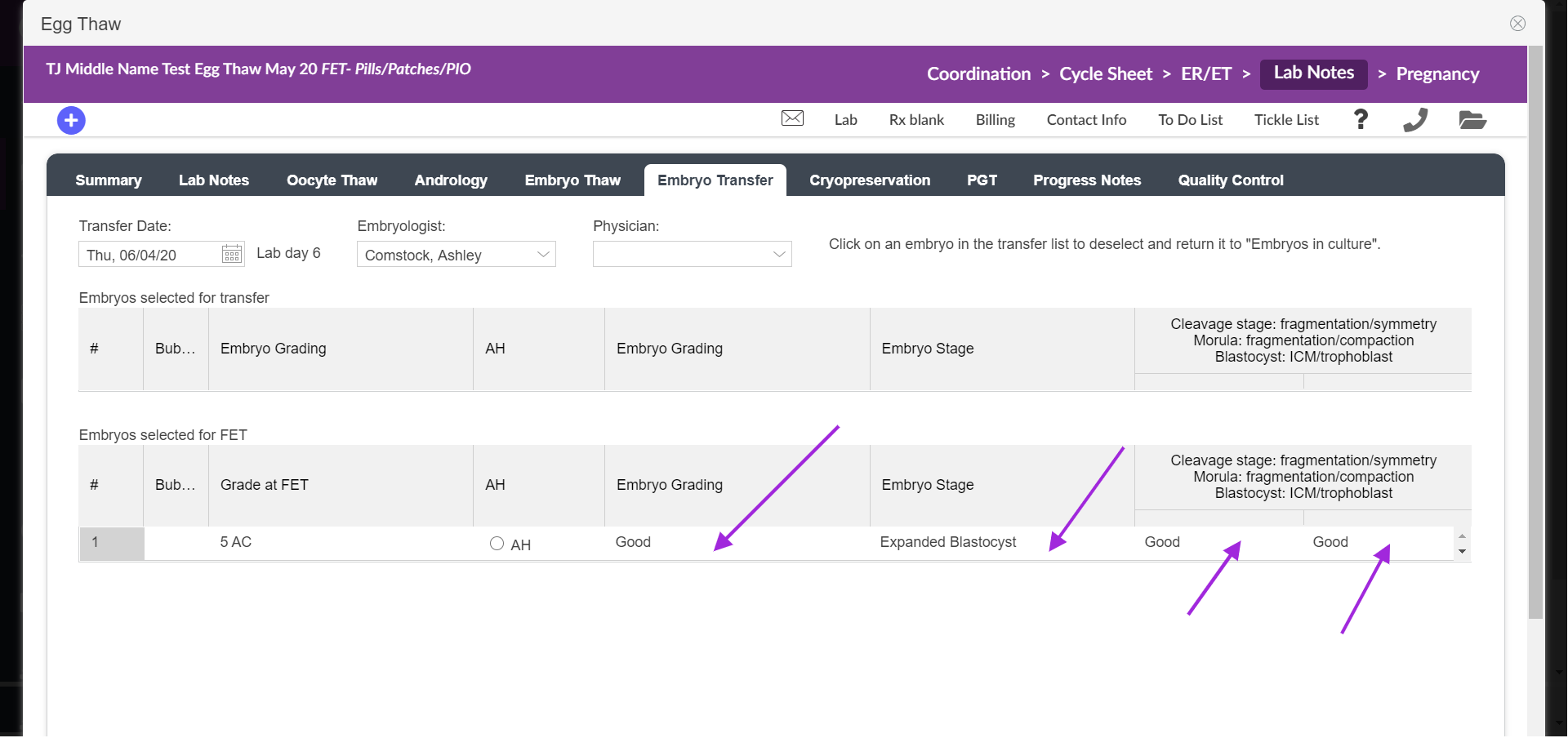
Complete the necessary fields such as AH. Use the drop-down to complete the other grading options (embryo stage, cleavage stage, morula, and blastocyst). Once the grading is completed from the Embryo Transfer tab, the embryo transfer is now complete.
Freeze all Cycles with PGT
This cycle type is used to thaw, biopsy, and refreeze.
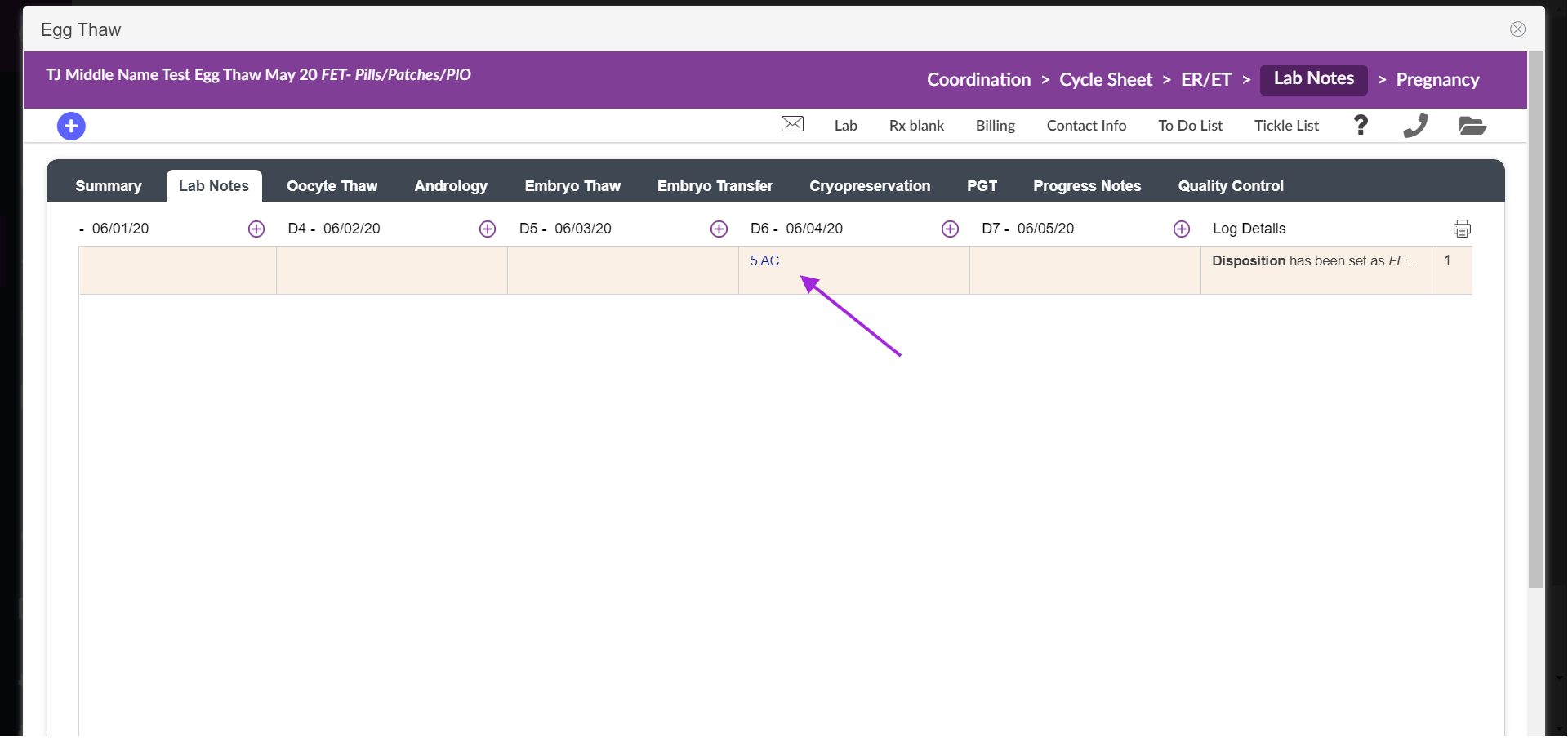
Thaw the egg the same way as if you intended to for a transfer. Follow all the steps of grading the egg until the embryo stage.
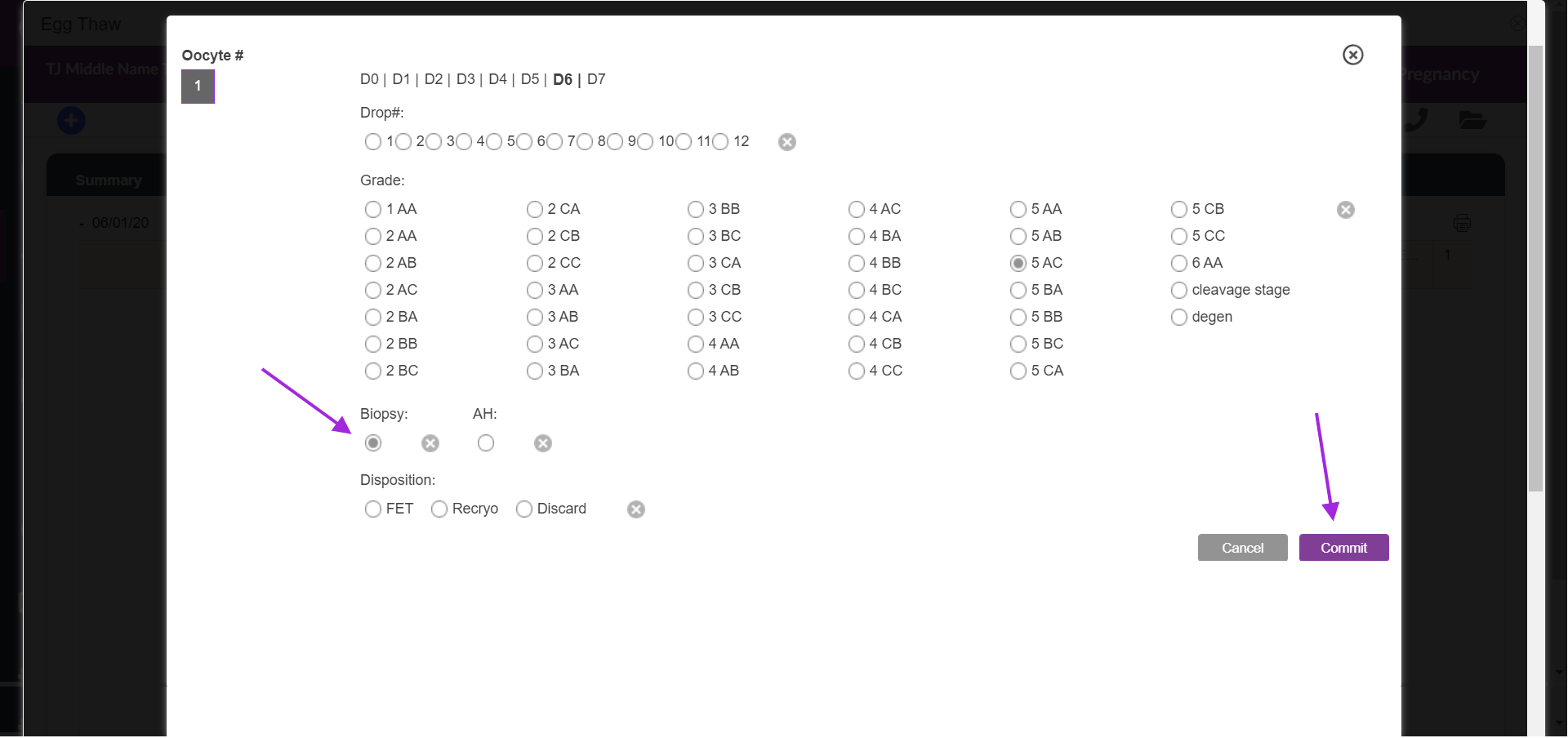
When applicable select biopsy and select commit.
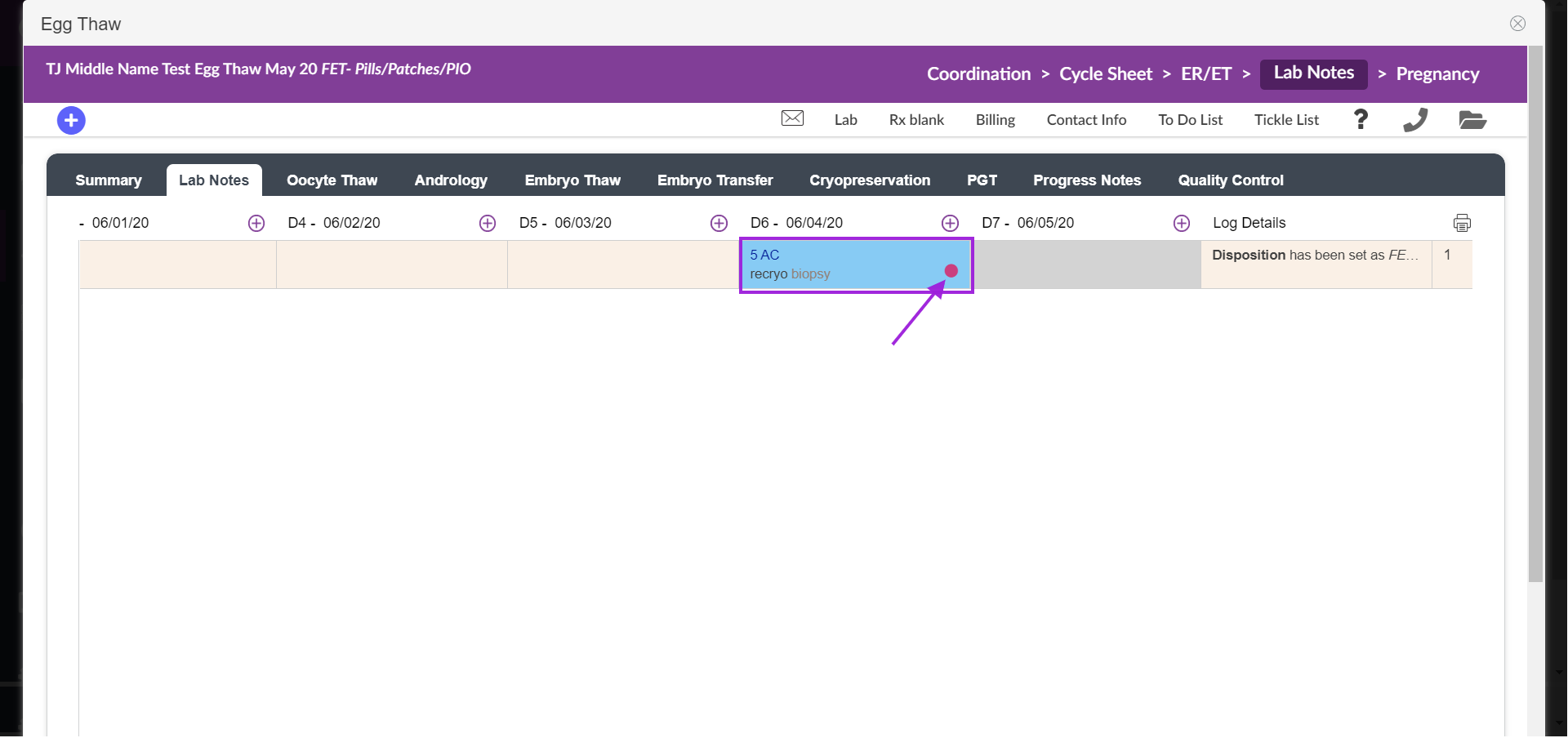
From Lab Notes, the embryo selected for biopsy will have a pink dot to indicate the biopsy. The cell will turn blue to indicate the recryo.
**All manuals are compliant with HIPAA regulations. No patient information has been released. All screenshots above were taken from a test clinic with fake patient information.

