


 49
49
Artisan automates gathered specific ART cycle information to greatly simplify your SART reporting. These fields must be completed to feed all pertinent information for a SART upload. For your reference, here are the PGT fields within the EMR.
Navigation
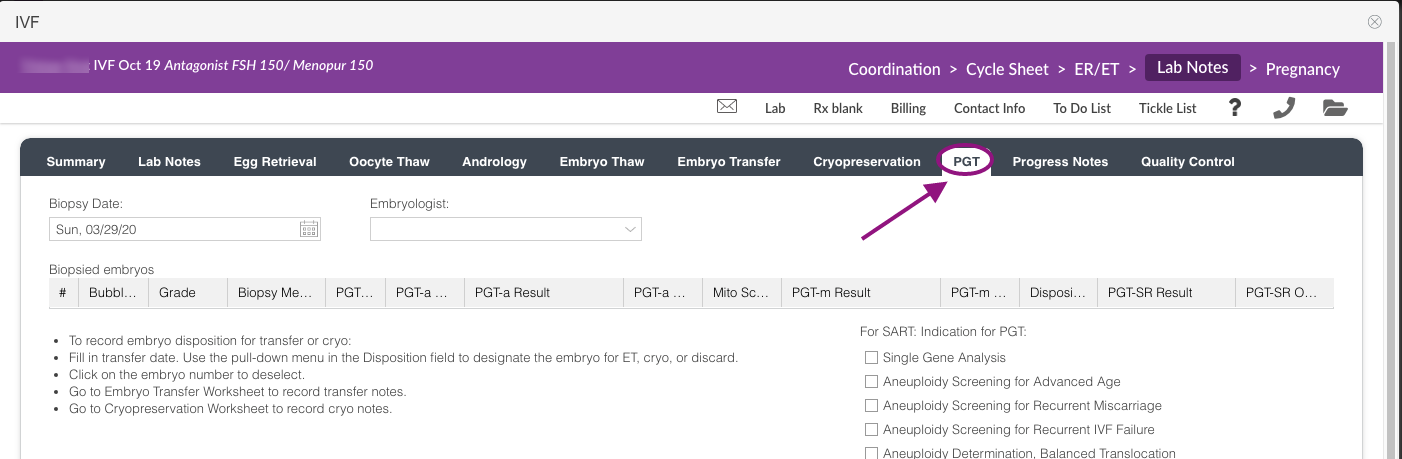
From the patient's lab notes within a treatment cycle, click the PGT tab.
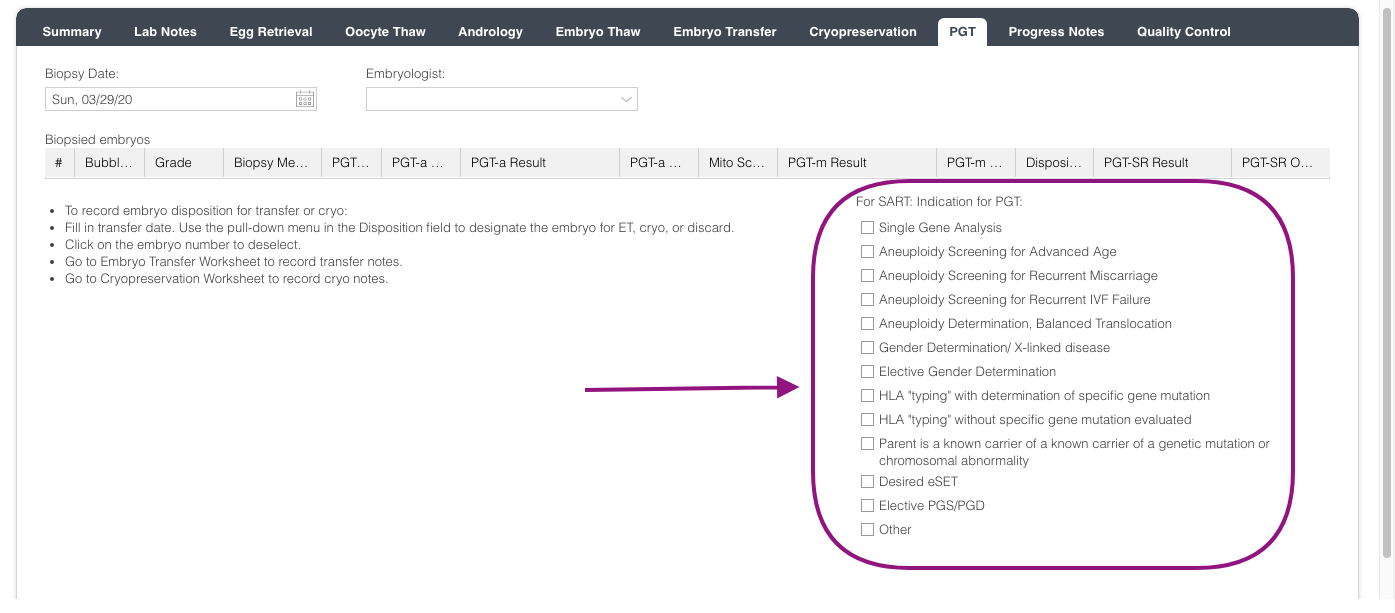
To mark the PGT indication, select the appropriate box.
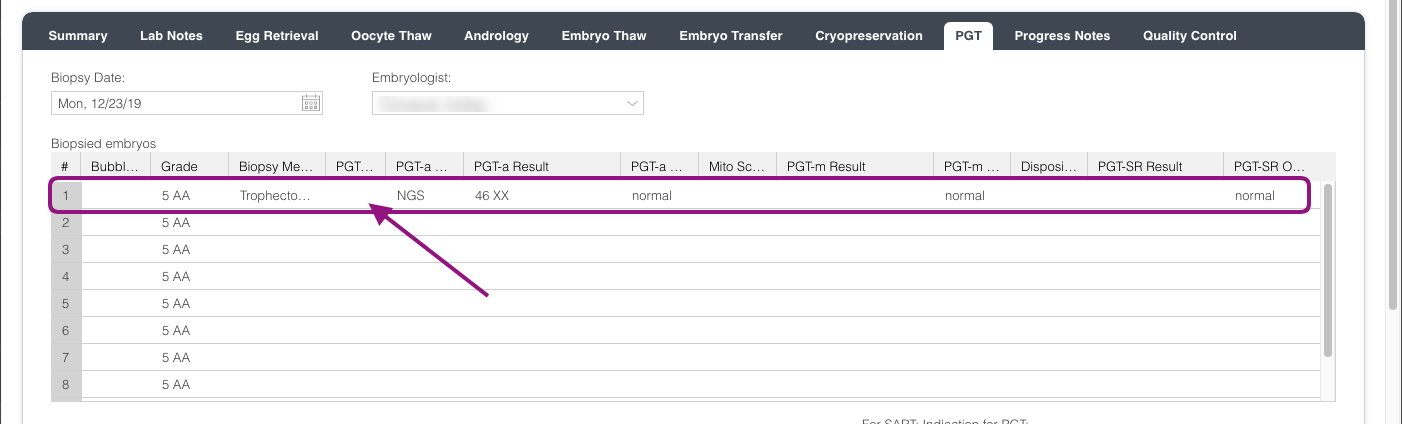
Once all results are back, click on the embryo that you wish to update.
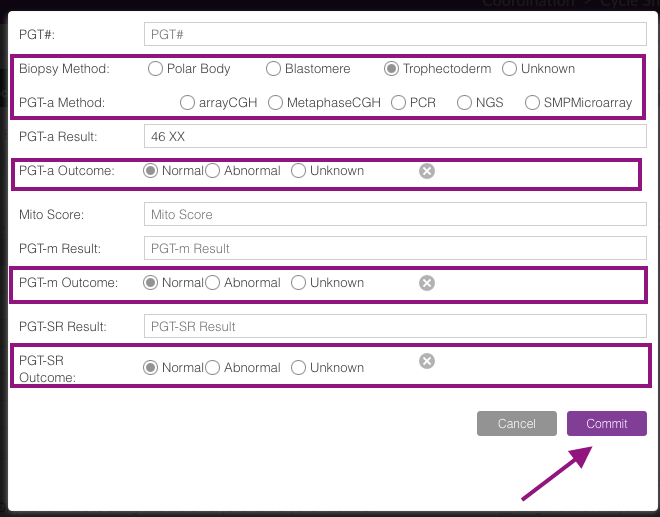
These fields will need to be completed, if applicable:
Biopsy method, PGT-a Method, PGT-a Outcome, PGT-m Outcome, and PGT-SR Outcome.
Then click the Commit button.
**All manuals are compliant with HIPAA regulations. No patient information has been released. All screenshots above were taken from a test clinic with fake patient information.

