


Staff Member on Vacation

Apr 07, 2025
 43
43
When a staff member is either out of the office for an extended time or is on vacation, it is best to mark the account On Vacation so patients are unable to message that user.
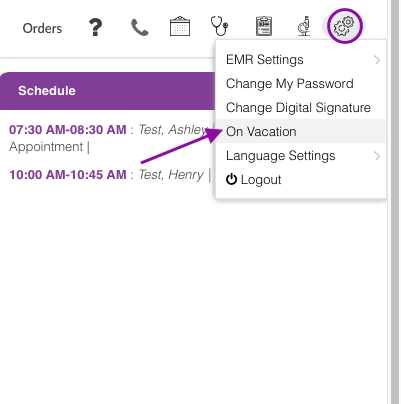
Click the System Settings icon, then select On Vacation.
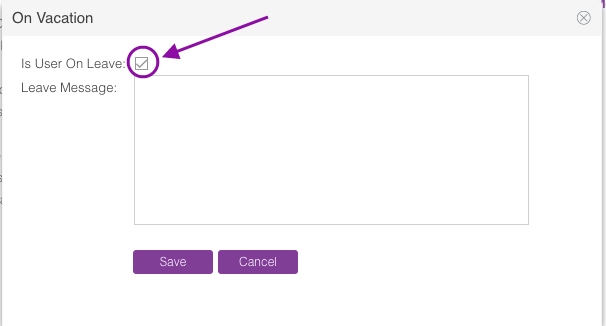
Mark the user on leave box.
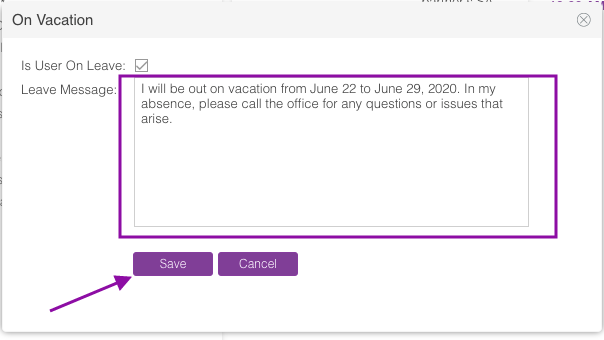
Enter the message you want the patients to see. Click Save.
Once the staff member comes back to the office, please remember to go back and uncheck this box otherwise the patients will not be able to resume messaging.
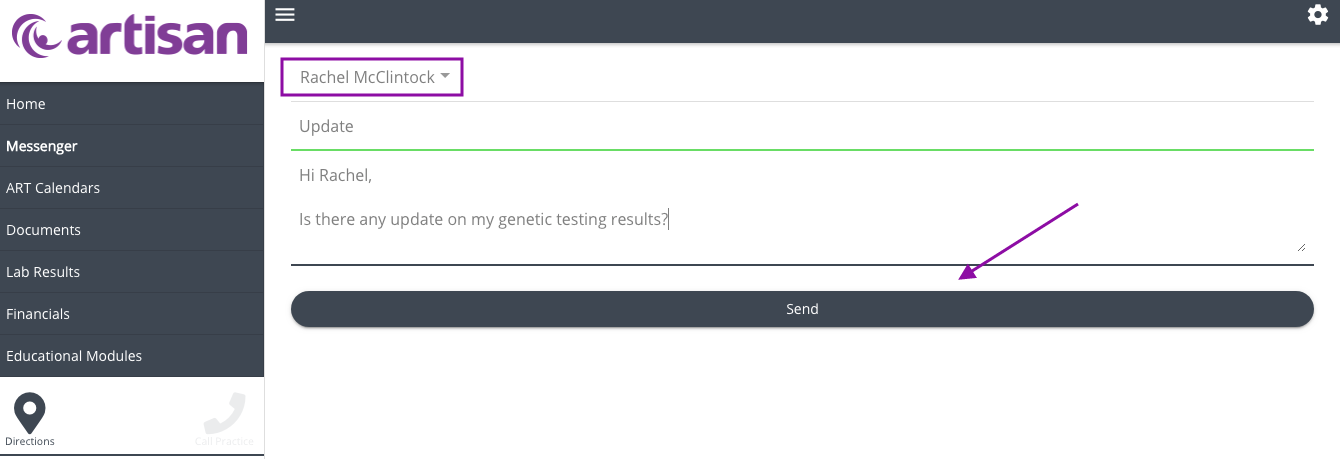
The patient will not be able to send a message to the staff member that is on vacation or out of office.
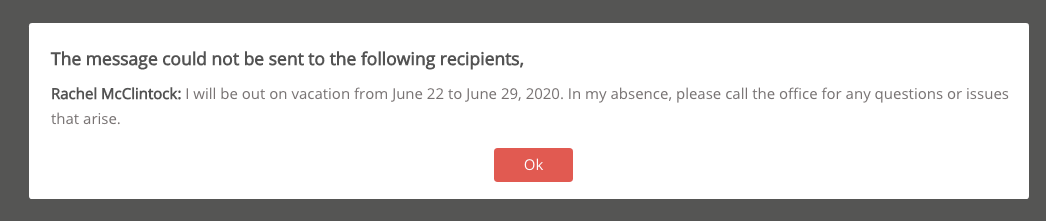
After clicking the send button, the out of office note will pop up. Patient will click the ok button to go back to the messenger screen.

