


 103
103
The Invoice Status Library allows clinics to create custom statuses that can be assigned to patient invoices for further management of claims.
Navigation

-
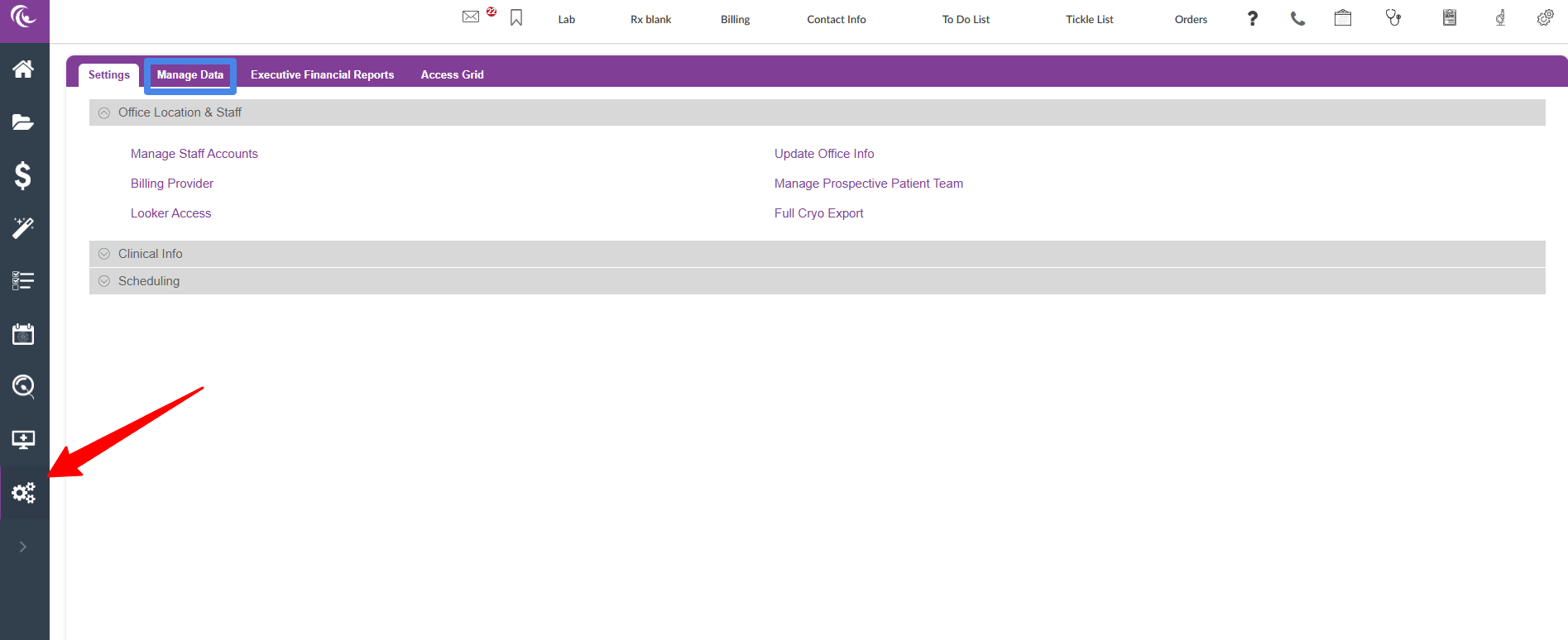
In the Navigation panel, click on the Administration (gears) icon.
-
Click the Manage Data tab.
-
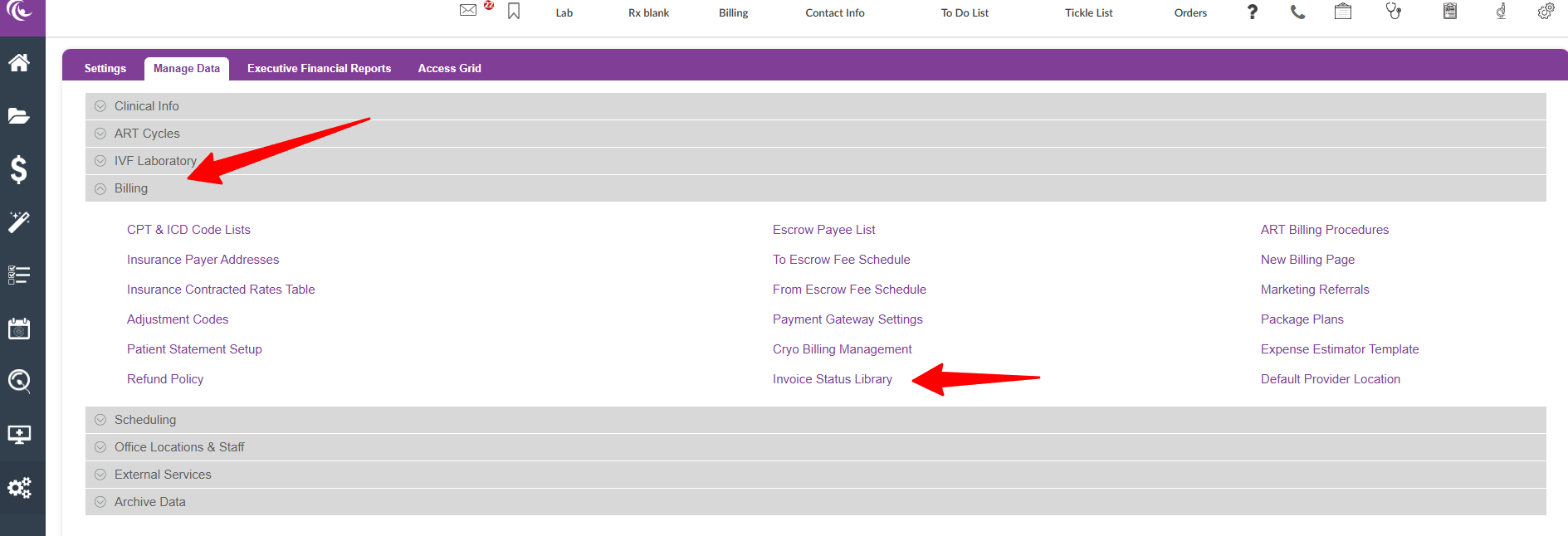
Click the arrow next to the Billing section.
-
Click Invoice Status Library in the second column.

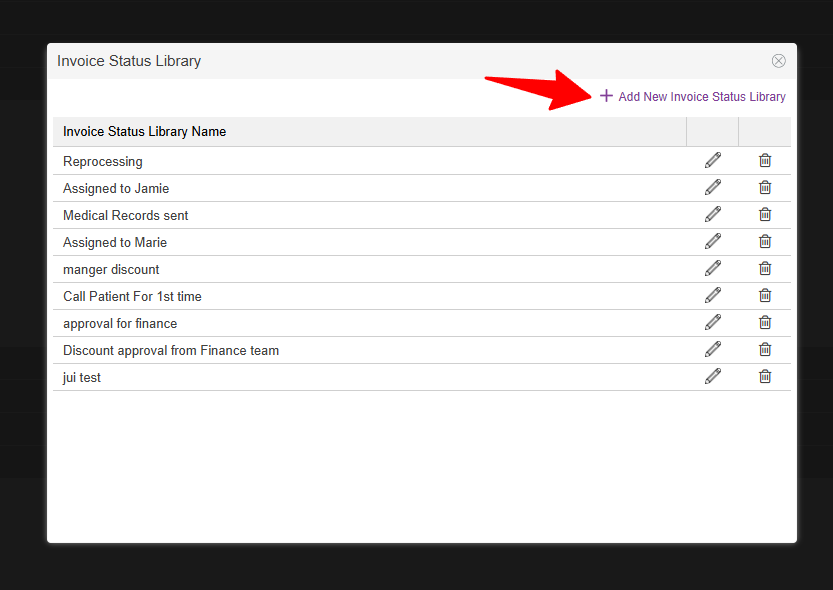
To create a new item for the library, click +Add New Invoice Status Library.

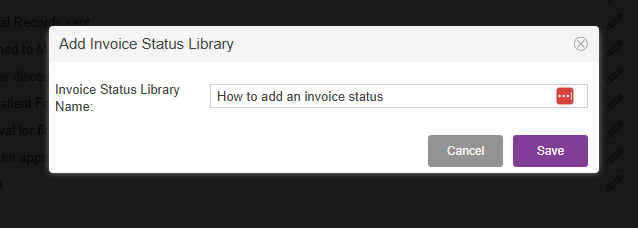
In the Invoice Status Library Name field, this is free text to enter details for that status.
Click Save to add the invoice status to the library.

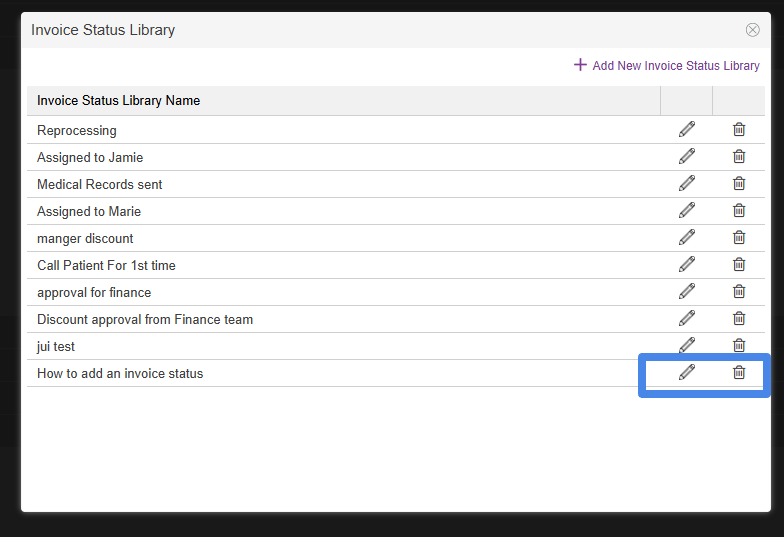
The new status has been added to the above library.

To edit any statuses, click the pencil icon.
To delete statuses, click the trash can icon.
**All manuals are compliant with HIPPA regulations. No patient information has been released. All screenshots above were taken from a test clinic with fake patient information.

