


 117
117
Artisan allows for you to build your own Adjustment Code Library. These codes will feed to the drop-down of adjustment codes that can be picked on the invoices and for posting in the Manual EOB Entry.
Be sure to include both your own internal adjustment codes and also Payer Claim Adjustment Reason Codes.
Navigation:
This is only accessible to Clinic Admin and Practitioner user privileges.
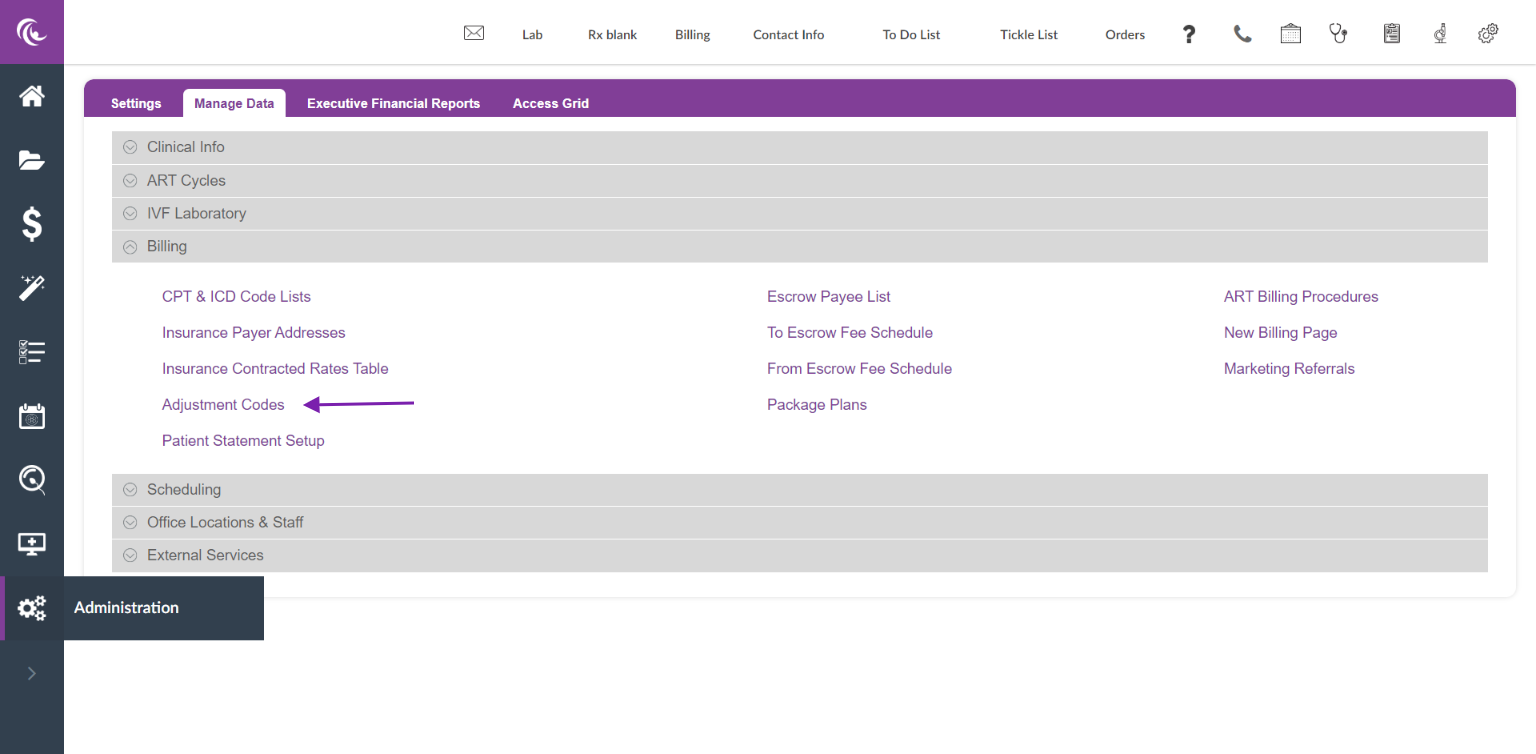
The Adjustment Code Library is located in the Billing section of the Manage Data Tab in the Administration Panel
Adding Adjustment Codes
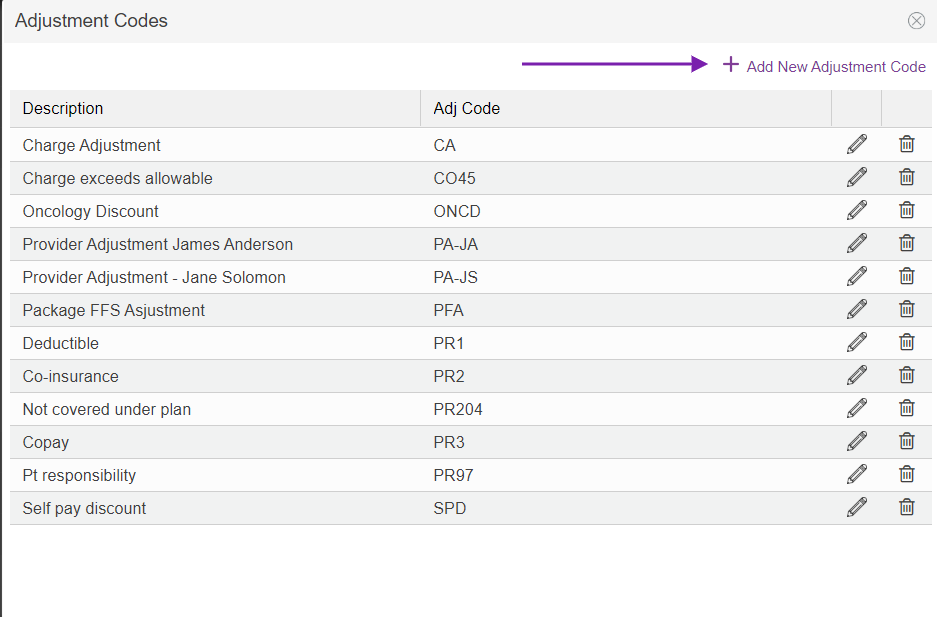
Once Adjustment Code is selected it will pull up the Adjustment Code Library. Click on the + Add New Adjustment Code to add in a new code.
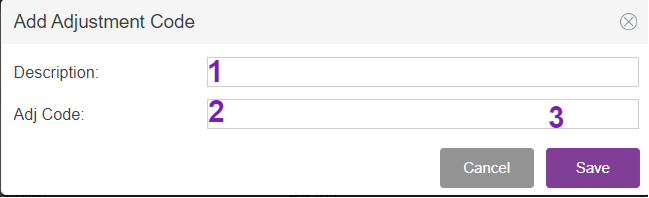
1. Description: Fill in the description of the procedure code. You will have the ability to pick from the description drop-down when adding this to an invoice.
2. Adj Code: Fill your internal adjustment code or the Claim Adjustment Code Reason. This will pull to a drop-down on the invoice as well as to the Manual EOB Entry.
3. Save: Click Save to save the adjustment code to the library.
Editing or Deleting Adjustment Codes
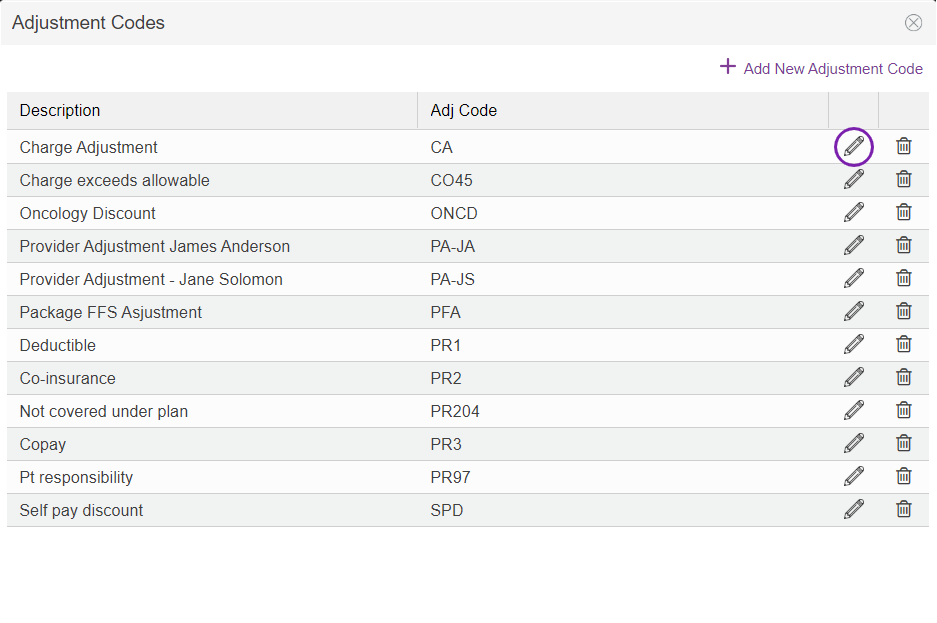
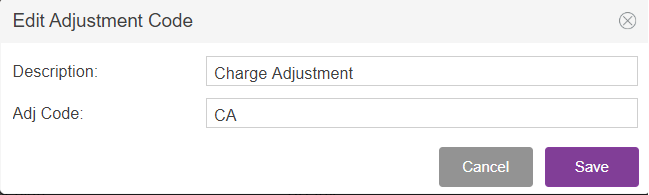
Make your edits and click Save to save your updates.
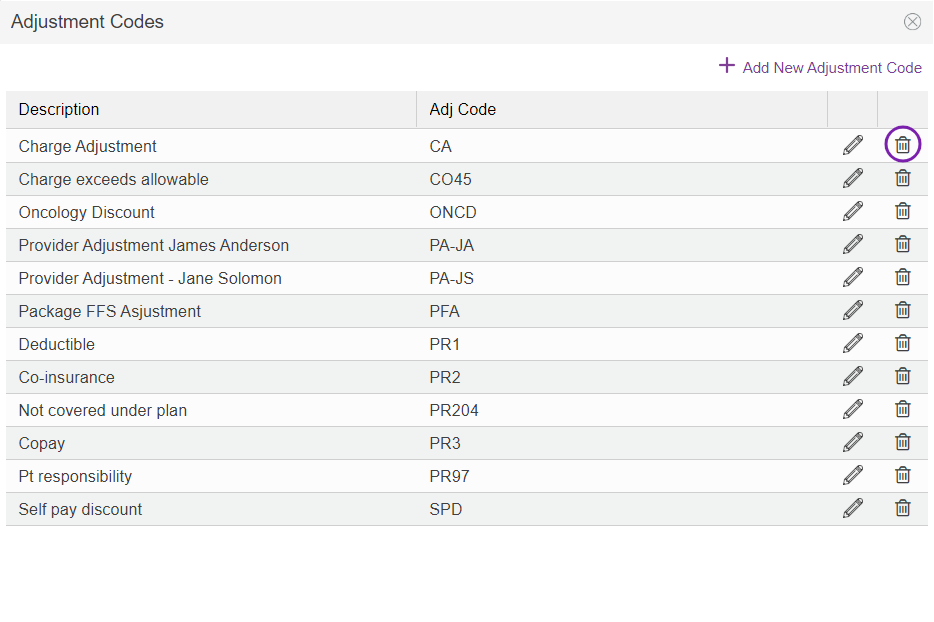
Click on the trashcan icon to delete out the Adjustment code.
**All manuals are compliant with HIPAA regulations. No patient information has been released. All screenshots above were taken from a test clinic with fake patient information.

