


 68
68
Frozen donor and autologous oocytes are thawed in the same type of cycle with Artisan: Egg Thaw. From the Egg Thaw cycle, you are able to set up a fertilize and freeze all cycle or egg thaw with an embryo transfer.
Navigation
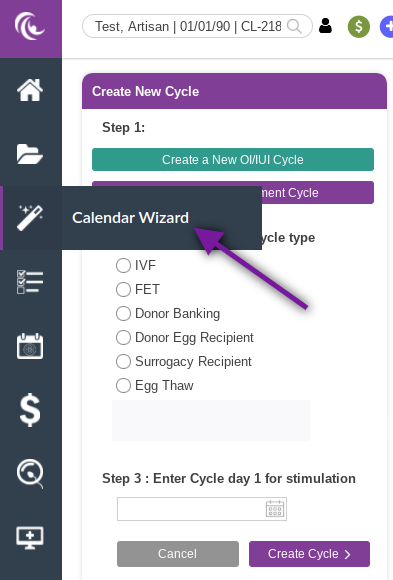
Click on Calendar Wizard in the control panel to the left to access the ART cycles.
Setting Up an Egg Thaw Cycle With a Transfer

With the patient selected in the patient search field:
- Select Create an ART Treatment Cycle.
- Under Choose an ART cycle type, click the radio button for Egg Thaw.
- Select the radio button for Yes under Transfer in this cycle?
- Enter cycle day 1 for stimulation.
- Click Create Cycle.

The ART Setup Tool will open up.
- Mark the cycle status as Active, Trial, or Demo.
- Select the ovulation induction protocol from the drop-down menu.
- Click Create ART Calendar.
- Confirm the date for cycle day 1 of stimulation. You may change the date if it is different from what was selected in the cycle setup. Click Insert Dates.
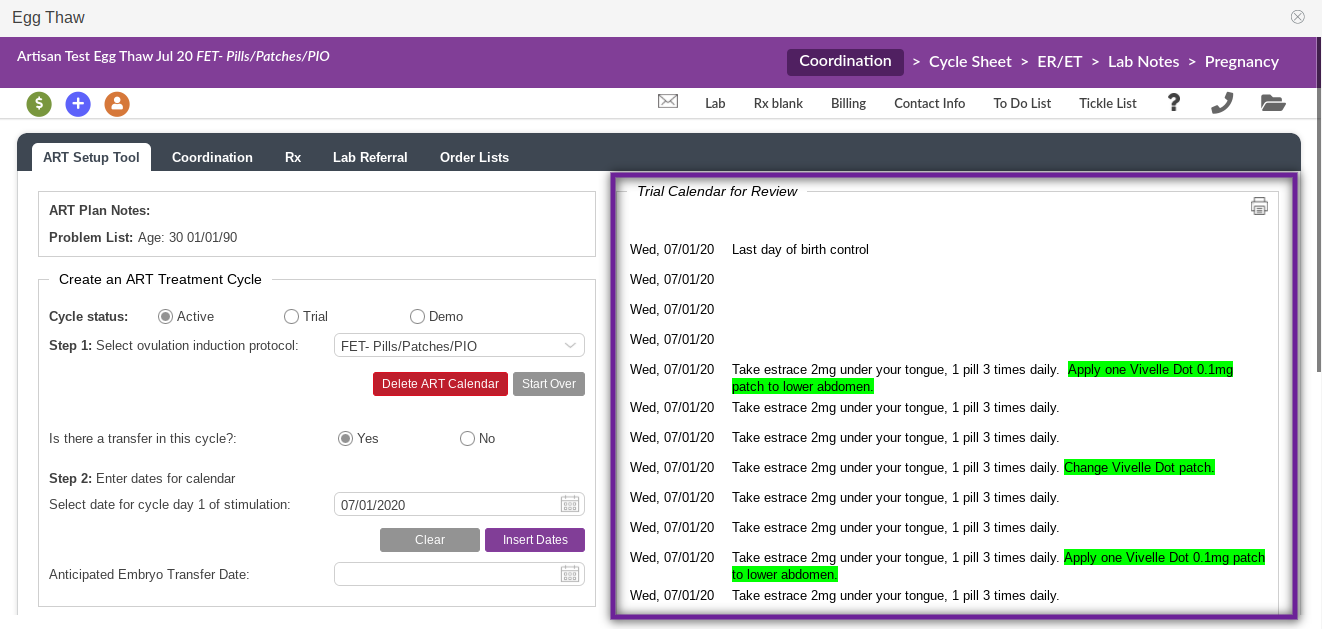
The instructions with the dates will display to the right of Create an ART Treatment Cycle. For detailed instructions on how to edit a calendar, send off a prescription from the RX tab, and use the cycle sheet, please see Calendar Wizard: Using ART Protocol Templates to Create Treatment Calendars.
Triggering a Patient for an Egg Thaw with a Transfer
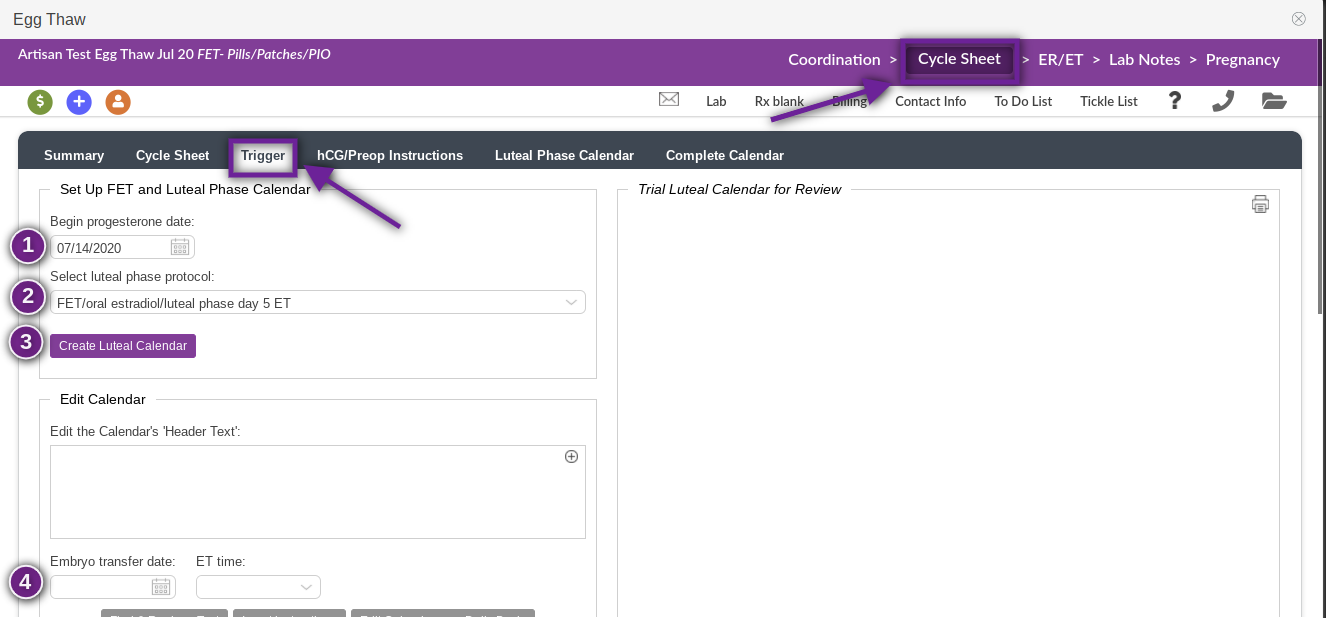
Under the Cycle Sheet header, select the Trigger tab.
- Enter the progesterone start date.
- Select the luteal phase protocol from the drop-down menu.
- Click Create Luteal Calendar.
- Select the embryo transfer date and time (when it has been confirmed).
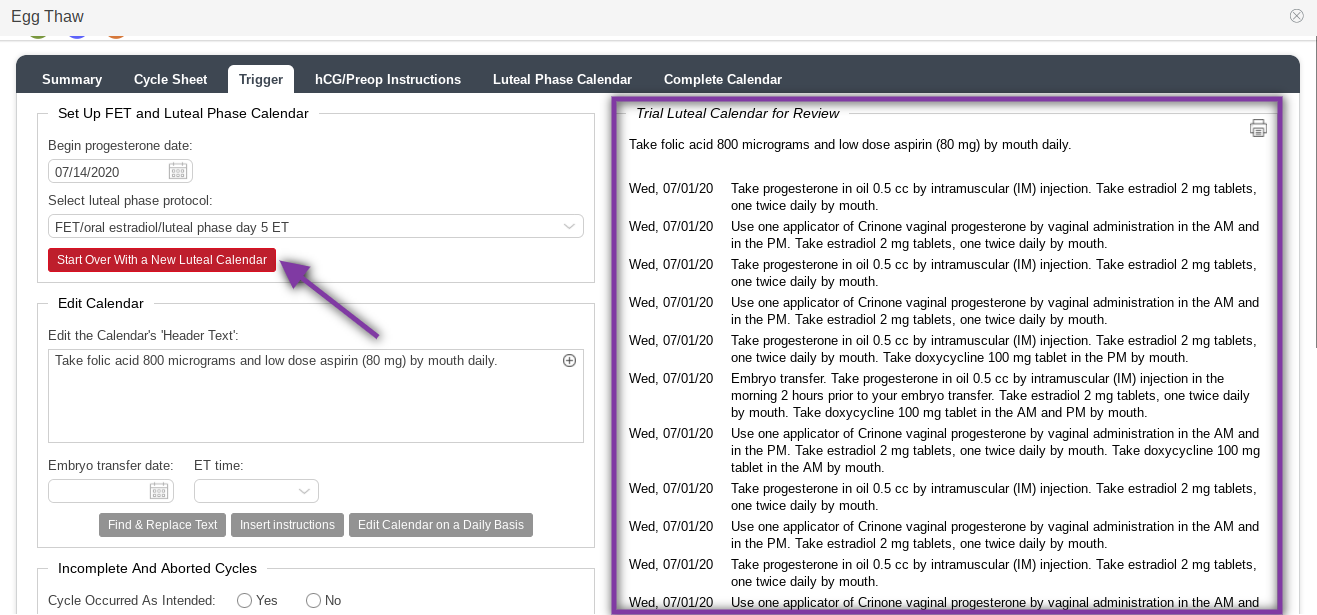
The Trial Luteal Calendar for Review will display to the right of the Set Up FET and Luteal Phase Calendar column. If you need to change the luteal phase protocol and/or the progesterone start date, you may click Start Over With a New Luteal Calendar.
Setting Up an Egg Thaw Cycle Freeze All/No Transfer Cycle
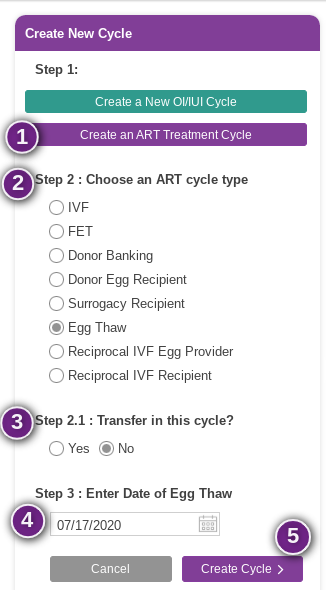
- Select Create an ART Treatment Cycle.
- Select Egg Thaw under Choose an ART cycle type.
- Select No under Transfer in this cycle?
- Enter the date of the egg thaw.
- Click Create Cycle.
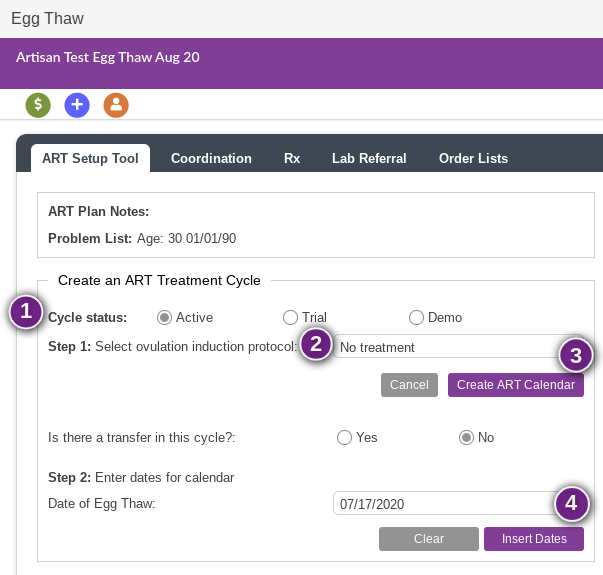
The ART Setup Tool will open.
- Select the cycle status: Active, Trial, or Demo.
- Select the ovulation induction protocol. Since this will be a no transfer cycle, you will need to select a no treatment protocol for the stimulation phase.
- Click Create ART Calendar.
- If needed, you may change the date of the egg thaw by clicking on the calendar and selecting a different date. Click Insert Dates.
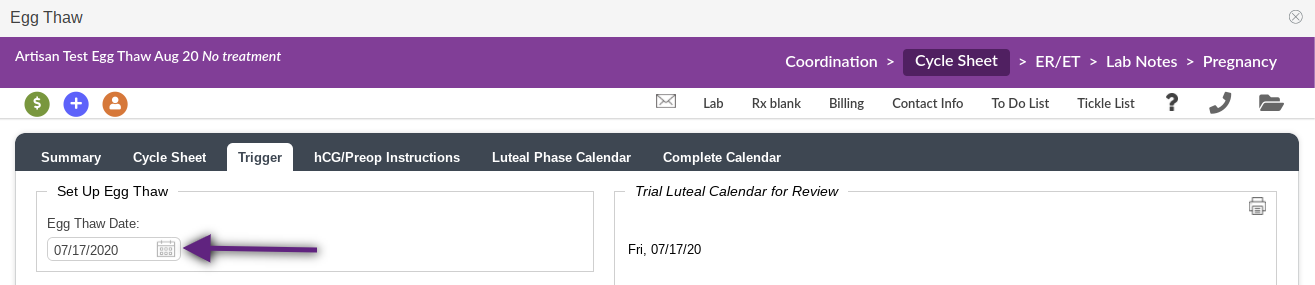
Under Cycle Sheet>Trigger, the egg thaw date will already be selected.
**All manuals are compliant with HIPAA regulations. No patient information has been released. All screenshots above were taken from a test clinic with fake patient information.**

