


 122
122
Treatment Planning
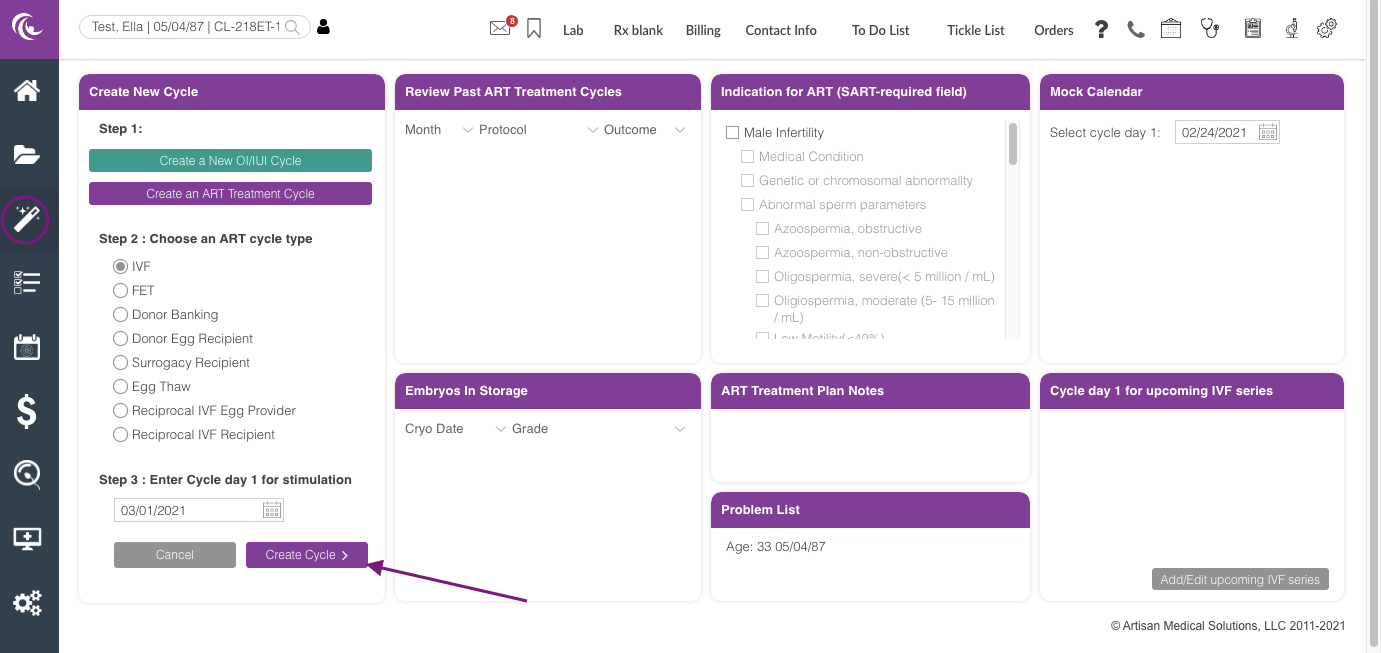
From the calendar wizard, create the patient's treatment cycle.
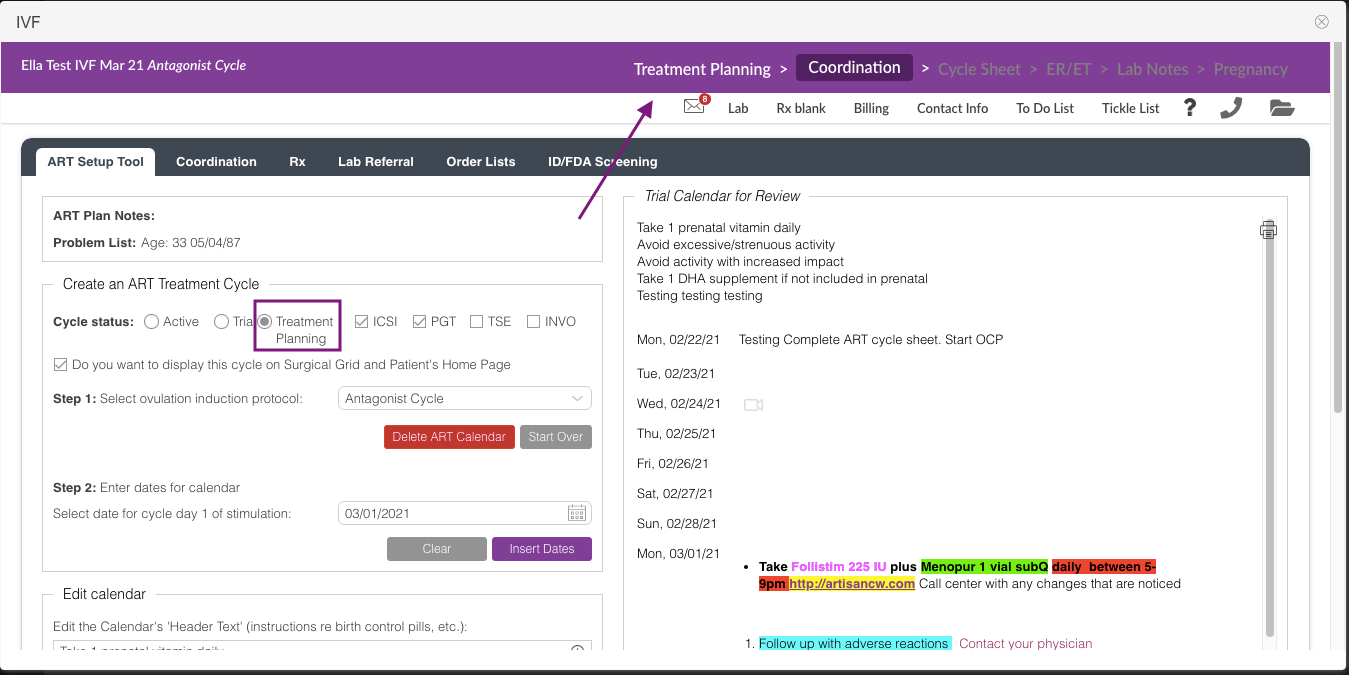
It will take you to the Coordination tab. Set up the patient's treatment calendar in the ART Setup Tool and select Treatment Planning as the cycle status.
After completing the setup, click on Treatment Planning up at the top.
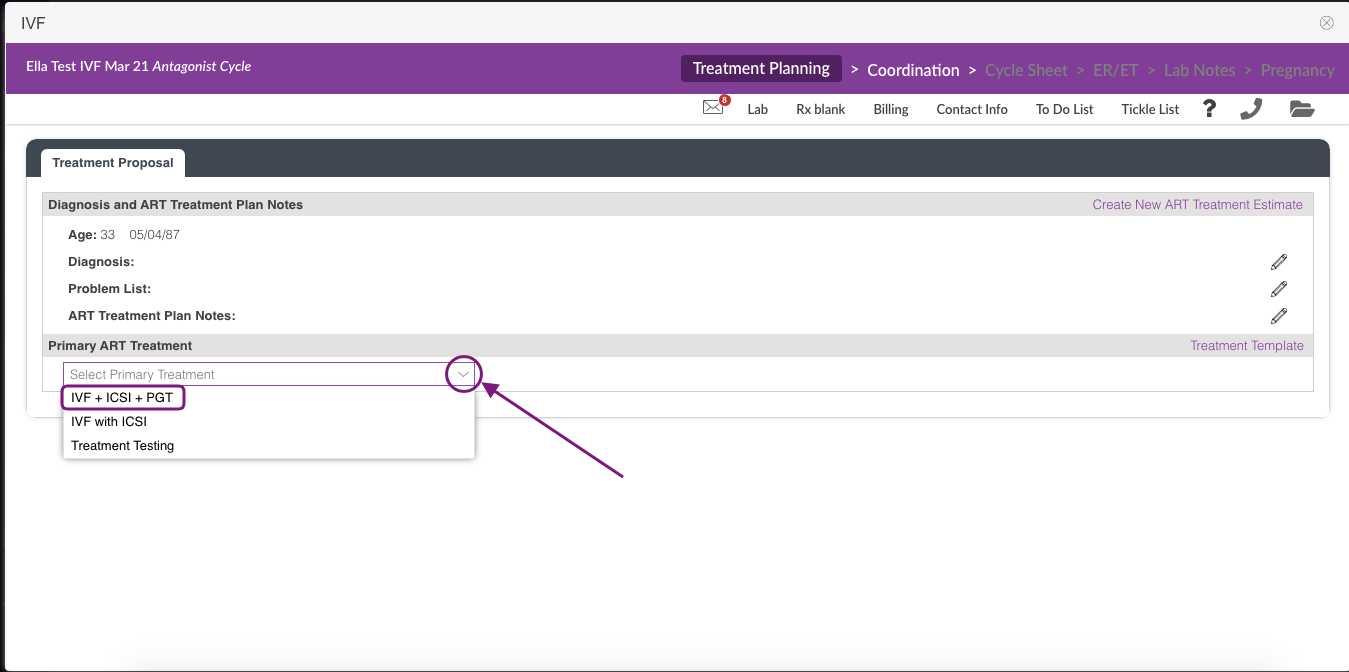
In the Treatment Proposal tab, under the Primary ART treatment click the drop-down icon and select the appropriate treatment plan template. This will only pull up the Treatment Template list that has been added to the cycle type.
In the above example, the test patient treatment plan is IVF + ICSI + PGT.
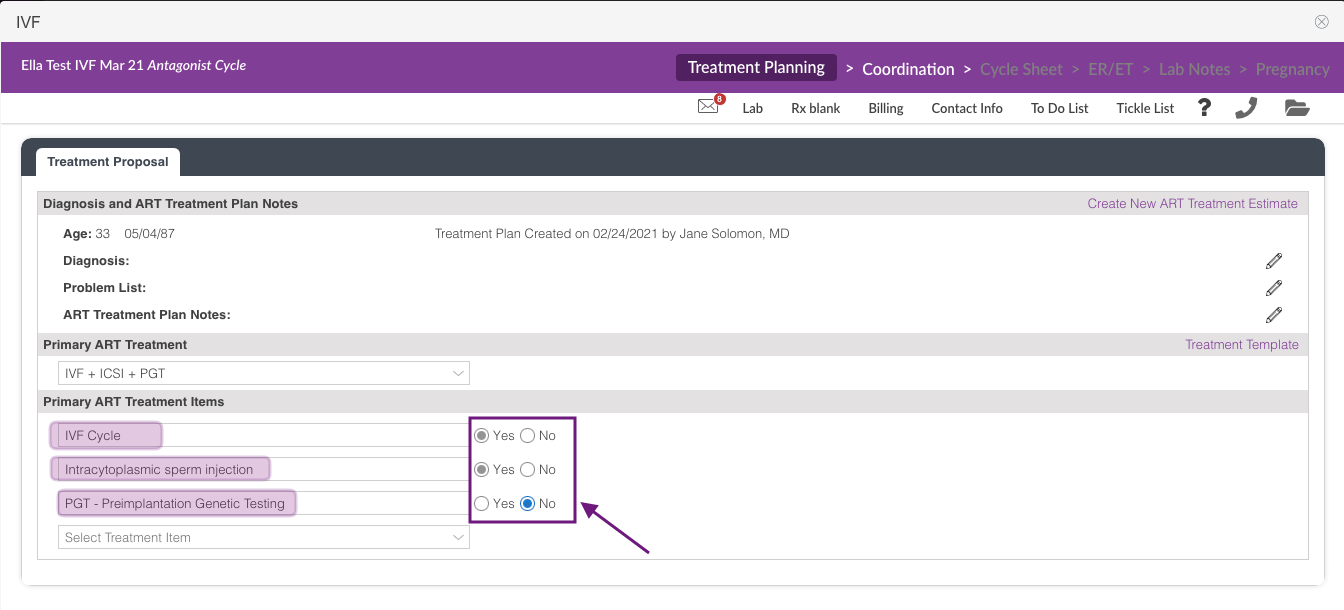
After selecting the template, mark the appropriate template items that will apply to the patient's treatment plan.
In this example, the patient's plan is IVF cycle + ICSI no PGT.
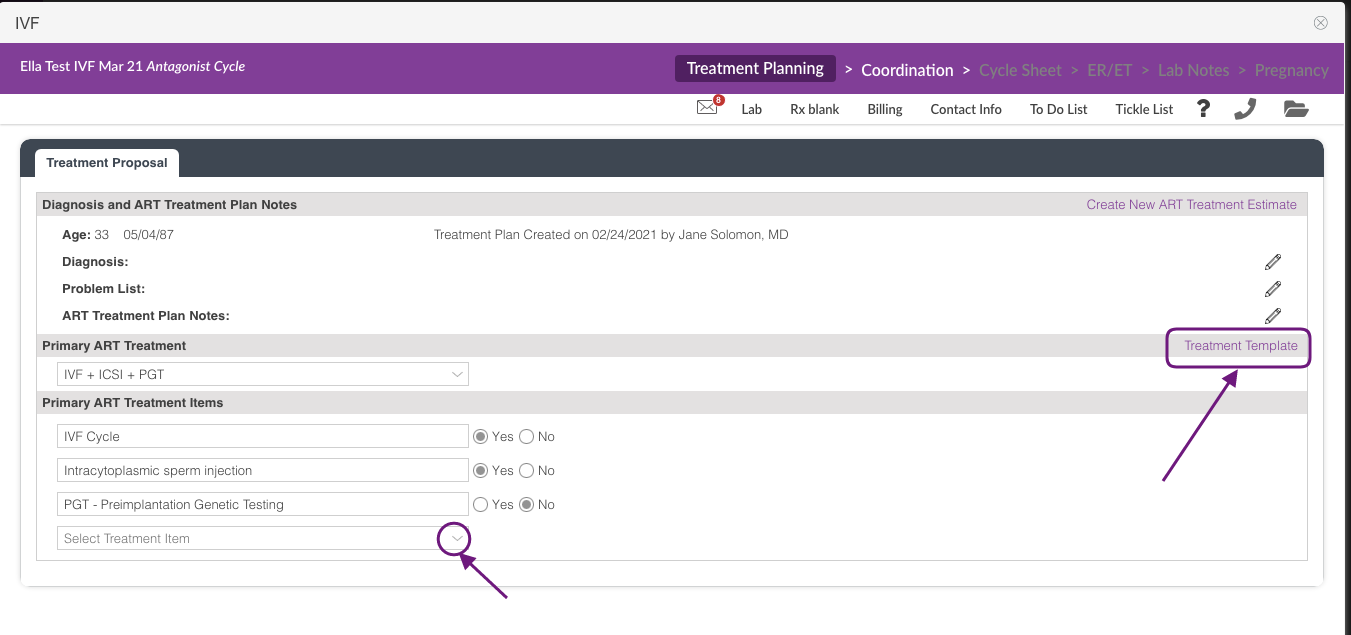
If applicable, select the drop-down to add a treatment item. Clicking on the Treatment Template will take you to the Treatment Template Set up.
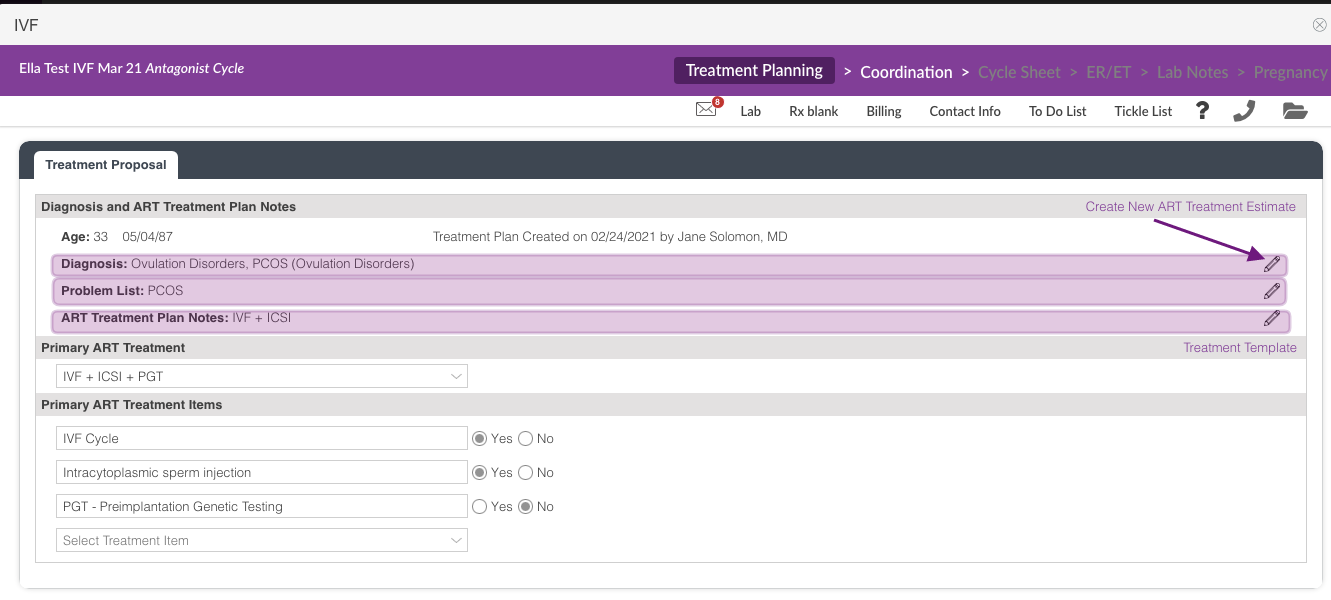
The clinical team will have an option to update the Diagnosis, Problem List and ART Treatment Plan Notes as needed. Click the pencil icon to edit.
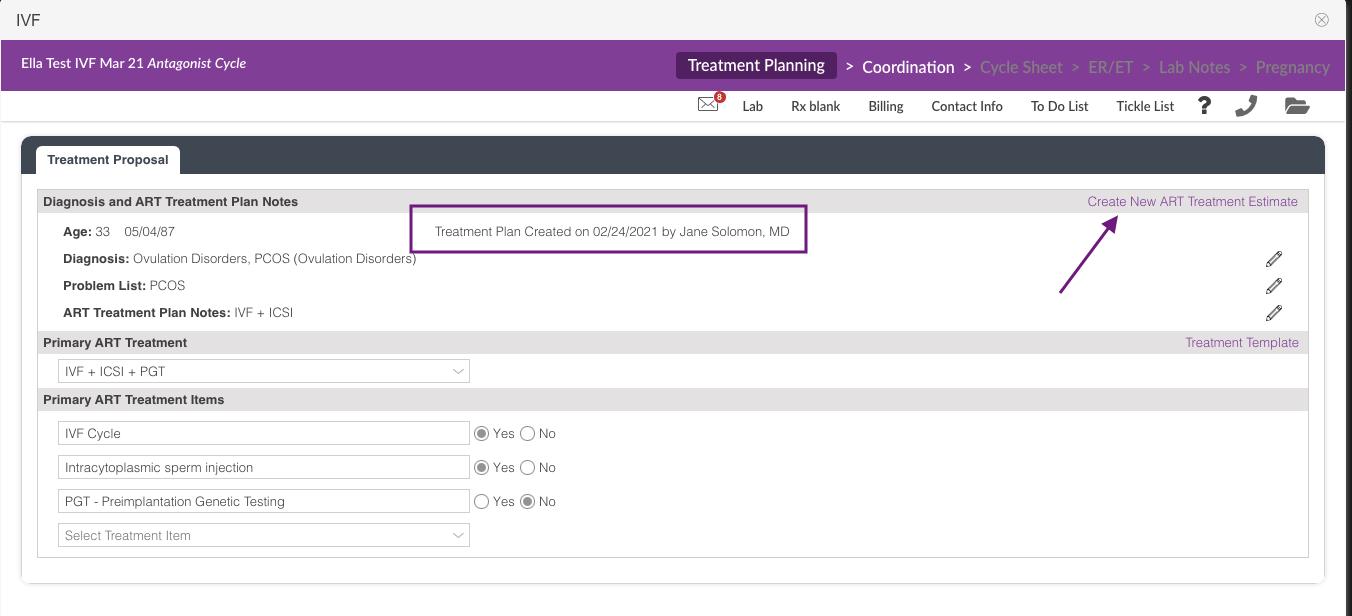
After completing the Treatment Proposal information, it will have the a created by ad date time stamp. To send this to the financial team, click Create New ART Treatment Estimate link.

Click Yes to confirm.
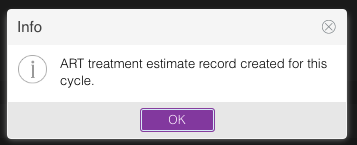
Click Ok.
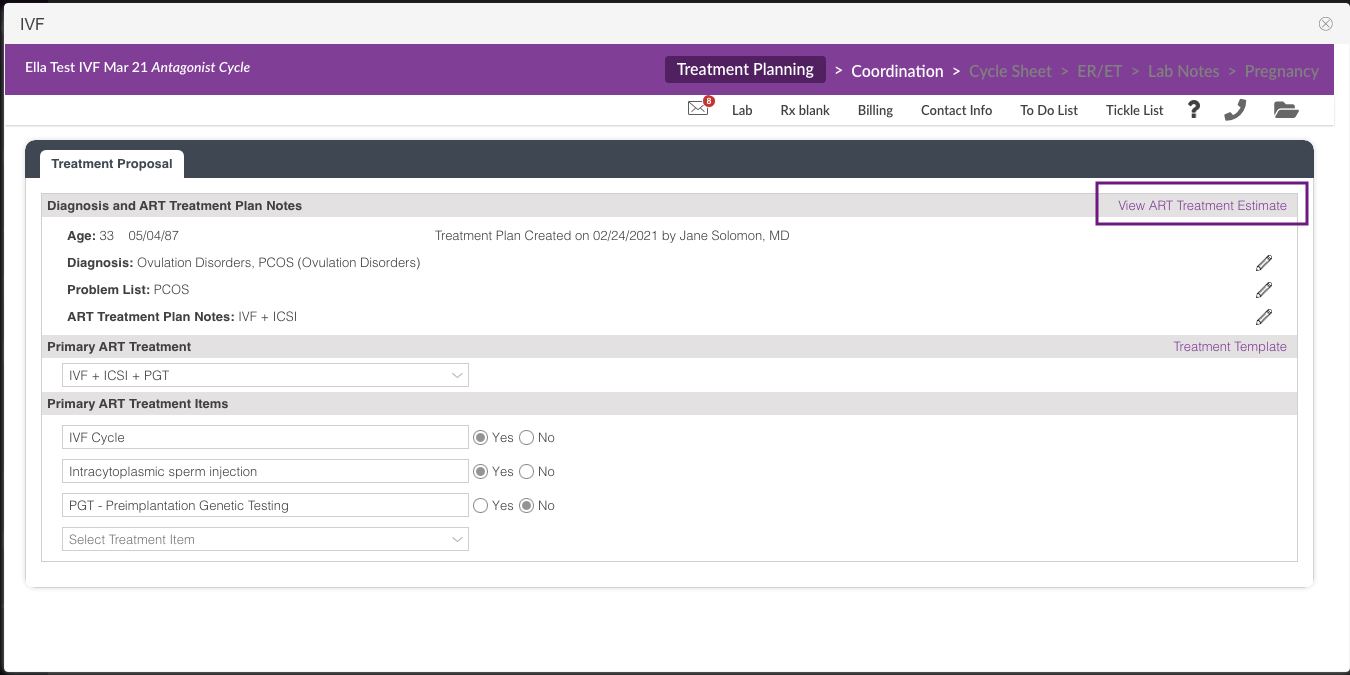
The Financial Coordinator added on the patient's Contact Info, will receive an IM Notification regarding the patient's treatment proposal, and will create the ART Treatment Expense.
Clicking on the View ART Treatment Estimate link will have the ART Treatment Expense information from the billing team once created.
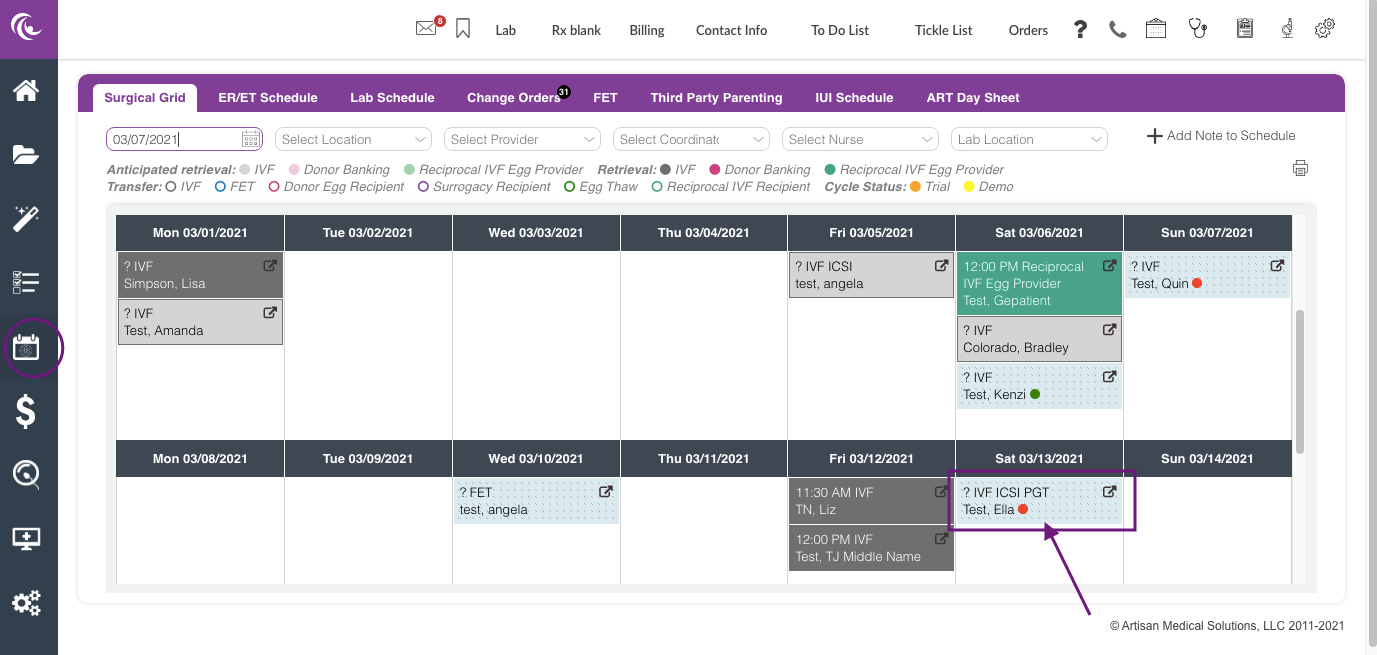
The Treatment Planning Calendar will show on the Surgical Grid in a stippled box with the cycle information and a red dot notification indicating that this is not an active cycle.
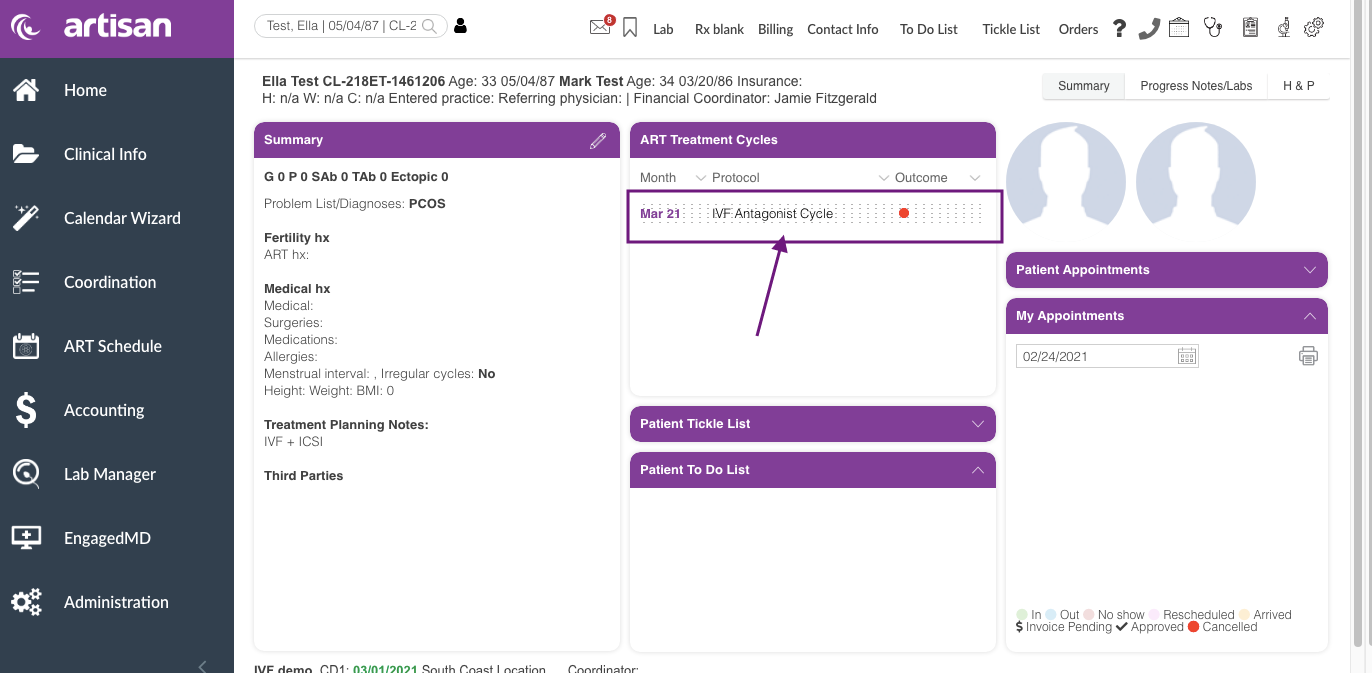
View from the patient's chart.
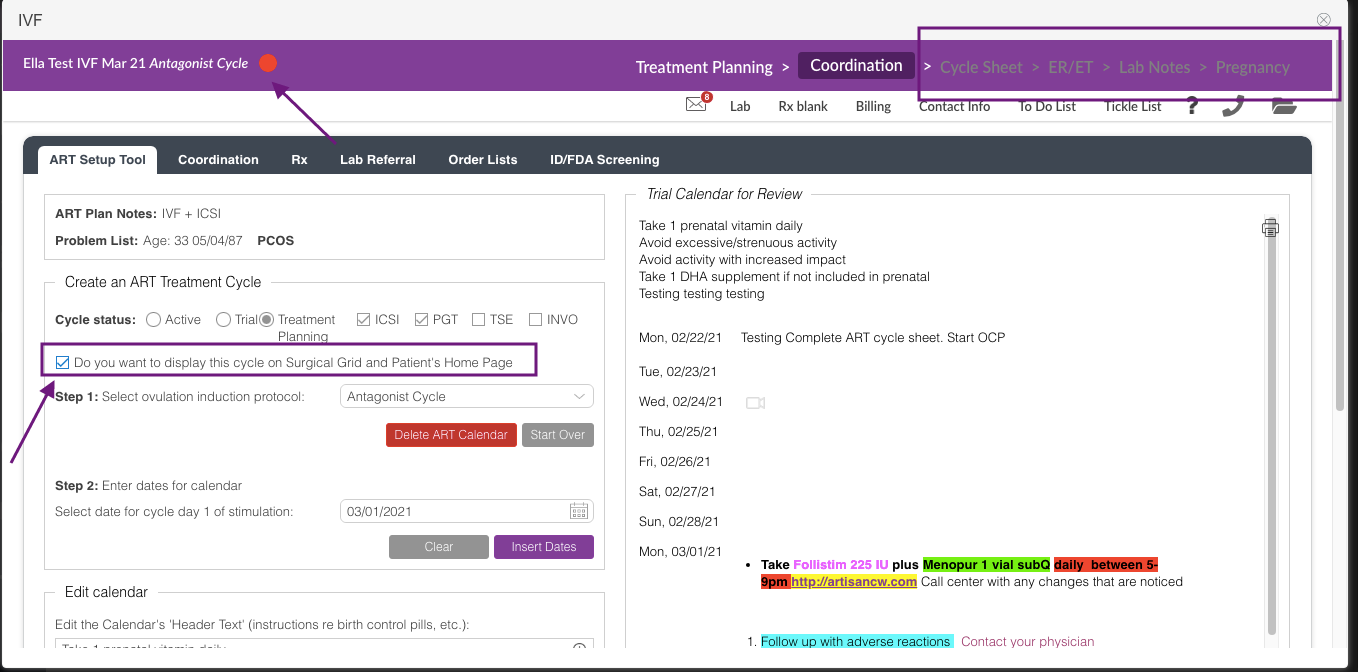
An option to not display the treatment planning cycles on the surgical grid and patient's home page is available on the Coordination tab by unchecking the box under the cycle status.
The red dot icon will also populate into the cycle once the ART treatment expense has been created for the patient. It will also lock you out from being able to access the rest of the cycle tabs while the cycle status is under Treatment Planning.
**All manuals are compliant with HIPAA regulations. No patient information has been released. All screenshots above were taken from a test clinic with fake patient information.

