


 140
140
The Escrow Fund may be used to pay balances on invoices in the Accounting system. The funds may be applied to dates of service after submitting to the Clearinghouse and receiving payment, or for patient pay only services.
Funding the Escrow Account
Setting up a patient's escrow account is the first step in the process, to see all involved steps, see the manual General Escrow Items (Creating and Funding the Escrow Account).
Posting Escrow Payments to Line Items
To post escrow money to an entire date of service (DOS):
-
Click the checkbox in the purple header and follow the instructions for bulk payments, see the manual Bulk Payments and Adjustments.
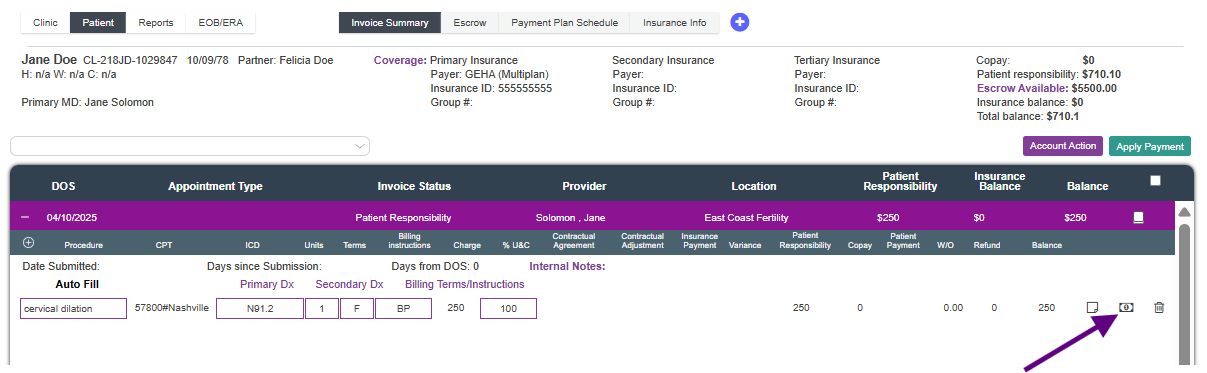
To post escrow money to a line item(s):
-
Click the dollar icon.
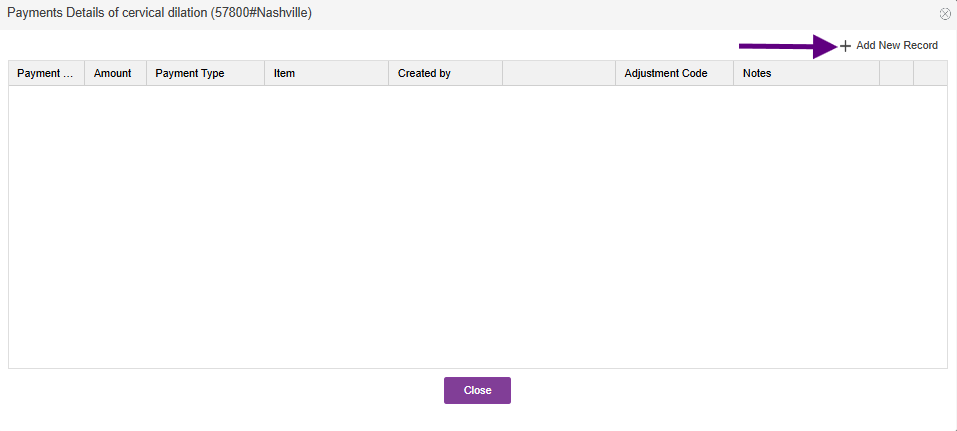

The payment details box will open.
Click +Add New Record.


In this example we are using the Escrow balance to pay the Item balance.
-
Notes: enter any notes you would like to apply to the payment.
-
Payment Made On: enter the date the payment is being moved from escrow not the date the original payment was received.
-
Item/Amount: Change the item to Patient Payment, and enter the Amount of the money you are moving from escrow.
-
Payment Made By: select Escrow Payment. Additional fields will appear with this selection.
-
Payment Location: select the location from where you are pulling the escrow payment.
-
Tax ID: select the Tax ID from where you are pulling the escrow payment.
-
-
Escrow Amount: select which escrow item you are pulling the money from. This step is very important!
Click Save
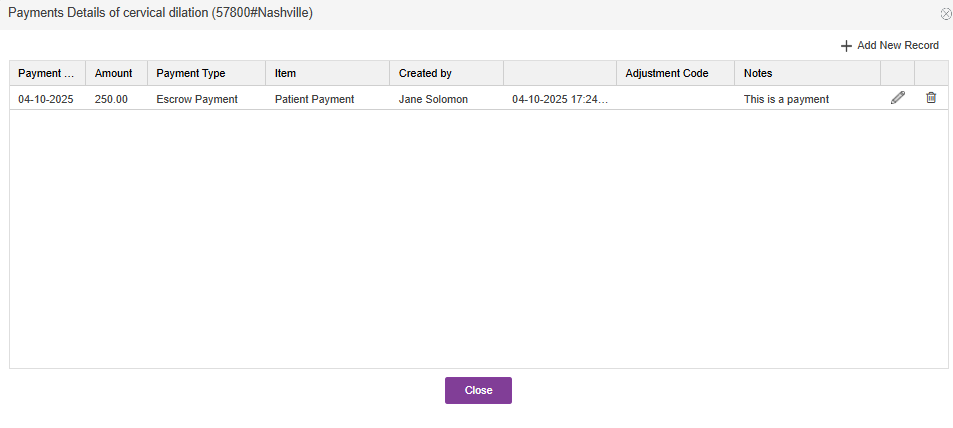

The escrow payment is reflected in the payment log.
**All manuals are compliant with HIPAA regulations. No patient information has been released. All screenshots above were taken from a test clinic with fake patient information.

