


Manual EOB Log

Apr 07, 2025
 49
49
Manual EOB Log
There may be times that you will want to view the full EOB that you have manually entered. Artisan allows for this in the EOB log.
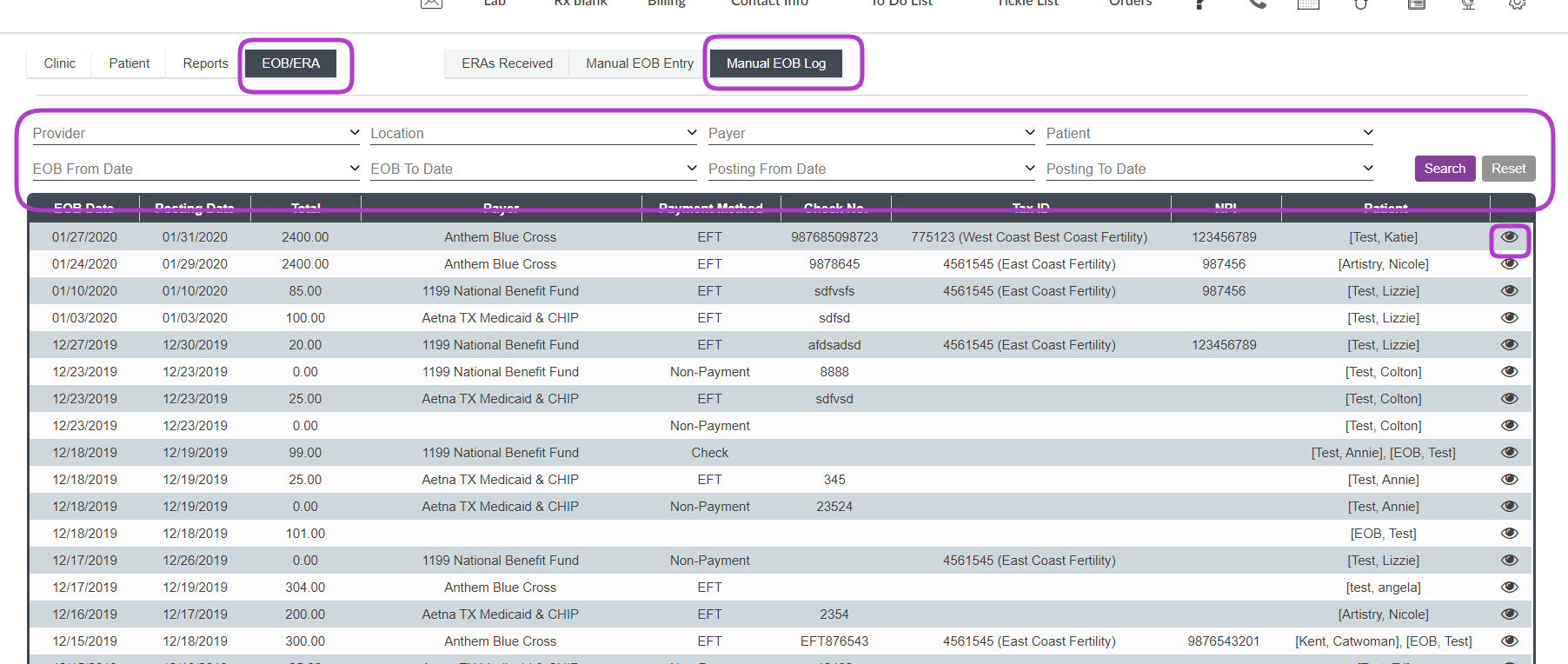
In the EOB/ERA tab, click on the Manual EOB Log at the top.
From here you will be able to view all the EOBs you or your team have entered. There are search fields at the top. Clicking on the Eye icon opens up the entire EOB to view the details.
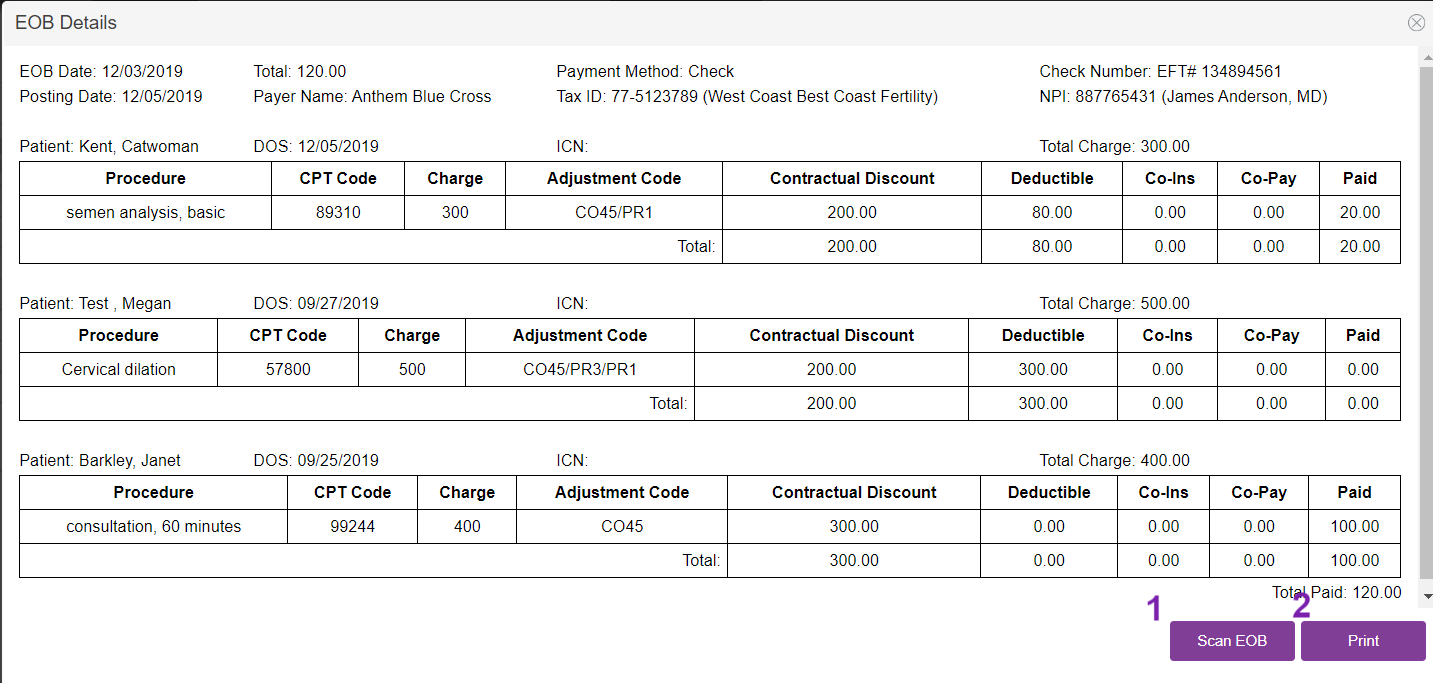
From this log you have two options:
1. Scan the paper EOB to the manually entered EOB
2. Print the Manual Entered EOB.
**All manuals are compliant with HIPAA regulations. No patient information has been released. All screenshots above were taken from a test clinic with fake patient information.

